


You're probably trying to do something simple that Facebook makes feel oddly complicated. Maybe you need to add your Page to your Instagram bio, paste it into an email signature, send it to a customer, or drop it into a bio link page. You click around, copy a link, and then start wondering whether you grabbed your personal profile by mistake.
That confusion is normal. Facebook has changed how Pages are managed, and the answer to how do i link to my facebook page isn't just “copy the URL.” The useful answer is finding the right link, cleaning it up with a username, placing it in the right spots, and setting it up so you can track whether people use it.
Table of Contents
- Finding Your Correct Facebook Page URL
- How to Create a Custom Facebook Page Username
- Adding Your Facebook Link to Key Digital Assets
- A Deep Dive into Your Bio Links Page Builder
- Advanced Tips for Linking and Promotion
- Troubleshooting Common Facebook Link Issues
Finding Your Correct Facebook Page URL
The first job is making sure you're copying the actual Facebook Page URL, not a personal profile link, not a mobile shortcut, and not a random share URL that behaves differently depending on device.
Use the Page link, not your personal profile
A reliable Facebook Page link is usually the Page's canonical URL or a username-based URL. That's the version you want on your website, in your bio tools, and in your marketing materials. Constant Contact's Facebook URL guide notes that the technical best practice is to use the Page's canonical URL or username-based URL, not a copied mobile profile link that may resolve differently across devices.
That matters because people often search “how do i link to my facebook page” when what they really mean is, “How do I get a link that works everywhere?” A copied in-app link can sometimes be messy. A canonical Page URL is cleaner and more dependable.
Practical rule: If the link points to your personal identity instead of your business Page, don't use it in public marketing.
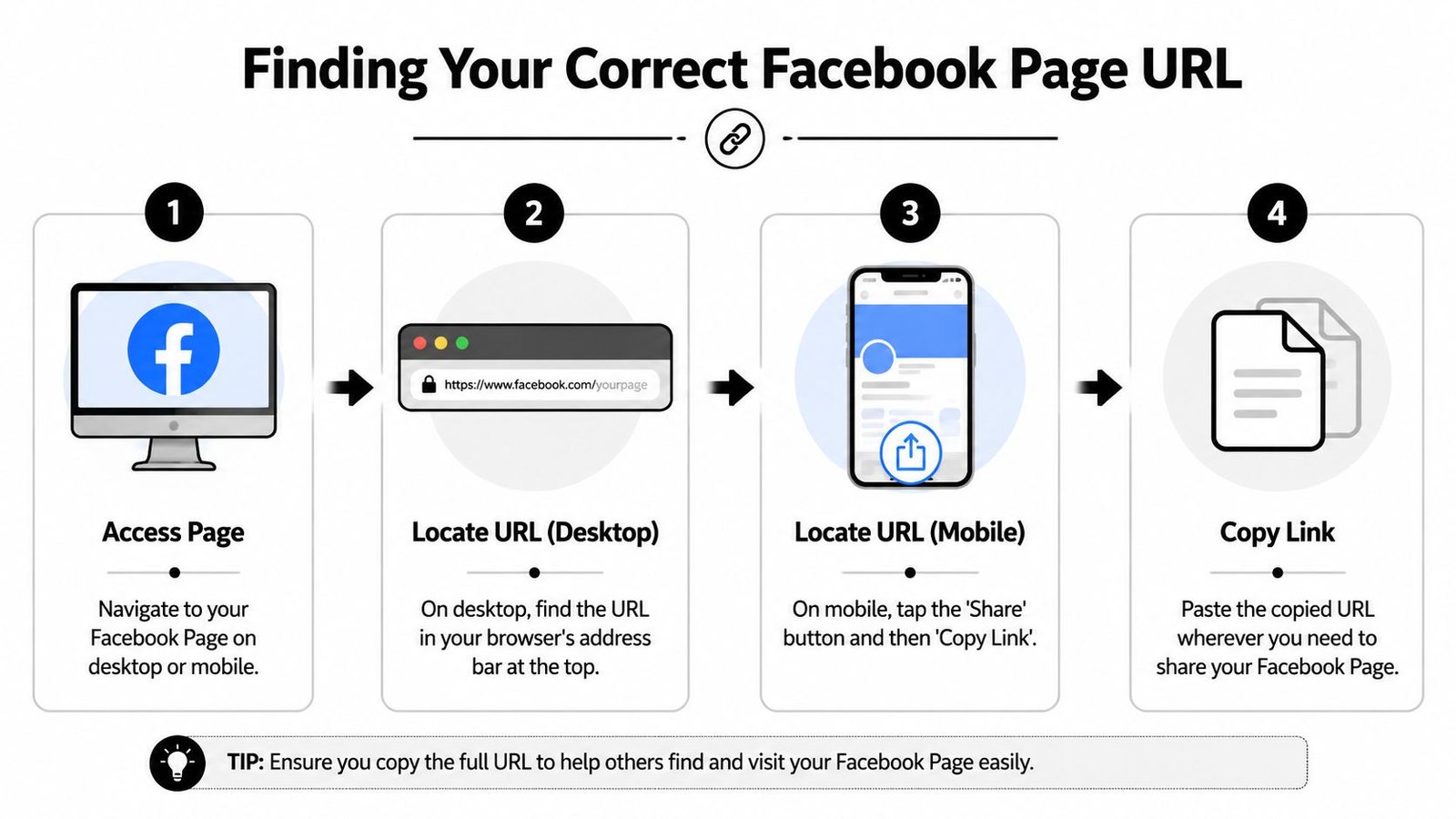

How to copy your Page link on desktop and mobile
Here's the simplest workflow.
- On desktop, log into Facebook and switch into the Page you want to share.
- Open the Page itself.
- Copy the link from the browser address bar.
- Paste it into a note first, so you can inspect it before using it elsewhere.
On mobile, the pattern is different.
- Open your Facebook Page in the app.
- Look for the Page menu or share options.
- Use the built-in Copy link to Page action if it appears.
- Paste the link somewhere and test it in a browser.
A quick comparison helps:
| Method | Best use | What to watch for |
|---|---|---|
| Browser address bar on desktop | Website, email, bio pages | Usually the cleanest version |
| Copy link to Page on mobile | Fast sharing from phone | Double-check that it opens the Page, not a profile view |
If your link includes a readable name, that's usually easier to share than a long numeric address. If it's still messy, don't worry. The next step is fixing that with a custom username.
How to Create a Custom Facebook Page Username
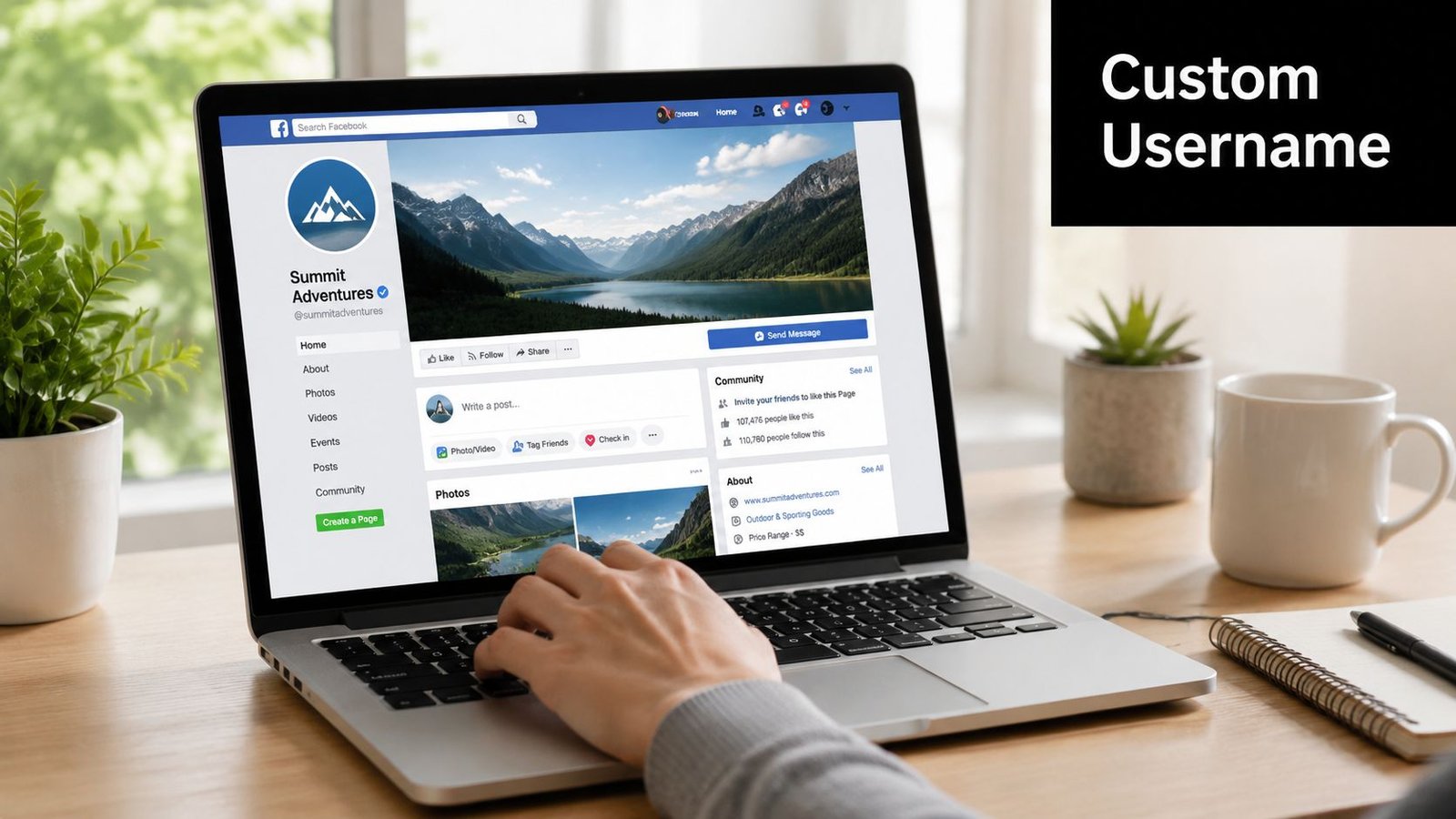
A Facebook link with a branded name looks more trustworthy than a long string of numbers. It's also easier to say out loud, easier to print on flyers, and easier to recognize when someone sees it in your footer or link-in-bio page.

Why your username matters
When your Page URL matches your brand name, your marketing gets simpler. You don't have to explain which account is official. You also reduce typos when customers search for you or manually type your link.
A good username is usually:
- Consistent with your brand on other platforms
- Short enough to remember
- Easy to say aloud on a call, podcast, or video
- Free of extra punctuation if you can avoid it
If you're trying to keep the same identity across platforms, a tool like unified social handles can help you think through naming consistency before you lock in your Facebook username.
How to claim a cleaner Page URL
Facebook Page setup starts with a personal Facebook account, then a menu action to create a Page and fill in business details like Page name, category, description, website URL, phone number, email, location, and an action button. Coursera's Facebook business Page walkthrough also notes that completing these fields before publishing matters because the Page setup checklist is stateful.
That same mindset applies to your username. Don't treat it like a cosmetic extra. Treat it like part of your core setup.
Here's a practical way to choose one:
| Username option | Good fit | Risk |
|---|---|---|
| Exact business name | Most brands | May already be taken |
| Brand + location | Local services | Can become limiting if you expand |
| Brand + category | Creators and niche shops | Slightly longer |
If your exact name isn't available, try a clear variation that still sounds official. Keep it close to the name people already know.
A short walkthrough can help if you want a visual reference before editing settings:

Once your username is set, update every public placement of the old link. That includes your website, your email signature, your bio tools, and any saved templates your team uses.
Adding Your Facebook Link to Key Digital Assets
The most effective placements for your Facebook link are often the most straightforward: your website footer, email signature, and social media bios. These are the places people check when they want proof that your brand is active, reachable, and consistent.
A good Facebook link strategy works like clear store signage. If someone is already at your front door, you do not send them across town to find the entrance. You place the next step where it feels natural. On the web, that usually means putting your Facebook Page URL in the assets people already use to contact you, verify you, or learn what to do next.
Your website footer and header
Your website is usually the first checkpoint. A visitor reads your services page, checks your hours, or looks for contact details. If they spot a Facebook link in the header or footer, the click feels logical because it supports the task they are already doing.
A simple footer link can look like this:
<a href="[Your Facebook Page URL]" target="_blank" rel="noopener noreferrer">Follow us on Facebook</a>
If you want an icon-based version in a header or footer, keep the code readable and the label accessible:
<a href="[Your Facebook Page URL]" target="_blank" rel="noopener noreferrer" aria-label="Visit our Facebook Page">
  Facebook
</a>
Place the link where visitor intent is already high. Footers, contact pages, appointment pages, and about pages usually outperform a random mention inside a blog post because the visitor is already trying to verify your business or connect with you.
For teams planning across channels, Facebook should sit inside a larger system rather than stand alone. This guide to social media integration for brand marketers is useful if you are aligning Facebook with Instagram and the rest of your channel mix.
Email signatures and social bios
Email signatures are one of the easiest places to add your Facebook link because the setup happens once, then keeps working in every reply, quote, invoice, and follow-up. It is a quiet distribution channel. People often ignore it until they realize how many messages their team sends every week.
A clean email signature line might look like this:
Business owner version
Maria Lopez | Owner
Greenway Studio
Follow us on Facebook: Your Brand on FacebookFreelancer version
David Kim | Content Strategist
Portfolio | Newsletter | Facebook Page
Social bios need a little more restraint. If a platform gives you one link slot, treat that space like prime shelf space in a store. Do not fill it with whatever is available. Choose the destination that helps visitors take the next useful action.
If Facebook is your main community hub, link to it directly. If you also want people to find your site, newsletter, products, or booking page, a bio link page is usually the cleaner option. That setup gives Facebook a defined place inside a broader path instead of forcing it to compete with everything else in a single cramped bio.
Good placements include:
- Instagram bio when Facebook is where you post community updates or event news
- LinkedIn contact section when prospects want another public channel to verify your business
- YouTube channel links when viewers want somewhere to follow you between uploads
Consistency matters here. Use the same brand name, profile image, and destination across your website, signature, and bio tools. If those pieces do not match, people pause. Even a small moment of doubt can cost the click.
One last tip. Before you paste your Facebook link into every asset, decide whether you want the raw page URL, a tracked URL with UTM parameters, or a short branded link. That choice affects how professionally the link looks and whether you can measure what each placement is doing.
A Deep Dive into Your Bio Links Page Builder
You paste your Facebook page link into a bio, then realize the click has no context. A visitor lands on Facebook, but you do not know where they came from, what they were looking for, or what they should do next. A bio links page fixes that by turning one link into a small routing hub for your brand.
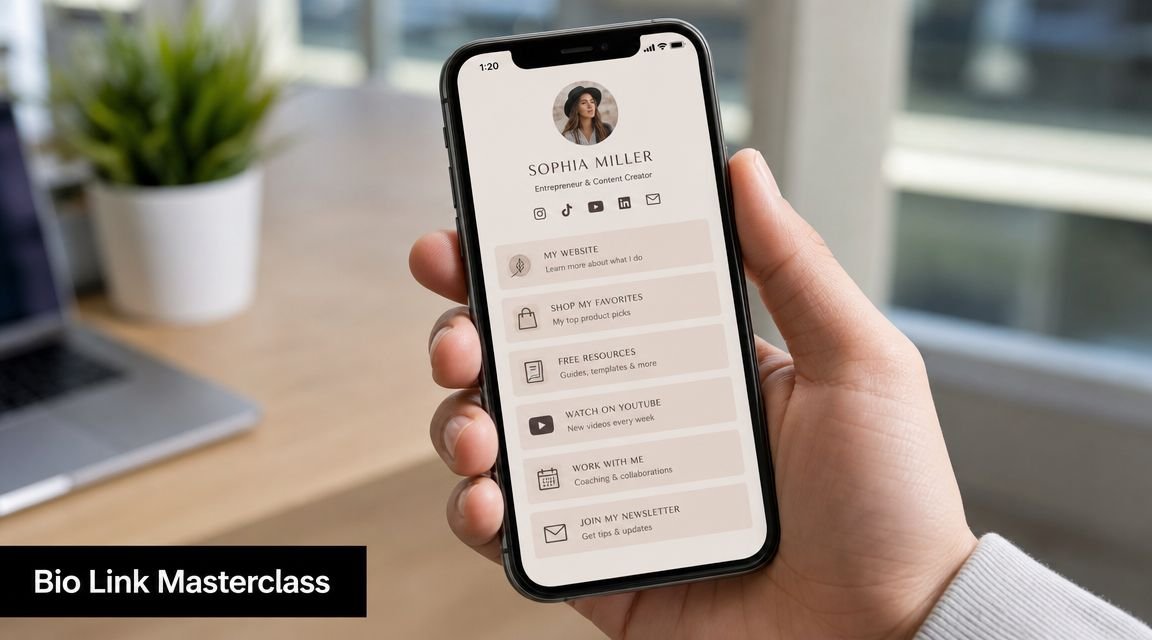

A good bio page works like a front desk. It does not replace your Facebook page. It helps the right visitor get there for the right reason, while also showing your other priority destinations such as your site, newsletter, products, or booking page.
Give Facebook its own clear destination
Create a dedicated Facebook block instead of burying it inside a generic row of social icons. People scan quickly. Clear labels reduce hesitation and make the click easier to understand.
Use action-focused text such as:
- Follow us on Facebook
- Join our Facebook community
- See updates on Facebook
If your page builder supports icons, add the Facebook icon so the destination is recognizable at a glance. If it supports opening links in a new tab, enable that setting so visitors can return to your bio page without starting over. Bio Links Page Builder can be a useful option here because it lets you arrange blocks, add social links, and create a short shareable URL from one place.
Set up tracking before you publish
This is the step many articles skip. Your Facebook link should not only send traffic. It should also help you measure which placement earned the click.
Add UTM parameters either to the Facebook URL inside your bio page or to the bio page URL you distribute across other channels. Keep the naming plain and consistent. If one link uses instagram-bio and another uses insta_profile, reporting gets messy fast.
A simple pattern works well:
| Placement | Example tag idea |
|---|---|
| Instagram bio | instagram-bio |
| Email signature | email-signature |
| YouTube description | youtube-description |
Short links help here too. They give you a cleaner public-facing URL while preserving the longer tracked destination underneath. That is especially useful in profiles, printed materials, and creator bios where appearance matters.
One more practical tip. Match your link label to the promise around it. If the button says “Join our Facebook community,” the destination should feel active and current. For help writing stronger prompts around that link, see crafting scroll-stopping social hooks.
Connect reporting with the right Facebook access
Click tracking from your bio tool is useful, but many teams also want Facebook-side reporting. That is where permissions often slow things down.
Power My Analytics' Facebook Insights connector guide explains that users should have Page Editor access in Business Manager, or in the New Page Experience, partial access that includes Content, Community activity, Messages, Ads, and Insights permissions before connecting. The setup starts by logging into the correct Facebook account and choosing Facebook Insights from the data-source gallery.
If reporting fails, the issue is often administrative rather than technical. The wrong account is connected. Or the right person can publish posts but cannot access Insights.
Document these four items before anyone builds reports:
- Who owns the Page
- Who has editor or partial access
- Which account connects analytics tools
- Which naming rules you use for campaign links
That small checklist keeps your bio link setup professional. It also makes your Facebook URL part of a trackable system instead of a loose link dropped into a profile.
Advanced Tips for Linking and Promotion
A Facebook link on its own is passive. It sits there and waits. A promoted Facebook link does a job. It gives people a reason to click, and it gives you a way to learn from those clicks.
A link without context gets ignored
“Click here” is weak because it asks for action without offering value. “Follow us on Facebook for event updates” is stronger because it tells people what they'll get.
The same rule applies everywhere:
- Website footer works better with “Follow us on Facebook”
- Email signature works better with “See customer updates on Facebook”
- Bio page works better with “Join our Facebook community”
If you want your post copy to support those links better, this guide to crafting scroll-stopping social hooks is a useful companion because the words around the link often matter more than the link itself.
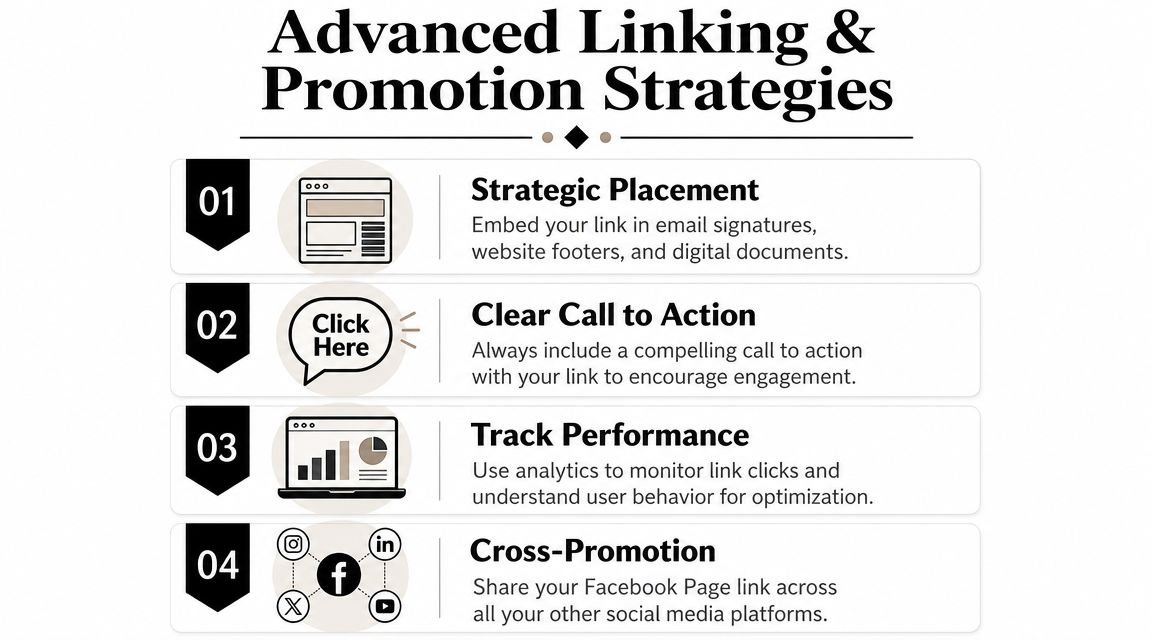
Tracking tells you where interest starts
Facebook's own reporting environment is built around professional dashboard and Insights access. Sprout Social's overview of Facebook analytics explains that Facebook Page access is managed through Meta's professional dashboard or the Insights tab, and that the dashboard groups performance around metrics such as Reach, defined there as the number of unique viewers who saw the Page. That's why businesses often connect the Page to Meta Business Suite or outside tools for deeper measurement.
The practical takeaway is simple. If you add your Facebook link in five places and never label or review those placements, you won't know which one deserves more attention.
A smart promotion setup usually includes:
- Descriptive anchor text so people know why to click
- Short links for cleaner sharing in print, bios, and messages
- Tagged URLs so campaign sources stay visible
- A regular review habit inside Meta's dashboard or your reporting stack
The businesses that learn fastest are rarely the ones with the most links. They're the ones with the clearest placement and the cleanest tracking.
Troubleshooting Common Facebook Link Issues
Most Facebook linking problems come from one mistaken assumption: people think any Facebook URL tied to their account is good enough. It isn't. The link has to match your public goal.
You copied the wrong Facebook link
This happens all the time. You open Facebook, copy the first visible link, and only later notice it leads to your personal profile. That's a privacy issue as much as a branding problem.
A useful question is whether you should connect a personal profile to a business presence at all. Kaydee's write-up on linking a Facebook Page notes that Facebook profile links can expose your business affiliation publicly unless you carefully set visibility to Public. That matters for creators, freelancers, and small businesses that want a professional public presence without making a personal account the main discovery surface.
If your goal is public marketing, use the Page link, not your personal profile connection.
Your Page link exists but still causes problems
A few common fixes:
Your username is taken
Try a close variation that still sounds official. Add your city, niche, or brand descriptor if needed.The Page looks incomplete
Missing business details or imagery can make visitors hesitate, even if the link works.The Page isn't visible enough
Check whether you've finished setup details and whether the Page presents clear business information.The link feels awkward in a bio
Put it inside a bio page instead of forcing Facebook to be the only destination.
If you're asking “how do i link to my facebook page,” the technical answer is only the beginning. The professional answer is this: use the correct Page URL, brand it with a username, place it where people already trust you, and track the clicks so the link earns its spot.
If you want one place to organize your Facebook Page, website, newsletter, products, and other profiles, Bio Links Page Builder gives you a simple way to build a single bio page, add a dedicated Facebook block, and share a short link across your social channels.