You’ve probably seen “link in bio” everywhere on social media. When someone shares content on Instagram or TikTok and wants you to visit a specific website, buy a product, or check out their latest video, they tell you to click the link in their bio. A link in bio is a clickable URL placed in your social media profile that directs followers to a landing page where you can share multiple links in one place. This solves a big problem since most social platforms only give you one link spot in your profile.

The link in bio strategy has become essential for creators, businesses, and influencers who need to share more than one destination with their audience. Instead of constantly changing your bio link every time you have something new to promote, you can use a link in bio tool to create a simple page that holds all your important links. This includes your website, online store, blog posts, other social profiles, affiliate products, or any other page you want people to visit.
Using a bio link helps you drive traffic where you need it most while keeping your profile clean and professional. Whether you run a small business, create content, or manage social media for a brand, understanding how to use your link in bio effectively can boost engagement and help you reach your goals.
Key Takeaways
- Link in bio tools let you share unlimited links through one URL in your social media profile
- These tools help drive traffic to multiple destinations while tracking clicks and user behavior
- Customizable landing pages keep your profile organized and improve conversion rates across platforms
How Link in Bio Works Across Social Platforms

Each social platform handles bio links differently, and understanding these differences helps you direct traffic more effectively. QR codes add another way to share your links beyond profile pages.
Key Functions on Instagram, TikTok, and YouTube
Instagram only allows one clickable link in your profile bio. You can’t add clickable links in regular post captions, which is why “link in bio” became a common phrase on the platform. When you post content, you direct followers to check your profile for the URL.
TikTok works the same way. You get one link slot in your profile, and individual video captions don’t support clickable links. The platform requires you to have a business account or meet certain follower thresholds to add a bio link at all.
YouTube gives you more flexibility. You can add links to your channel description and include clickable links in video descriptions. Your main channel page displays a customizable website link prominently below your channel name.
LinkedIn allows one website link in your profile header. You can also add links throughout your experience sections and featured content area, giving you more options than Instagram or TikTok.
Using QR Codes for Broader Reach
QR codes let you share your bio link outside social media platforms. You can print them on business cards, flyers, product packaging, or display them at events. People scan the code with their phone camera and go directly to your link in bio page.
This works well for physical stores, conferences, or anywhere you interact with people offline. You don’t need them to remember your username or search for your profile. The QR code creates an instant connection between your offline presence and your online links.
Many link in bio tools generate QR codes automatically for your page. You can customize the design to match your brand colors and add your logo to make it recognizable.
Single Versus Multiple Links in Your Profile
A single link works if you only need to promote one destination. You might link directly to your website, shop, or current campaign. This approach is simple but limits what you can share.
Benefits of single links:
- Clean and simple
- Direct path to one goal
- Easy to update when priorities change
Benefits of multiple links:
- Share several resources at once
- Promote different content types
- Track which links get the most clicks
A link in bio tool creates a landing page that displays multiple links in one place. When someone clicks your bio link, they see a page with all your important links organized together. You can include links to your blog, shop, YouTube channel, podcast, and recent posts all on one page.
This solves the one-link limit on platforms like Instagram and TikTok. You update your links on the landing page without changing the URL in your bio.
Core Benefits and Use Cases
Link in bio turns your social profile into a central hub that routes interested users to actions that matter for your business. Whether you need to drive sales, build your email list, or send traffic to your latest content, this single link gives you control over where your audience goes next.
Driving Traffic and Growing Online Presence
Your link in bio creates a direct path from social platforms to destinations you own and control. When you post content that sparks interest, you can guide viewers to your website, blog posts, or signup forms with a simple call to action.
This approach works because it meets your audience where their intent is highest. Someone who clicks through your bio link is more engaged than someone who just scrolls past your content. You convert passive viewers into active visitors.
The traffic you generate through your bio link also compounds over time. Each new follower gains access to your curated hub of resources. Your older posts continue to send clicks as long as the link remains relevant and updated.
You can track this traffic through analytics tools to see which posts drive the most clicks. This data helps you understand what content resonates with your audience and deserves more attention in your strategy.
Promote Products and Affiliate Links
Link in bio gives you a clean way to showcase products without cluttering individual posts with multiple URLs. You can create a simple menu that lists your top offerings, seasonal collections, or featured items.
For affiliate marketing, your bio link serves as a organized directory of recommendations. Instead of changing links constantly, you maintain one hub where you list products by category or use case.
This setup reduces friction in the buying process. Your audience sees what you recommend, clicks one link from your bio, and lands on a page with clear options. Fewer steps mean higher conversion rates.
You can also tie specific content to specific products. When you post a tutorial or review, viewers know they can find the exact product link in your bio. This consistency builds trust and makes it easier for people to take action on your recommendations.
Unifying Your Brand Experience
Your link in bio creates consistency across all the platforms where you show up. Instead of sending people to different places from Instagram, TikTok, and YouTube, you route everyone to the same organized hub.
This unified approach strengthens your brand identity. Visitors see the same visual style, messaging, and priorities no matter which platform brought them to you. The experience feels intentional rather than scattered.
You also gain better control over how people discover your full range of offerings. A cooking creator might use their bio link to balance recipe content, cookware partnerships, and a newsletter signup. Each element supports the others without competing for attention in individual posts.
Brand partnerships become cleaner too. When you work with sponsors, you can add their campaign to your existing hub rather than replacing everything else. Your audience gets the promoted offer while still accessing your regular content and resources.
Main Features of Modern Link in Bio Tools
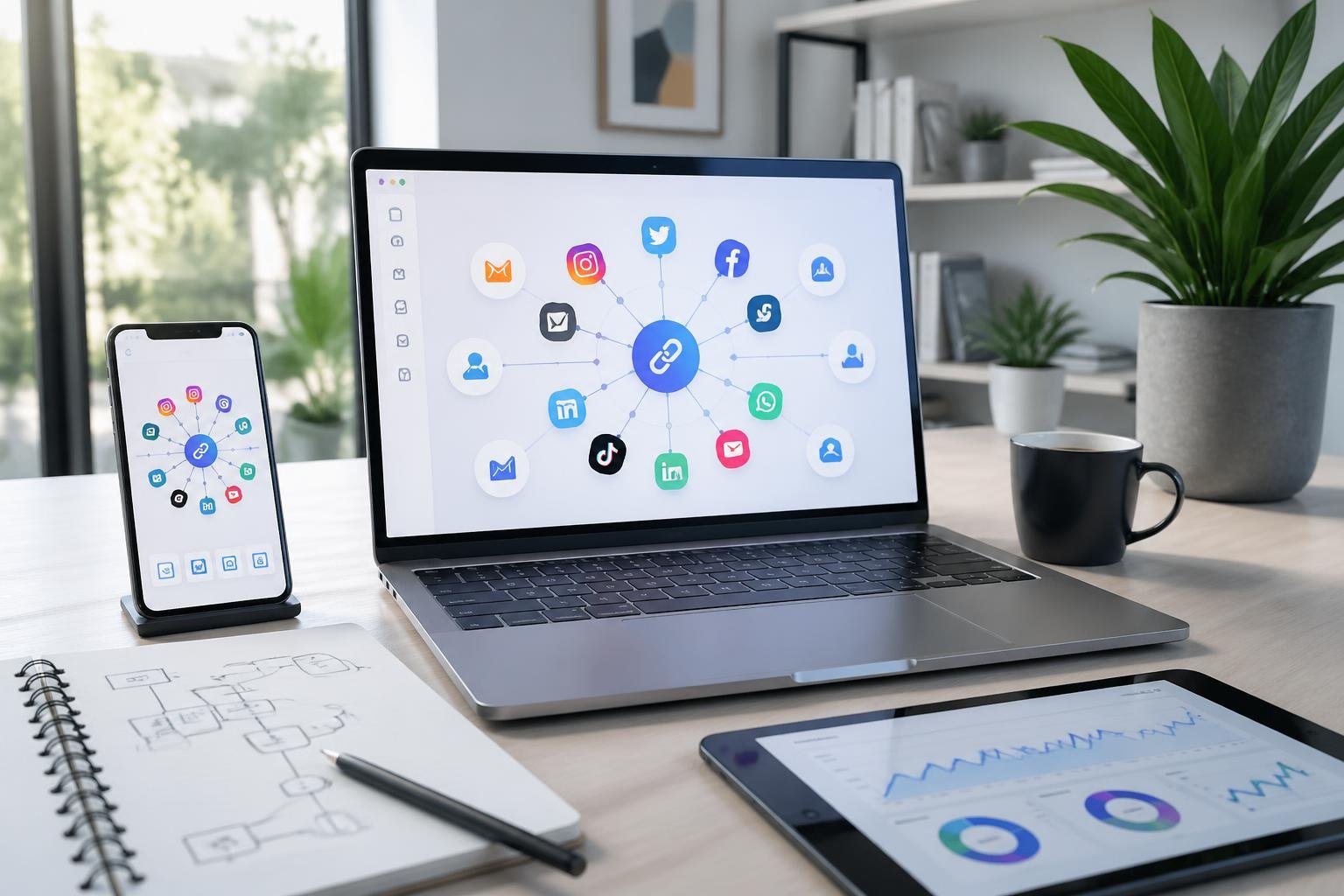
Modern link in bio tools have evolved beyond simple link directories. Today’s platforms offer unlimited linking capabilities, detailed performance tracking, and extensive design customization to help you create a professional online hub that matches your brand.
Unlimited Links and Customizable Options
Most link in bio tools now let you add unlimited links to your page without restrictions. You can organize these links using drag-and-drop interfaces to rearrange content quickly based on your priorities.
Customization options include changing colors, fonts, button styles, and background designs to match your brand identity. Many platforms support custom domains, allowing you to replace the default URL with your own branded domain for a more professional appearance.
Advanced tools offer white-label capabilities that remove third-party branding from your page. You can add your logo, adjust hover effects, and modify social media icon designs. Some platforms also provide scheduling features that let you set links to go live at specific times and expire when campaigns end.
Advanced Analytics and Real-Time Insights
Analytics capabilities help you understand which links get the most clicks and what content drives engagement. The best platforms provide real-time reporting so you can adjust your strategy during active campaigns.
Key metrics to track include:
- Click-through rates by content type
- Device and platform preferences
- Geographic location of visitors
- Time spent on specific links
- Traffic source breakdown
- Conversion tracking for campaigns
Many link in bio tools integrate with Google Analytics, letting you combine link performance data with your broader marketing analytics. This integration helps you make informed decisions about content strategy and audience behavior patterns.
Templates and Design Flexibility
Link in bio tools offer pre-designed templates that you can customize to fit your needs. These templates provide starting points for different use cases like e-commerce, content creators, or service businesses.
Design flexibility extends to mobile optimization, which matters since most social media users access platforms through smartphones. Templates automatically adjust to various screen sizes with responsive layouts and touch-friendly buttons sized at least 44×44 pixels.
You can modify templates to include product showcases, event calendars, or community feeds depending on your goals. The best platforms provide mobile preview functionality during editing so you can test how your page performs across different devices before publishing.
Notable Link in Bio Tool Providers
Different platforms have shaped how creators and businesses share multiple links through social media. Linktree pioneered the bio link space and remains widely recognized, while Bitly focuses on URL shortening with analytics capabilities, and newer tools offer specialized features for specific user needs.
Linktree: The Original Solution
Linktree launched as the first major bio link tool and built strong brand recognition across social platforms. The platform lets you create a simple link page where you can share multiple URLs from a single bio link. You can set up an account quickly and start adding links within minutes.
The free plan provides basic functionality with limited customization options. Paid tiers unlock custom branding, detailed analytics, and integration with 53 different apps. The main limitation is that you cannot use your own branded domain on most plans, which means your link will display Linktree’s branding instead of yours.
Linktree works best for beginners who need a straightforward setup. The platform’s widespread use means your audience already understands how these link pages work. However, as your marketing needs grow, you may find the customization and data ownership options too limited for professional use.
Bitly: Short Links and Analytics
Bitly operates primarily as a URL shortener but includes bio link functionality. The platform focuses on creating branded short links and tracking their performance across channels. You get detailed click data, geographic information, and referral sources for each link you create.
The bio link feature works differently than dedicated tools. Instead of creating a visual landing page, Bitly lets you group multiple short links together under one URL. This approach provides strong analytics but less visual customization than platforms built specifically for bio links.
Bitly makes sense if you already use URL shorteners in your marketing and want unified link management. The analytics capabilities exceed what most basic bio link tools offer, giving you deeper insights into audience behavior and traffic patterns.
Emerging Tools: Lnk.Bio, TheBio, LinkFolio, and Others
Newer platforms have entered the bio link space with specialized features. Lnk.Bio offers a free forever plan with basic customization and simple analytics, making it budget-friendly for individuals just starting out. The interface is straightforward but lacks advanced features that marketing teams typically need.
TheBio and LinkFolio focus on creator-specific needs with different approaches to page design and monetization. These tools often include features like email capture, payment integration, or content scheduling. The trade-off is that more features can make the interface more complex to learn and manage.
These emerging tools work well for testing bio link functionality without significant investment. However, they typically offer less reliable uptime, smaller user communities for support, and fewer integration options compared to established platforms. You should evaluate whether their specific features match your needs before committing to any single platform.
Connecting with Your Audience Effectively
Your link in bio page needs to do more than list URLs. It should guide your audience to take specific actions while building a stronger connection with them.
Optimizing Link Pages for Conversions
Your link page works best when every element pushes visitors toward a clear action. Start with short, direct descriptions for each link. Instead of “Click here,” use specific calls-to-action like “Enter the giveaway” or “Get the free guide.”
Limit your links to 5-7 options. Too many choices overwhelm people and reduce clicks. Keep your most important links at the top where they’re visible without scrolling.
Update your link in bio page regularly to match your current promotions. If you’re running a giveaway this week, make it the first link. When you launch a new product, swap out old links.
Track which links get the most clicks. This data shows you what your audience actually cares about. Use link shorteners or analytics tools to measure performance.
Add visuals next to each link when possible. Profile pictures, product images, or simple icons help people scan your page faster and click more often.
Engagement Features and Community Building
Interactive elements turn passive followers into active participants. Email capture forms on your link page help you build a subscriber list beyond social media. This gives you a direct way to reach people without relying on platform algorithms.
Referral programs reward your most loyal fans for sharing. When you add referral tracking to your link page, you can see exactly which followers are promoting your content. This builds community by recognizing and incentivizing your biggest supporters.
Giveaways and contests drive immediate engagement. Multiple links on your bio page can direct people to enter, share with friends, or check contest updates. These campaigns work especially well for creators who want to grow their audience quickly.
Customization, Domains, and Future Trends
A custom domain makes your bio link instantly recognizable as yours, while free plans offer enough features for most users to start. Search engines can index bio pages, making domain choice and content structure matter for long-term discoverability.
Using a Custom Domain for Your Bio Link
A custom domain replaces generic tool URLs with your brand. Instead of linktree.com/yourname, you get links.yourbrand.com or yourbrand.com/bio.
This changes how visitors perceive your link. A custom domain looks professional and builds trust. Every person who views your profile sees your domain, not a third-party tool’s name.
Setting up a custom domain requires DNS configuration. You add CNAME or A records through your domain registrar, pointing to your bio link provider’s servers. Most platforms provide step-by-step DNS instructions. Verification usually takes 24-48 hours.
Benefits of custom domains:
- Complete brand control in your bio
- No tool branding visible to visitors
- Better memorability for verbal sharing
- Professional appearance for business accounts
Some platforms include custom domains on free plans. Others reserve this feature for paid tiers. Check domain limits per plan before committing.
Free Plans and Paid Upgrades
Free plan features vary significantly across platforms. Most include unlimited links, basic templates, and standard click tracking. Advanced analytics, custom domains, and removal of platform branding typically require payment.
A free plan works for creators testing bio link tools or those with simple needs. You get core functionality without cost. Limitations appear in analytics depth, customization options, and branding removal.
Paid upgrades unlock per-link analytics, device breakdowns, country data, and UTM builders. These matter when you need detailed performance tracking. Prices range from $3 to $15 monthly for individual creator plans.
Evaluate upgrades based on actual needs. If you’re not using analytics data to change your strategy, paying for advanced metrics wastes money. If custom domains matter for brand consistency, the upgrade justifies itself immediately.
SEO, Search Engines, and Discoverability
Search engines can index bio link pages. Your page may appear in search results when someone searches your brand name plus “links” or “social.”
Bio pages rank for branded searches more easily than competitive keywords. The page title, your display name, and link titles provide search engines with indexable content. A custom domain improves indexing because search engines view your domain as an authority signal.
Most bio link pages don’t rank for high-volume keywords. They’re designed for social traffic, not search traffic. But proper page structure helps: use descriptive link titles instead of generic ones, add your brand name to the page title, and maintain a consistent URL structure.
Templates affect load speed, which influences search rankings. Choose lightweight templates that load quickly on mobile devices. Search engines prioritize mobile performance.
Bio link pages serve social audiences first. Search discoverability is secondary but improves with custom domains and proper content structure.
Frequently Asked Questions
Many people have similar questions about profile links on social media. These answers cover everything from understanding what creators mean when they mention their bio link to tracking how well your links perform.
What does it mean on Instagram when someone says to click the link in their bio?
When someone tells you to click the link in their bio, they want you to visit their profile and tap the clickable URL. Instagram doesn’t allow clickable links in post captions or comments. The bio is one of the only places where you can add a working link.
Creators use this phrase to direct you to content they can’t link directly in their posts. The link might take you to a product page, blog post, YouTube video, or a page with multiple links. You’ll find the link by going to their profile and looking in the bio section below their username and profile picture.
How do I add a website or landing page to my Instagram profile?
You can add a link through your profile settings. Tap your profile picture at the bottom right of the Instagram app to go to your profile. Then tap “Edit profile” near the top of the page.
Scroll down to the Bio section and tap “Add link.” Choose “Add external link” to enter your URL. Instagram lets you add up to five different links to your profile.
Why isn’t the website URL on my profile clickable, and how can I fix it?
Instagram automatically makes links clickable when you add them through the proper bio link feature. If your link isn’t working, you likely typed it into the main bio text field instead of using the dedicated link section. Links written in the regular bio description area won’t be clickable.
Go back to “Edit profile” and use the “Add link” option under the Bio section. This creates a separate, clickable button on your profile. Don’t just type the URL into your bio text.
What are the best tools or apps to create a single landing page for multiple links?
Linktree is one of the most popular options and offers unlimited links on its free plan. Milkshake is a completely free mobile app that creates swipeable card-based pages. Beacons combines links with other content elements into a mini-website.
Carrd offers landing page building for $19 per year with custom domains and analytics. Buffer’s Start Page lets you create any type of landing page you want. You can also use your existing website by creating a special page just for your bio link.
How can I track clicks and conversions from the URL on my profile?
Most link in bio tools include analytics in their paid plans and sometimes in free versions. These show you how many people clicked each link and when they visited. Carrd and paid Linktree plans both offer click tracking.
You can also use URL shorteners with tracking features or add Google Analytics to your landing page. If you’re using your own website for your bio link, your regular website analytics will capture this data. Some social media management tools like Sprout Social and Buffer include analytics as part of their link in bio features.
Where can I watch the video people are referring to when they mention a profile link?
The video isn’t actually in their bio. When creators mention a link in their bio, they’re directing you to click that link to watch the video elsewhere. The link usually takes you to YouTube, their website, or another platform where the full video is hosted.
You need to visit their profile, click the bio link, and then you’ll be taken to wherever they’ve posted the video. Social media platforms have limits on video length and link placement, so creators often host longer content on other sites.
Pingback: AI Web Tools: Essential Solutions for Modern Web Developers - One URL
Pingback: How To Get Exposure On SoundCloud: 2026 Guide
Pingback: How to Build an AI App: A Complete Step-by-Step Guide - One URL
Pingback: Reddit Link Building Software: Optimize Backlinks and SEO Outreach - One URL