Instagram marketing is the strategic use of Instagram to build your brand, connect with potential customers, and drive business results through organic content, paid advertising, and engagement tactics. This approach combines compelling visuals, targeted posts, Stories, Reels, and Shopping features to turn your followers into customers while expanding your reach on one of the world’s most active social media platforms. Over 2 million businesses already use Instagram to grow their presence and generate sales.

Understanding what Instagram marketing involves and how to execute it effectively can transform your social media strategy. Whether you’re new to marketing on Instagram or looking to refine your existing approach, the platform offers multiple tools and formats to achieve your specific goals. From brand awareness to direct conversions, Instagram provides businesses with opportunities to engage audiences in ways that other platforms cannot match.
This guide will walk you through setting up your business presence, developing a content strategy, identifying your audience, and using Instagram’s various features to maximize engagement. You’ll also learn about shopping capabilities, advertising options, and how to leverage analytics to understand what works for your brand.
Establishing Your Instagram Business Presence
A properly configured Instagram business profile serves as your brand’s digital storefront, providing customers with essential information and access to performance tools. The right account setup unlocks features like analytics, contact buttons, and advertising capabilities that aren’t available with personal profiles.
Setting Up a Business or Creator Account
Converting your personal profile to an Instagram business account takes about two minutes. Navigate to Settings, tap Account, then select “Switch to Professional Account” where you’ll choose between a business account or creator account.
Business accounts suit most companies, retail stores, and service providers. They provide contact buttons, shopping features, and detailed audience insights. Creator accounts work better for influencers, content producers, and public figures who prioritize content performance metrics over customer interaction tools.
After selecting your account type, you’ll connect to a Facebook Business Page through Meta for Business. This link enables cross-platform management and unlocks Instagram’s advertising tools. You’ll also select a category that describes your business, which appears publicly on your Instagram business profile.
Optimizing Your Profile and Bio
Your Instagram bio has 150 characters to communicate who you are and what value you offer. Lead with a clear description of your business, products, or services without marketing jargon or excessive emojis.
Include relevant keywords that potential customers might search for. Break up text with line breaks or bullet points to improve readability. Add your location if you serve local customers.
The link in bio is your only clickable URL on Instagram for Business. Use it strategically to drive traffic to your website, latest promotion, or a link aggregator tool that houses multiple destinations. Update this link regularly based on your current marketing priorities.
Contact and Discoverability Essentials
Contact information transforms your profile from a broadcast channel into a business tool. Instagram business accounts display action buttons that let customers email, call, or get directions without leaving the app.
Add your business email, phone number, and physical address through the Edit Profile section. These contact options appear as buttons below your bio, making it easy for customers to reach you.
Enable message settings to manage customer inquiries effectively. You can set up quick replies for common questions and organize conversations with labels. Your contact information also helps Instagram surface your profile in local searches and recommendations.
Crafting a Strategic Content Plan
A content strategy transforms random posting into purposeful communication that advances your business objectives. Your Instagram marketing strategy succeeds when you define clear brand guidelines, organize content systematically, and maintain consistent posting patterns that align with audience behavior.
Defining Your Brand Voice and Visual Identity
Your brand voice encompasses the personality and tone you use across all Instagram content. This includes word choice, communication style, and the emotions you want to evoke in your audience. A fitness brand might adopt an energetic and motivational voice, while a luxury skincare company could choose sophisticated and calming tones.
Visual identity extends beyond your logo to include color palettes, filters, typography, and photography styles. Consistency in these elements makes your content instantly recognizable in crowded feeds. Choose 3-5 brand colors and stick to similar editing styles across posts.
Your story highlights should reflect this unified identity. Create custom highlight covers that match your aesthetic and organize them into clear categories like Products, Reviews, or Behind the Scenes. This cohesive approach strengthens brand recall and builds trust with your audience.
Building an Instagram Content Calendar
An Instagram content calendar organizes your posts, stories, and reels in advance, ensuring alignment with product launches, holidays, and marketing campaigns. Planning content weekly or monthly prevents last-minute scrambling and maintains strategic focus.
Start by mapping out key dates relevant to your business: seasonal events, industry conferences, promotional periods, and company milestones. Build content themes around these anchor points. A restaurant might plan Valentine’s Day specials in January or summer menu launches in May.
Essential calendar components:
- Post type (feed post, reel, carousel, story)
- Caption and hashtags
- Visual assets needed
- Publishing date and time
- Campaign or theme association
- Call-to-action
Use spreadsheets, project management tools, or dedicated social media platforms to maintain your calendar. This structure enables your team to collaborate effectively and spot content gaps before they occur.
Scheduling and Posting Consistently
Consistency builds audience expectations and improves algorithmic performance. When you schedule Instagram posts in advance, you maintain regular output even during busy periods or staff absences.
Most scheduling tools allow you to upload content, write captions, and set publication times days or weeks ahead. This batch approach saves time and ensures your posting schedule remains uninterrupted. Native Instagram scheduling through Creator Studio or third-party platforms both offer reliable options.
Schedule core content first, then leave room for spontaneous posts that respond to trending topics or real-time events. A ratio of 80% planned content to 20% reactive content balances strategic planning with authentic engagement.
Best Times to Post and Posting Frequency
The best times to post on Instagram vary by audience demographics, industry, and geographic location. Analyze your Instagram Insights to identify when your specific followers are most active online.
General optimal posting windows:
| Day Type | Peak Times |
|---|---|
| Weekdays | 11 AM – 1 PM, 7 PM – 9 PM |
| Weekends | 9 AM – 11 AM, 5 PM – 7 PM |
Posting frequency depends on your resources and content quality. Most brands succeed with 3-5 feed posts weekly, daily stories, and 2-4 reels per week. Monitor engagement metrics to find your ideal cadence—more posts don’t always mean better results.
Test different posting times over several weeks and track performance data. Adjust your schedule based on what generates the highest reach and engagement for your specific audience rather than relying solely on industry averages.
Understanding and Reaching Your Target Audience

Success on Instagram requires identifying who you want to reach and implementing strategies that connect with those specific users. Your approach should combine thorough research, strategic brand building, and authentic community engagement to maximize your marketing results.
Market and Audience Research Methods
Understanding your Instagram target audience starts with analyzing demographic data and behavioral patterns. Instagram Insights provides essential metrics including age ranges, gender distribution, geographic locations, and active hours of your current followers. You should examine which posts generate the highest engagement rates to identify content preferences.
Competitor analysis reveals gaps in your market positioning. Review accounts targeting similar audiences and note their content strategies, posting frequencies, and engagement tactics. This research helps you differentiate your approach while learning from proven methods.
Key research activities:
- Monitor hashtag performance to discover trending topics
- Survey existing customers about their Instagram usage patterns
- Test different content formats and track performance metrics
- Analyze follower growth patterns and engagement trends
You can create audience personas based on this data, outlining specific characteristics like interests, pain points, and purchasing behaviors. These personas guide your content creation and help you speak directly to your ideal followers’ needs.
Building Brand Awareness
Brand awareness on Instagram grows through consistent visual identity and strategic content distribution. Your profile should immediately communicate what you offer through a clear bio, recognizable profile image, and cohesive aesthetic across posts.
Instagram Stories and Reels reach broader audiences than standard posts due to algorithm preferences. You should post Reels regularly to appear on Explore pages where users discover new accounts. Stories keep your brand visible in followers’ daily feeds and allow for direct interaction through polls, questions, and links.
Hashtag strategy expands your reach beyond existing followers. Use a mix of 15-20 hashtags per post, combining popular industry tags with niche-specific terms. Location tags increase visibility in local searches when relevant to your business.
Collaborations with complementary brands or creators expose you to new audience segments. Cross-promotional content, takeovers, or joint campaigns introduce your brand to engaged communities that match your target profile.
Leveraging Social Proof and Community
Social proof influences potential followers through visible validation from existing customers. User-generated content (UGC) serves as authentic testimonials when you reshare customer photos, reviews, or video testimonials. This content builds trust while strengthening brand loyalty among featured customers.
Your engagement strategy should prioritize genuine interactions over follower counts. Responding to comments, answering DMs, and acknowledging mentions creates personal connections that convert casual followers into loyal advocates. These interactions signal to Instagram’s algorithm that your content generates valuable engagement.
Effective community-building tactics:
| Tactic | Impact |
|---|---|
| Reply to comments within first hour | Boosts post visibility |
| Feature customer stories | Increases submission rates |
| Create branded hashtags | Organizes community content |
| Host interactive sessions | Strengthens relationships |
You should measure Instagram performance through engagement rates rather than vanity metrics. Track saves, shares, and meaningful comments to gauge content effectiveness. Instagram engagement correlates with algorithm favorability, increasing your content’s distribution to both followers and potential new audience members.
Building community also means establishing regular touchpoints. Consistent posting schedules train your Instagram audience when to expect new content, improving initial engagement rates that determine broader reach.
Instagram Post and Content Types for Maximum Engagement
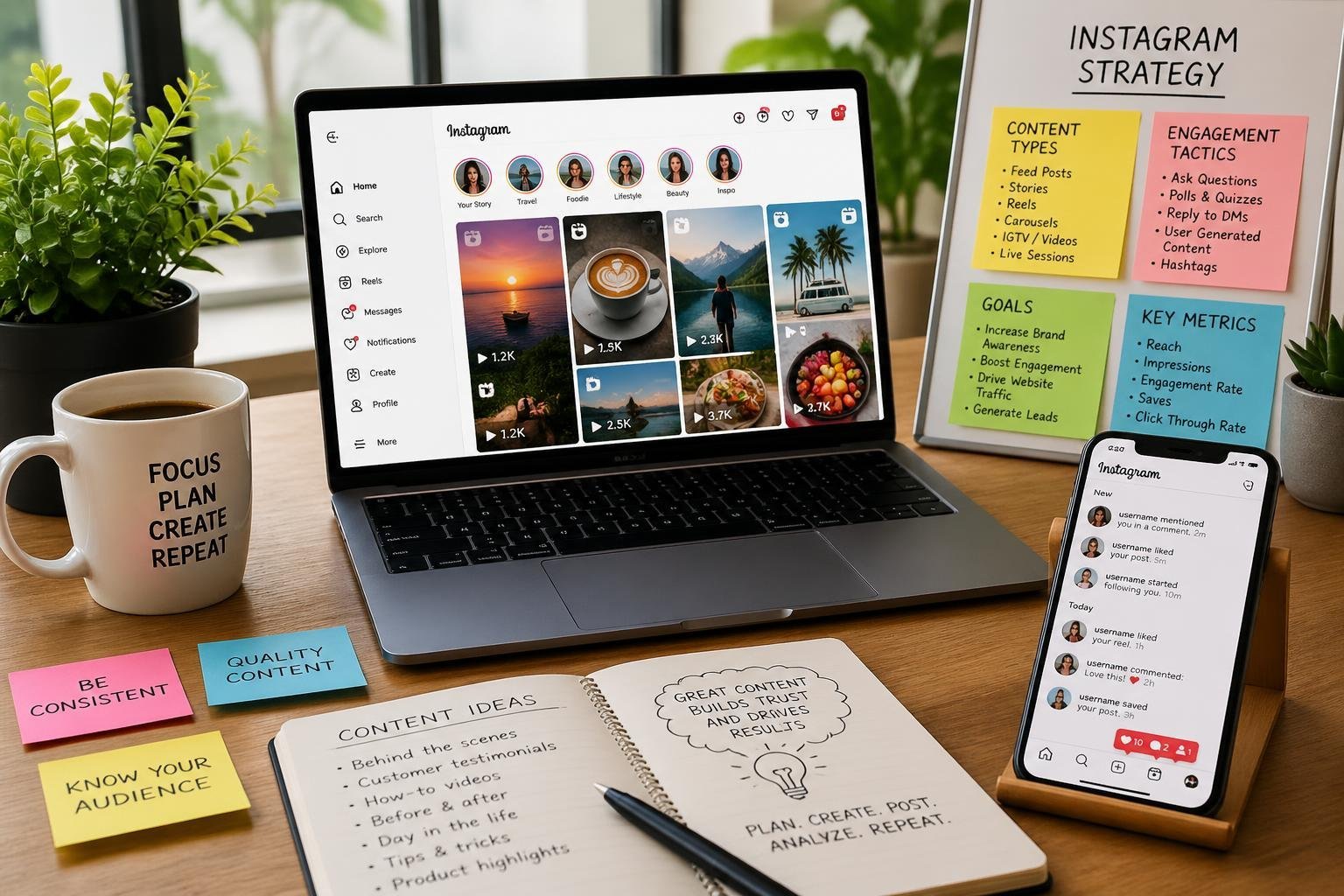
Different Instagram post types generate varying levels of engagement, with carousel posts and Reels consistently leading in performance metrics. Your content strategy should balance multiple formats to maximize reach and foster meaningful interactions with your audience.
Instagram Reels and Short-Form Video
Instagram Reels have become the platform’s primary growth engine, as the algorithm heavily favors short-form video content in user feeds and the dedicated Reels tab. These vertical videos, lasting up to 90 seconds, deliver higher reach than static posts and help you attract new followers outside your existing audience.
To create effective Reels, focus on the first three seconds to capture attention immediately. Use trending audio, on-screen text, and quick cuts to maintain viewer interest throughout the video.
Your Reels should provide value through entertainment, education, or inspiration rather than direct promotion. Behind-the-scenes content, quick tutorials, and relatable moments perform particularly well in this format. The platform rewards Reels that keep viewers watching until the end, so structure your content with a clear payoff or conclusion.
Post Reels when your audience is most active, typically during lunch hours and evening periods. Track which topics and formats generate the most saves and shares, as these signals indicate high-value content to Instagram’s algorithm.
Utilizing Instagram Stories and Story Highlights
Instagram Stories offer a direct line to your most engaged followers, appearing at the top of the app where users check first. These 24-hour posts create urgency and encourage frequent interaction without cluttering your main feed.
Use interactive features like polls, question stickers, quizzes, and emoji sliders to boost engagement rates. These tools transform passive viewers into active participants and provide valuable feedback about your audience’s preferences.
Stories work best for time-sensitive content, daily updates, and casual behind-the-scenes glimpses that humanize your brand. Share authentic moments, process videos, and user-generated content to build trust with your followers.
Instagram Story Highlights preserve your best Stories permanently on your profile, serving as categorized content libraries. Organize Highlights by topic—such as products, testimonials, tutorials, or FAQs—to help new visitors quickly understand your offerings and expertise.
Carousel Posts and Creative Feed Posts
Carousel posts consistently generate the highest engagement rates among static Instagram posts, allowing you to share up to 10 images or videos in a single swipeable post. This format encourages users to spend more time with your content, which signals value to the algorithm.
Use carousels for step-by-step tutorials, before-and-after comparisons, product showcases, or storytelling sequences. The multi-slide format works particularly well for educational content that requires detailed explanation or visual progression.
Your first slide must capture attention since it appears in the feed, while subsequent slides should deliver on the promise or curiosity established at the start. Include a clear call-to-action on the final slide to guide user behavior.
Single-image feed posts remain valuable for striking visuals, quotes, or simple announcements. Maintain consistent visual branding across your feed through color schemes, filters, or compositional styles to create a cohesive profile aesthetic that encourages follows.
Instagram Live and Interactive Features
Instagram Live creates real-time connections with your audience, generating notifications that bring followers directly to your content. Live videos appear prominently at the front of the Stories bar, ensuring maximum visibility during broadcast.
Host Q&A sessions, product demonstrations, interviews, or behind-the-scenes tours through Live to showcase authenticity and expertise. The unedited nature of live streaming builds trust faster than polished, pre-recorded content.
Encourage participation by responding to comments during the broadcast and using features like Live Rooms to bring guests into the conversation. Save completed Lives to your Story Highlights or IGTV to extend their lifespan beyond the initial broadcast.
Other interactive features like Instagram guides, collaborative posts, and tags keep your content discoverable and shareable. Use location tags and relevant hashtags strategically to reach users beyond your current follower base.
Advanced Engagement and Growth Techniques
Building meaningful connections with your audience requires strategic approaches that extend beyond regular posting. These advanced techniques leverage community participation, partnership opportunities, and interactive campaigns to accelerate growth while strengthening brand loyalty.
User-Generated Content and UGC Strategy
User-generated content transforms your customers into brand advocates by showcasing their experiences with your products or services. UGC builds trust because potential customers see real people using your offerings rather than polished marketing materials.
Encourage your followers to create content by developing clear submission guidelines and offering compelling reasons to participate. You can feature customer photos on your feed, create dedicated Story highlights for UGC, or repost tagged content to your main grid. This approach reduces your content creation workload while increasing authenticity.
Effective UGC tactics include:
- Creating specific photo challenges with branded hashtags
- Requesting product reviews through Stories and DMs
- Featuring customer testimonials in carousel posts
- Building galleries of customer photos on your profile
Track UGC performance by monitoring engagement rates on reposted content versus original branded content. Always credit creators and request permission before sharing their content, as this maintains trust and encourages future participation.
Influencer and Affiliate Marketing
Influencer marketing connects your brand with established audiences through trusted voices in your industry. Micro-influencers with 10,000 to 100,000 followers often deliver higher engagement rates and more authentic connections than macro-influencers.
Instagram affiliate marketing allows partners to earn commissions on sales they generate through unique tracking links or discount codes. This performance-based model aligns incentives and provides measurable ROI for your marketing spend.
Select influencers whose values align with your brand and whose audience matches your target demographic. Review their engagement rates, comment quality, and previous brand partnerships before committing. Provide creative freedom while establishing clear guidelines about messaging and disclosure requirements.
Structure affiliate programs with competitive commission rates and provide partners with high-quality assets, product samples, and exclusive discount codes. Track affiliate performance through Instagram’s native shopping features or third-party platforms that measure conversions and attribute sales accurately.
Contests, Giveaways, and Community Events
Instagram contests and giveaways generate rapid engagement spikes and follower growth when structured properly. An Instagram giveaway typically requires participants to follow your account, like the post, and tag friends in comments, creating viral expansion potential.
Design contest mechanics that align with Instagram’s promotion guidelines and your growth objectives. Entry requirements should balance ease of participation with meaningful actions that attract quality followers rather than prize-seekers who unfollow after the contest ends.
Successful contest formats include:
- Photo or video submission contests judged by creativity
- Caption contests encouraging witty or thoughtful responses
- Tag-to-enter giveaways for rapid reach expansion
- Collaborative giveaways with complementary brands
Time your contests strategically around product launches, holidays, or milestone celebrations. Announce winners publicly and showcase their entries to maintain transparency and encourage future participation. Community events like live Q&A sessions, virtual workshops, or Instagram challenges foster ongoing engagement beyond one-time promotions.
Branded Hashtags and Social Selling
Branded hashtags serve as searchable collections of content related to your brand, products, or campaigns. Create a unique branded hashtag that’s memorable, relevant, and not already saturated with unrelated content.
Promote your branded hashtag consistently across all Instagram content, including your bio, captions, and Stories. Encourage customers to use it when sharing their experiences, effectively building a searchable library of brand storytelling and social proof.
Social selling transforms Instagram from a broadcasting platform into a revenue channel by integrating shopping features directly into your content. Tag products in posts, Stories, and Reels to create seamless purchase paths that reduce friction between discovery and conversion.
Combine branded hashtags with Instagram Shopping by creating shoppable posts tagged with your hashtag. This strategy allows potential customers to browse user content and purchase products without leaving the app. Monitor hashtag performance through Instagram Insights to measure reach and identify top-performing posts that resonate with your audience.
Instagram Shopping, Advertising, and Conversion Tools
Instagram’s commerce and advertising features enable you to turn your profile into a revenue-generating platform. Product tags, Instagram ads through Meta Ads Manager, and built-in shopping features work together to shorten the path from discovery to purchase.
Setting Up Instagram Shop and Shopping Features
You need a business or creator account connected to a Facebook Page to access Instagram shopping features. Navigate to your account settings and select “Shopping” to begin the setup process through Meta Business Manager. You’ll link your product catalog either by uploading it directly or connecting an e-commerce platform like Shopify or BigCommerce.
Instagram Shop appears as a dedicated tab on your profile where customers browse your full product catalog. The shop displays products in a grid format with prices, descriptions, and direct purchase options. You can organize products into collections based on themes, seasons, or categories to improve navigation.
Shopping features extend beyond your profile tab into Stories, Reels, and feed posts. Once approved, you gain access to product stickers for Stories and the ability to tag items in regular content. The approval process typically takes a few days but can vary based on your region and compliance with Instagram’s commerce policies.
Running Instagram Ads and Sponsored Posts
Instagram advertising operates through Meta Ads Manager, the same platform used for Facebook ads. You create campaigns by selecting your instagram marketing goals: awareness, traffic, engagement, leads, app promotion, or sales. The platform offers detailed targeting based on demographics, interests, behaviors, and custom audiences.
Your ad formats include photo ads, video ads, carousel ads, Stories ads, and Reels ads. Sponsored posts promote your existing organic content to audiences beyond your followers, while dedicated ads are created specifically for promotional purposes. You set budgets as daily or lifetime amounts and choose between automatic or manual bidding.
Meta Ads Manager provides A/B testing capabilities to compare different creatives, audiences, or placements. You duplicate ad sets and modify single variables to identify what performs best. The platform’s automated features can optimize delivery for conversions, link clicks, or impressions based on your objectives.
Using Product Tags and Shopping Integration
Product tags transform your posts into interactive shopping experiences. Select the “Tag Products” option when creating feed posts or Reels to attach items from your catalog. Each post supports up to five product tags for single-image posts or up to 20 tags per carousel post.
Tagged products display with a small shopping bag icon that users tap to view product names and prices. The detail view includes a “View on Website” or “Checkout on Instagram” button depending on your checkout settings. In-app checkout keeps customers within Instagram but is currently limited to eligible businesses in select regions.
Product stickers in Stories function similarly but offer more creative flexibility. You can resize and reposition stickers, and they remain tappable throughout the 24-hour Story lifespan. Story Highlights preserve tagged products indefinitely, creating permanent shopping galleries organized by theme or collection.
Measuring Conversions and Optimizing Performance
Instagram Insights tracks basic shopping metrics including product page views, product button taps, and checkout clicks. Access these metrics through your professional dashboard under the “Shopping” section. More detailed conversion tracking requires the Meta Pixel installed on your website.
The Meta Pixel is a code snippet that tracks user actions after they click through from Instagram. It records add-to-carts, purchases, and revenue, attributing conversions back to specific ads or posts. You create custom conversions to track specific URLs, events, or combinations that matter to your business.
Ads Manager provides conversion data organized by campaign, ad set, and individual ad. Key metrics include cost per result, return on ad spend, conversion rate, and purchase value. Compare these numbers against your instagram marketing goals to identify underperforming campaigns that need adjustment or successful strategies worth scaling.
Attribution windows determine how long after clicking an ad a conversion counts toward that campaign. Instagram’s default settings credit conversions within seven days of clicking or one day of viewing. Adjust these windows in your campaign settings to match your typical customer journey length.
Analytics, Tools, and Instagram Algorithm Insights
Success on Instagram requires tracking performance metrics and understanding how the platform distributes content. The right analytics tools reveal what resonates with your audience, while algorithm knowledge and SEO practices help maximize your content’s reach.
Understanding Instagram Insights and Analytics
Instagram Insights provides native analytics for business and creator accounts, tracking essential performance data at no cost. You can access metrics like reach, impressions, profile visits, and website clicks directly through the app.
Key instagram metrics to monitor include engagement rate, follower growth, saves, shares, and story completion rates. Engagement rate calculator tools help you measure how actively your audience interacts with your content relative to follower count.
Third-party instagram analytics tools offer deeper analysis than native Insights. Iconosquare provides detailed competitor analysis and historical data tracking. Hootsuite combines analytics with social media management capabilities. Later specializes in visual content planning alongside performance metrics. Sprout Social delivers comprehensive reporting across multiple platforms.
These platforms track instagram algorithm signals that affect content distribution. The algorithm prioritizes content based on user relationships, interest level, recency, and engagement patterns. Posts that generate quick engagement typically receive broader distribution.
Improving Instagram SEO and Discoverability
Instagram SEO makes your content findable through search and discovery features. Your profile name, username, and bio are searchable fields that should include relevant keywords describing your niche or business.
Alt text for images helps Instagram understand your content context. Add descriptive text to each post through accessibility settings to improve discoverability.
Hashtags remain important for reaching new audiences. Use a mix of high-volume and niche-specific tags rather than only popular hashtags. Instagram hashtag generator tools suggest relevant tags based on your content topic and target audience.
Captions should incorporate natural keywords that describe your content. The first few words are particularly important since they appear before users click “more.” Location tags increase discoverability for local businesses and help content appear in place-based searches.
Leveraging Instagram Marketing Tools and Platforms
Instagram tools streamline content creation and management workflows. Canva offers templates specifically designed for Instagram posts, stories, and reels with proper dimensions and trending layouts.
Social media management platforms like Hootsuite and Later enable scheduling posts in advance. You can plan your content calendar, maintain consistent posting schedules, and manage multiple accounts from one dashboard.
Creator tools within Instagram include professional dashboard features, music libraries for reels, and branded content tags. Business accounts access promotional tools, shopping features, and contact buttons.
Analytics integrations connect your instagram data with broader marketing platforms. Many tools offer automated reporting that tracks performance trends over time without manual data compilation.
Monitoring Trends and Social Listening
Social listening tracks mentions, comments, and conversations about your brand across Instagram. You identify customer sentiment, common questions, and potential issues before they escalate.
Sprout Social and Hootsuite offer social listening features that monitor specific keywords, hashtags, and account mentions. You can track competitor activity and industry trends to inform your social media strategy.
Instagram’s Explore page and trending audio reveal current platform trends. Pay attention to emerging content formats, popular sounds for reels, and trending topics within your niche.
Engagement patterns in your comments and DMs provide qualitative insights that complement quantitative metrics. Common questions indicate content gaps you can fill. Positive feedback reveals what your audience values most.
Pingback: AI Web Tools: Essential Solutions for Modern Web Developers - One URL
Pingback: How to Build an AI App: A Complete Step-by-Step Guide - One URL
Pingback: Reddit Link Building Software: Optimize Backlinks and SEO Outreach - One URL
Pingback: One URL Bio Links Page Builder: Features, Uses, and Best Practices - One URL
Pingback: Bio Link Platform: Features, Customization, and Analytics Explained - One URL
Pingback: TikTok Video Generation How To: A Complete Guide for AI-Powered Content – Bio Link Builder Platforms
Pingback: How to Get More Social Shares: Proven Strategies for Rapid Growth – Bio Link Builder Platforms
Pingback: Master Leads On Instagram: Your 2026 Success Guide ⁄ LeadBlaze's Blog
Pingback: Gym Instagram Story: A Guide to Get More Members – Gym Membership Tips