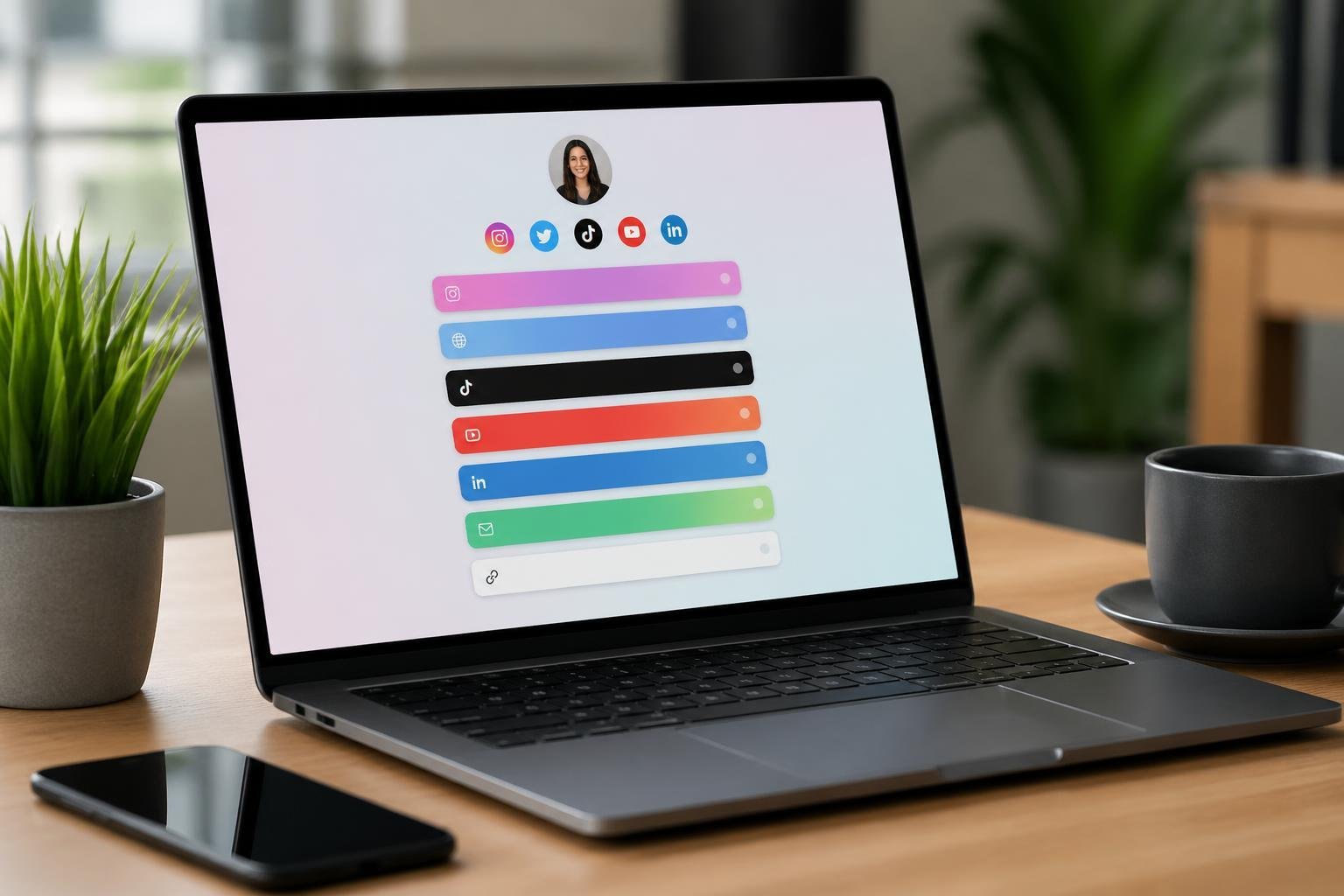
You need one clean link that directs people to everything you offer, and a OneURL-style bio links page gives you exactly that: a single, customizable landing page that holds unlimited links, media, and product listings so you can share one URL everywhere. Use a bio links page to consolidate your social, shop, and content destinations into one polished link that boosts access and conversions.
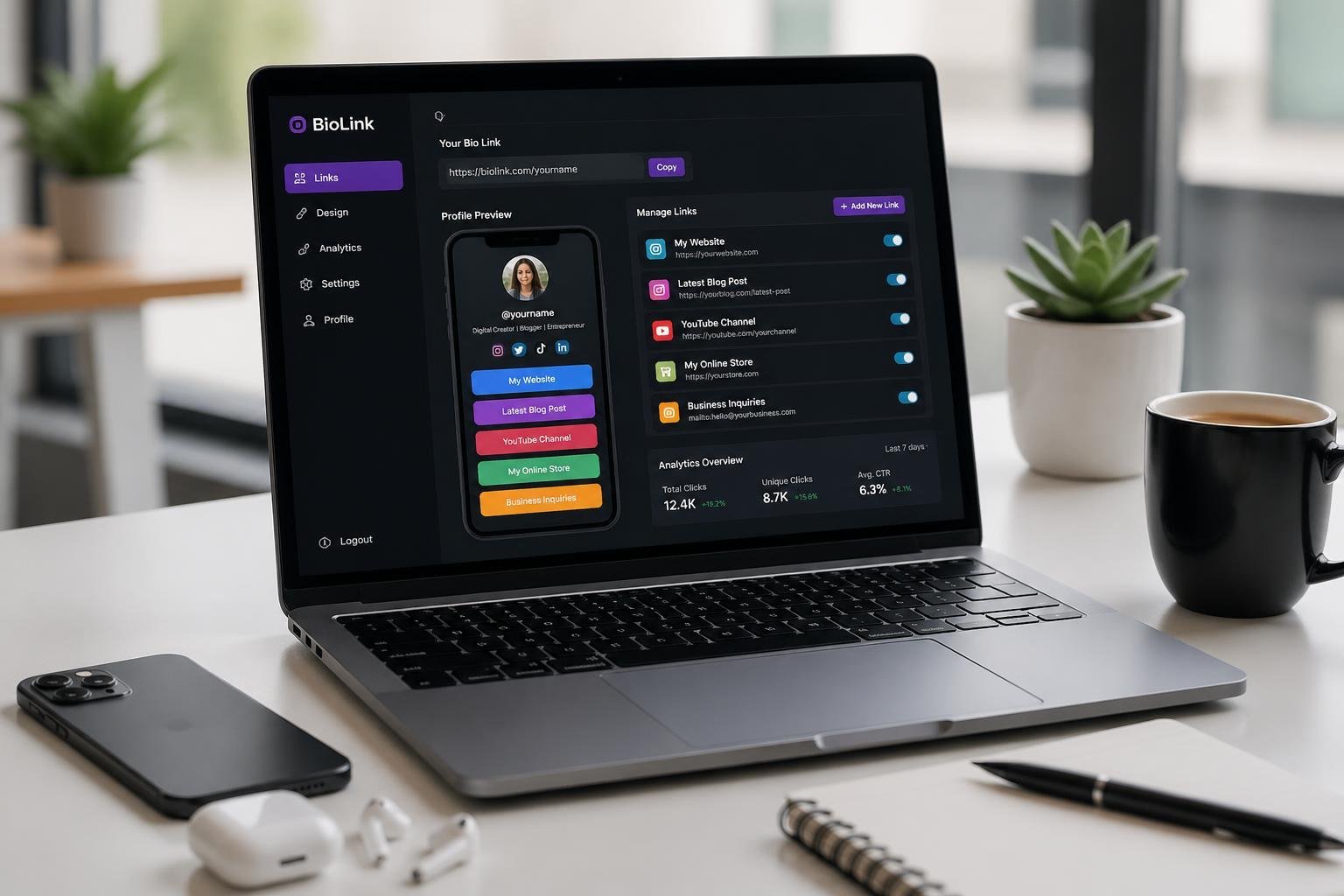
You can set up and brand your page in minutes, add videos and galleries, and track which links perform best so you spend time on what actually moves the needle. This post walks through what a modern bio link builder does, which features matter, and how to pick and use a tool that fits your goals.
Key Takeaways
- A single bio link page centralizes all your online destinations.
- Customization and analytics are the most valuable features.
- Choose a tool that matches your branding and tracking needs.
Understanding Bio Link Pages

A bio link page consolidates your key URLs, media, and contact points into one shareable address. It replaces multiple scattered links with a single profile link that you control and can optimize for clicks and conversions.
What Is a Bio Link Page?
A bio link page is a simple landing page you place in your social media profile so followers reach all your important destinations from one URL. You can include links to your website, shop, latest video, email signup, and other social profiles.
Design and hierarchy matter: list your highest-priority links first, use clear labels, and add visuals like thumbnails or logos to boost recognition. Many builders support custom domains, analytics, and link scheduling so you keep branding consistent and measure performance.
Think of it as your digital front door tied to a single “link in bio.” It replaces pinning multiple posts or changing profile links every time you publish. You keep one stable URL in Instagram, TikTok, Twitter, or LinkedIn and update the bio link page behind it.
Why Social Media Demands Bio Links
Social platforms often limit you to one profile link, which forces choices that can fragment traffic and confuse followers. A bio link page solves that constraint by presenting multiple destinations through that one allowed URL.
You save time and reduce profile edits. Instead of swapping the single link each time you have a new post, product, or promotion, you update the bio link page once and all traffic flows to the right content. This improves click-through rates and keeps campaigns consistent across channels.
Brands and creators also need measurable results. A bio link page provides click analytics, enabling you to see which links convert and to refine your messaging. That data helps you prioritize what you promote in your posts and stories.
How Bio Link Pages Work
When a follower taps the link in your profile, the bio link page loads as a compact landing page that lists your selected links and content blocks. You control the order, labels, visuals, and whether a link opens in a new tab or direct to an embedded video or product card.
Most builders offer drag-and-drop editors, templates, and integrations with e-commerce, email, and analytics tools. You can add actions like “buy now,” email capture forms, or tracking UTM parameters to attribute traffic to specific posts or campaigns.
Security and speed matter: choose a provider with HTTPS, fast load times, and mobile-first layouts because most social traffic comes from phones. You can also use custom domains and branding to make the profile link appear as part of your official website, not a third-party page.
Key Features of Modern Bio Link Builders
You get a compact, customizable landing page that centralizes links, schedules, and visual branding. The most useful tools combine link volume, calendar integrations, and design controls so your visitors find what they need quickly.
Unlimited Links and Customization
You can add unlimited links to surface every destination you want visitors to hit — product pages, articles, affiliate URLs, and file downloads. Platforms vary, but look for support for nested links, link scheduling, and UTM parameter templates so you can run campaigns and track source performance without manual URL editing.
Custom fields and visibility rules let you show different link sets to different audiences — for example, a subscriber-only link or geo-targeted storefront. Many builders also let you connect custom domains and change metadata (title, image, description) per link to improve share previews and SEO. Prioritize tools that include link import/export and bulk editing if you manage dozens or hundreds of destinations.
Event Calendars and Social Links
You can embed an event calendar to promote webinars, live streams, and ticketed shows directly on your bio page. Integrations commonly include Google Calendar, Calendly, and event platforms; they let visitors RSVP, book consultations, or buy tickets without leaving the page. Look for timezone auto-detection and per-event CTA buttons to reduce friction for international audiences.
Social links remain essential: include direct follow buttons, chat CTAs (WhatsApp, Messenger), and platform-specific embeds (Instagram posts, TikTok videos). Combine social icons with analytics tags to measure which network drives the most conversions. If you host frequent events, prioritize calendars that support recurring events, reminders, and RSVP lists to keep attendance high.
Drag-and-Drop Design and Background Options
A visual editor speeds setup and preserves brand consistency. Drag-and-drop builders let you position link blocks, media cards, and CTAs without code. Check for layout presets (stacked list, grid, media-first) and the ability to save reusable templates for campaigns or collaborators.
Background controls matter for contrast and tone: upload images, set looping videos, or choose solid and gradient colors. You should also get options for blur, overlay color, and mobile-specific backgrounds so text remains legible on small screens. Typography controls, spacing sliders, and custom CSS access give you precise control when you need it.
Top Tools and Platforms for Bio Link Pages
These tools let you centralize links, collect leads, sell digital goods, and measure clicks from a single bio URL. Choose based on required integrations, design control, and whether you need built-in commerce or analytics.
Linktree and Its Influence
Linktree popularized the single-URL bio hub and remains a default choice for many creators. You get a simple, mobile-first list of links that loads quickly and integrates with Spotify, YouTube, and Instagram.
Its free plan covers basic link lists and click counts; paid plans add custom domains, removal of Linktree branding, scheduling, and deeper analytics.
You should pick Linktree if you value speed, broad third-party integrations, and a familiar interface that audiences already recognize. Consider its limits if you need full visual customization or advanced commerce features—those often require higher-tier subscriptions or external tools.
Competitive Alternatives
Many platforms challenge Linktree by adding features creators frequently need: full visual customization, zero transaction fees, form embeds, and richer analytics. Examples include Carrd (mini-site builder), atom.bio (feature-rich free plan with video and product blocks), and Campsite (marketing-focused tools like image-button links).
Evaluate by checklist: unlimited links, customization depth (fonts, layouts, CSS), analytics granularity (referrers, UTM support), and commerce fees.
If you sell digital products, prefer tools that let you process payments without platform commissions. If you run campaigns, prioritize platforms with scheduling, link A/B testing, and native email capture. Match the tool to your workflow rather than picking the most popular option.
AI-Powered Tools for Advanced Customization
AI-powered bio link builders automate design and content suggestions to save setup time and improve conversion. These tools generate layouts, headline copy, and prioritized links based on your goals and audience signals.
You can expect features like automated CTA optimization, image selection, and adaptive layouts that change based on traffic source (Instagram vs. TikTok). Some tools analyze click data and recommend which links to promote next.
Use AI when you need fast, data-driven iterations and lack a designer. Verify the AI’s recommendations against your brand voice and privacy needs, and ensure the platform exposes metrics so you can audit and refine automated changes.
Personalization and Branding Essentials
Make your bio page look like an intentional extension of your brand. Focus on a clear profile, consistent colors and backgrounds, and media or widgets that support specific goals like sales, signups, or follows.
Optimizing the Profile Section
Your profile is the anchor visitors scan first. Use a high-resolution headshot or logo sized for the template (typically 200–400 px square) and keep margins consistent so it doesn’t crowd other elements. Add a concise display name and a single-line descriptor that states who you are and what you offer — for example: “Photographer — Commission, prints, licensing.”
Use links and contact fields strategically. Pin one primary action (bookings, shop, mailing list) as the first button. Include only essential social icons; too many distract from conversion. Fill metadata fields (location, pronouns, business hours) when the platform supports them — those increase trust and help visitors decide quickly.
Using Brand Colors and Backgrounds
Choose 2–3 brand colors: one dominant for buttons/headers, one accent for links, and one neutral for text/background contrast. Test color contrast against accessibility standards (WCAG AA) so text and buttons remain readable on mobile.
Apply a background that supports legibility. Prefer solid or subtle gradient backgrounds when text overlays exist. If you use an image, crop it to safe areas so profile and buttons don’t obscure important content. Save and reuse the exact hex values and background image files in your Brand Kit so every change stays consistent across templates and social profiles.
Incorporating Media and Interactive Elements
Add media that proves value quickly: a short pinned video (10–30 seconds) that explains your main offer, a thumbnail gallery of 3–6 portfolio images, or an embedded audio clip if you’re an artist. Optimize file sizes to keep page load under 2 seconds on mobile.
Use interactive widgets sparingly and for clear outcomes: booking widgets that show real-time availability, newsletter signups with promised lead magnets, and e‑commerce buy buttons linked to a product SKU. Enable analytics on each element so you can see which media or widget drives clicks and adjust accordingly.
Analytics and Performance Tracking
Track visits, clicks, referral sources, and engagement patterns so you can make data-driven changes to your bio link page. Focus on metrics that map directly to your goals—traffic sources, top-performing links, and conversion events.
The Value of Built-In Analytics
Built-in analytics saves you time by putting essential metrics inside the same platform where you edit your bio page. You’ll get visit counts, click-through rates (CTR), device and browser breakdowns, and referral sources without adding extra code.
This consolidated view reduces context switching and speeds up optimization cycles. For example, you can see which social platform drives most traffic and immediately rearrange links or pin a promotion to capitalize on that audience.
If you later need deeper analysis, built-in reports often export to CSV or connect to Google Analytics, letting you combine platform-level insights with session-level data.
Understanding Audience Behavior
Audience behavior metrics tell you what visitors do after they land on your bio page. Track time on page, scroll depth, and which cards visitors interact with to learn which content holds attention and which elements are ignored.
Segment behavior by source and device. You might discover that mobile visitors tap video cards more often, while desktop users click into document downloads. Use those patterns to tailor layout, media type, and call-to-action placement for each audience slice.
Watch for sudden shifts in behavior after promotions or content changes. A drop in time on page or a rise in bounce rate signals that the landing experience no longer matches visitor expectations.
Using Click Data for Optimization
Click data provides direct evidence of what drives action on your page. Monitor total clicks, unique clicks per link, CTR per card, and click velocity (clicks over time) to identify high-performing and underperforming links.
Run simple tests: swap positions of two links, change button text, or replace an image, then compare pre- and post-change click rates. Prioritize changes that move CTR on your primary conversion link—subscriptions, shop links, or booking pages.
Use click funnels and UTM-tagged links to attribute conversions back to specific campaigns. When analytics show a drop in conversion despite stable clicks, inspect downstream pages and tracking parameters for issues.
Best Practices and Common Pitfalls
Prioritize clarity, brand consistency, and measurable outcomes. Focus on a tight set of links, clear CTAs, and simple design so your bio link becomes a reliable conversion point.
Curating Effective Link Lists
Select 3–7 links that reflect immediate priorities and long-term goals. Put one current item at the top (new product, latest video, live event), two to three always-on conversion links (shop, newsletter, booking), and one or two supporting links (about, other socials). This prevents decision paralysis and makes the profile link actionable.
Use analytics to remove links with zero clicks over 30 days. Replace underperformers with tested alternatives, not more options. If you need unlimited links for archives, hide them behind a clear “More” button or a secondary page to avoid cluttering the primary hub.
Label links by outcome, not channel. “Buy Spring Jacket” beats “Shop — Website.” Shorten long URLs and add UTM tags to track source performance from your profile.
Actionable Link Titles and Descriptions
Write titles that instruct: use verbs and concrete outcomes. Examples: “Watch: 10‑min Workout,” “Join Newsletter — 10% Off,” or “Book Consultation — Free 15m.” Keep titles under 30 characters when possible so they don’t truncate on mobile.
Add one-line descriptions for context where needed. Use them sparingly for links that require extra trust—like affiliate pages or donation drives. Descriptions should explain the benefit: “Free shipping on orders $50+” or “Includes starter checklist.”
Test variations with A/B-style changes: swap a verb, shorten the title, or change the benefit line. Track click-through rates per link and prioritize titles that increase conversions from your bio link. Maintain consistent tone and capitalization across all entries to reinforce brand recognition.
Design Choices for Higher Engagement
Choose a single column layout with large tappable targets for mobile. Most profile traffic is mobile, so prioritize vertical scrolling and button-sized links. Use brand colors for the primary CTA and neutral backgrounds to keep contrast clear.
Use your profile image and a short display name at the top to confirm identity after the click. Limit decorative elements—icons and GIFs add personality but reduce perceived professionalism if overused. A small hero image or banner can highlight Tier 1 content without pushing other links off-screen.
Include visual hierarchy: larger top CTA, medium primary CTAs, smaller secondary links. Provide one obvious conversion-focused button above the fold. Offer a QR code or short link for offline use and ensure any “unlimited links” area opens in a new tab to keep users on your main page.
Mistakes to Avoid When Setting Up
Don’t link blindly to your homepage if you have specific CTAs in posts. A generic homepage dilutes conversion intent. Always match the top bio link to the content in your latest post before publishing.
Avoid overcrowding your page with every possible link. More links often reduce overall clicks. Remove or archive links that show consistently low engagement. Also avoid vague CTAs like “Click Here” or “More Info”—they lower tap rates.
Don’t ignore analytics. Failing to monitor device splits, click timing, and geography means missed optimization opportunities. And don’t use a third‑party domain that hides your brand unless you need quick setup; a branded or custom domain builds recognition and trust from every profile visitor.
Frequently Asked Questions
This section answers practical setup, customization, analytics, media embedding, account management, and free-tool choices for a One URL bio links page builder. You’ll get step‑by‑step actions, where to find settings, and which features to expect from free plans.
How do I create a single bio link page that works across Instagram and TikTok?
Sign up for a bio link builder and create a profile page with a single unique URL. Add links, a profile image, and a short bio; the resulting URL is what you paste into your Instagram or TikTok bio.
For Instagram, edit your profile and paste the URL into the Website field. For TikTok, go to Edit profile and place the URL into the Website field or the Link option if available. Test the link from both apps to confirm mobile behavior and page load speed.
What are the best free options for building a bio link page with no monthly cost?
Look for services that advertise “free forever” or a permanently free tier that includes unlimited pages and basic customization. Compare features like link limits, analytics availability, custom domain support, and exportable subscriber lists.
Examples include no‑cost tiers from several link-in-bio builders; choose one that provides the specific features you need (such as email capture or HTML export) without forcing an immediate upgrade.
How can I customize my bio link page to match my brand (colors, fonts, and layout)?
Open the page or theme editor inside the builder. Change brand colors, choose fonts, upload your logo or profile photo, and rearrange blocks or links to create the preferred layout.
If available, apply a custom background image and save a reusable template. For advanced control, use custom CSS or HTML export if the platform supports it or if you host the page on your own domain.
How do I track clicks and performance analytics on my bio link page?
Enable the analytics or tracking section in your builder dashboard to view clicks, referrers, and device breakdowns. Many platforms show total clicks per link, unique visitors, and time ranges (daily, weekly, monthly).
For more depth, connect Google Analytics or a UTM tagging system to individual links. Export reports or link-level data when you need CSVs for further analysis.
How can I add a video or direct viewers to the full video from my bio link page?
Use a video block or embed widget provided by the builder to place an inline video or thumbnail on the page. Link the thumbnail or a CTA button to the full video URL (YouTube, Vimeo, or a landing page) so visitors can open the full version.
If the builder supports iframe embeds, paste the video embed code into an HTML block. For email captures or previews, use short autoplay clips or GIF thumbnails to increase clicks without forcing full playback on the bio page.
How do I log in and manage my bio link page after publishing it?
Sign in at the builder’s website using the same email and password used to create the account, or use the connected social login if you set one up. From your account dashboard, select the page you published to edit links, change settings, or update visuals.
To delete the account or page, go to account settings and follow the platform’s deletion process, which commonly requires password confirmation. Export subscribers or data before deletion if you need to keep records.
Pingback: AI GPT Backlinks: Modern Strategies for Authority and SEO – Bio Link Builder Platforms