Most social media platforms limit you to a single clickable link in your profile, which creates a problem when you need to direct followers to multiple destinations like your website, products, online store, or latest content. Link in bio tools solve this limitation by creating a customized landing page that houses all your important links in one place, accessible through that single bio link. These platforms have become essential for creators, businesses, and influencers who want to maximize their social media presence without the need for a full website.

The right bio link tool can transform how you connect with your audience and track engagement across platforms like Instagram, TikTok, and others. With dozens of options available in 2026, each offering different features, pricing structures, and customization capabilities, choosing the best link in bio platform for your needs requires understanding what sets them apart. Some tools focus on design flexibility, while others prioritize analytics, monetization features, or integration with existing workflows.
This guide will walk you through the top link in bio platforms available today, the essential features that matter most, and how to leverage these tools for better engagement and revenue generation. You’ll learn what to look for in pricing plans, current best practices, and how to measure the performance of your bio link page effectively.
Top Link in Bio Tools for 2026
The link in bio tool market has expanded significantly, with platforms now offering distinct feature sets ranging from basic link aggregation to full creator storefronts. Pricing models vary from completely free tiers to premium plans exceeding $30 monthly, while alternatives to market leader Linktree provide specialized capabilities for different creator needs.
Key Features of Leading Bio Link Platforms
Modern link in bio software prioritizes mobile-first design, analytics tracking, and visual customization options. Most platforms allow you to add unlimited links on paid plans, though free versions typically impose restrictions.
Linktree remains the most recognized name, offering link scheduling, priority support, and email collection on its paid tiers. Beacons.ai distinguishes itself by including a built-in media kit, email marketing tools, and an online store for digital products. Campsite.bio focuses on aesthetic customization with advanced design controls and custom CSS support.
Analytics capabilities separate basic from advanced platforms. Tools like Shorby and ContactInBio provide click tracking, traffic sources, and conversion metrics. Taplink adds messenger integration and payment processing directly within the bio page.
Social media integrations have become standard. Linkin.bio by Later connects directly to Instagram, allowing automatic post linking. LinkPop by Shopify emphasizes e-commerce integration for product sellers.
Comparison of Free and Pro Plans
Free link in bio tools typically include basic functionality with platform branding. Lnk.bio, Bio.site, and Carrd offer no-cost options suitable for users needing simple link collections without analytics depth.
| Platform | Free Plan | Paid Plan Starting Price |
|---|---|---|
| Linktree | Limited links, Linktree branding | $5/month |
| Beacons | Unlimited links, basic features | $10/month |
| Bio.sites | Basic page, limited customization | $5/month |
| Hoo.be | Standard features | $2.90/month |
Premium tiers unlock custom domains, remove platform branding, and enable advanced analytics. Milkshake offers a free app-based builder with Instagram Story-style cards. Feedlink provides free unlimited links but charges for customization options.
Most paid plans range from $5-15 monthly for individual creators. Enterprise solutions like Campsite and Beacons reach $25-50 monthly for teams requiring collaboration features and white-label options.
Popular Linktree Alternatives
Beacons serves creators monetizing through multiple channels, combining link management with store functionality and audience communication tools. The platform charges no transaction fees on sales, unlike some competitors.
Komi targets visual creators with portfolio-style layouts and media galleries. Contactinbio appeals to businesses needing contact forms, appointment booking, and WhatsApp integration directly in their bio link.
Carrd offers maximum design flexibility for users comfortable with customization, supporting one-page sites beyond simple link lists. Milkshake provides Instagram-native design aesthetics through a mobile app interface rather than web-based editing.
Bio.fm and Hoo.be position themselves as budget-friendly alternatives with comparable features to premium Linktree plans. Shorby specializes in retargeting pixels and conversion optimization for marketing-focused users.
Essential Features to Look for
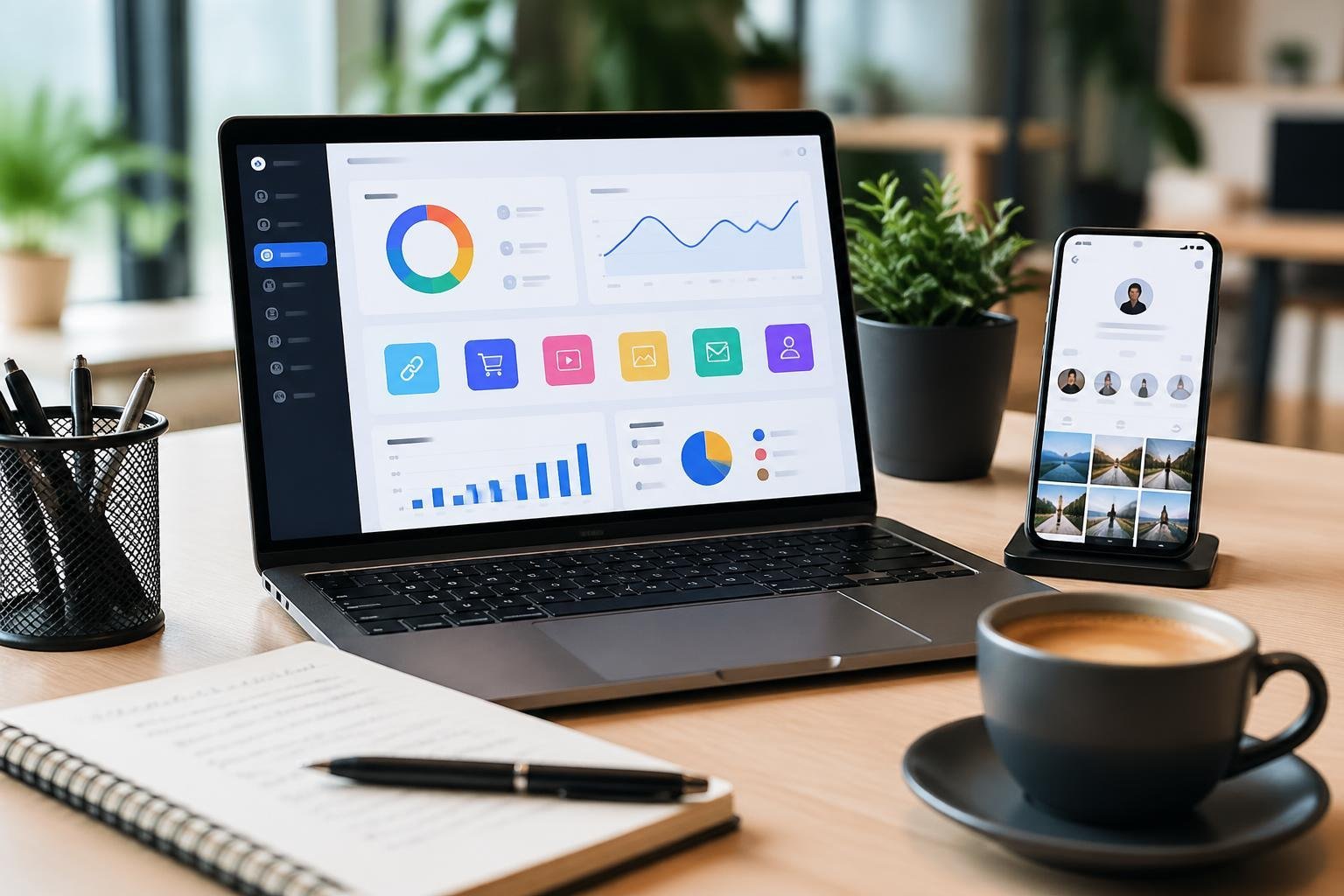
The right link in bio tool should offer robust customization to match your brand identity, detailed analytics to track performance, and seamless integrations with your existing marketing stack.
Customization and Branding Options
Your link in bio page serves as an extension of your brand, so customization capabilities matter. Look for tools that offer customizable themes and templates that align with your visual identity. A drag-and-drop editor makes it simple to arrange links, images, and content blocks without technical skills.
Custom domains elevate your professional image by replacing generic URLs with branded alternatives. Instead of a standard linktr.ee/username format, you can use links.yourbrand.com for better brand recognition and trust.
Advanced branding options include:
- Custom fonts and color schemes
- Logo placement and sizing controls
- Background images or videos
- Button styling and animations
- Password-protected links for exclusive content
Mobile-first design is non-negotiable since most visitors access these pages from smartphones. Your customizable landing pages should automatically adapt to different screen sizes while maintaining visual consistency across devices.
Analytics and Link Tracking
Understanding which links drive engagement helps you optimize your strategy. Essential analytics include click-through rates, total clicks per link, geographic data, and traffic sources. Google Analytics integration provides deeper insights into user behavior and conversion paths.
Track performance metrics like:
- Individual link performance
- Peak engagement times
- Device breakdowns
- Referral sources
Real-time data allows you to adjust your link priority based on what resonates with your audience. Some platforms offer comparison tools to measure performance across different time periods.
Integrations and Advanced Functionality
Your link in bio tool should connect with your existing business tools. Ecommerce integration matters if you sell products—Shopify integration enables direct product showcases and purchasing options. Mailchimp integration and support for platforms like Flodesk streamline email marketing by capturing leads directly from your bio page.
Key integrations include:
- Email marketing platforms for list building
- Payment processors for selling digital products
- Social media scheduling tools
- CRM systems for contact management
- Messenger integration for direct communication
Affiliate marketing functionality lets you earn commissions through trackable links. Some tools like Feedlink specialize in displaying social media feeds alongside links, creating dynamic, engaging experiences that keep content fresh without manual updates.
Monetization and Engagement Tools
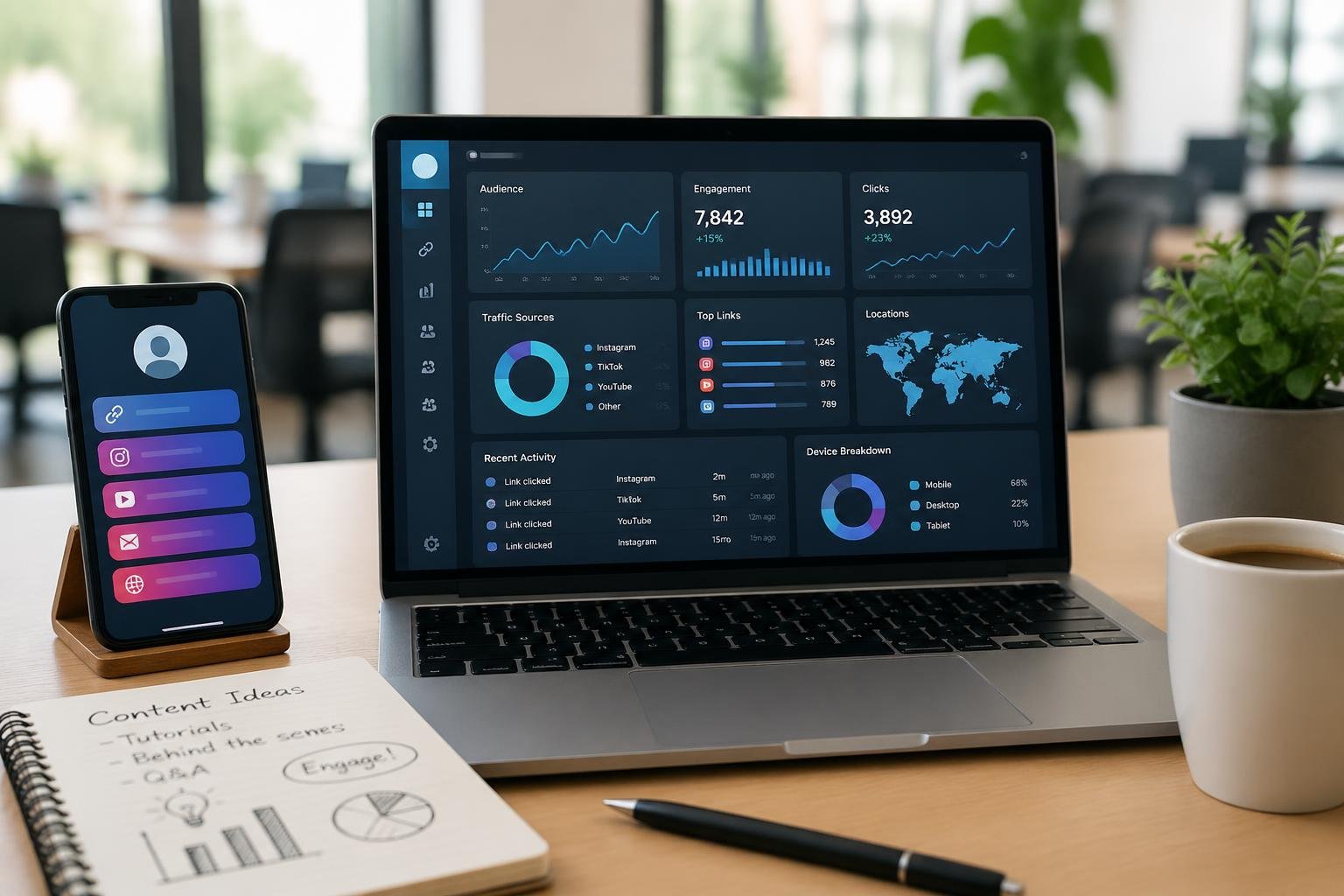
Link in bio tools have evolved beyond simple link aggregators to include direct monetization features and audience engagement capabilities. Modern platforms integrate payment processing, email marketing, and professional booking systems to help you convert followers into customers and build lasting relationships with your audience.
Built-In Store and Payment Options
Many link in bio platforms now offer built-in store functionality that lets you sell digital products, physical goods, and services directly from your bio page. These integrated storefronts eliminate the need for external e-commerce platforms and provide one-click checkout experiences for your followers.
Payment options typically include major credit cards, PayPal, and digital wallets like Apple Pay and Google Pay. Some platforms charge transaction fees ranging from 2-5% per sale, while others offer fee-free selling if you connect your own payment processor.
The built-in store feature works particularly well for content creators selling digital downloads, courses, templates, or merchandise. You can set prices, manage inventory, and process orders without redirecting customers to third-party websites. This streamlined approach reduces friction in the buying process and typically leads to higher conversion rates.
Email Capture and Marketing
Email capture tools let you grow your subscriber list directly from your link in bio page through embedded signup forms and lead magnets. You can offer free downloads, exclusive content, or newsletter subscriptions in exchange for email addresses.
Many platforms integrate with popular email marketing services like Mailchimp, ConvertKit, and ActiveCampaign. Some tools include native email marketing features that let you send campaigns, automate sequences, and segment your audience without additional software.
Building an email list gives you direct access to your audience independent of social media algorithms. This owned channel becomes increasingly valuable as you scale your business and launch new products or services.
Media Kit and Booking Features
Professional content creators and brands can use media kit features to showcase their statistics, demographics, and partnership opportunities. These pages typically display follower counts, engagement rates, audience demographics, and previous collaborations in a polished, shareable format.
Booking calendar integration allows clients and brands to schedule calls, consultations, or partnerships directly through your bio link. You can set your availability, define meeting types, and sync with Google Calendar or Outlook to prevent double bookings.
These features are particularly valuable if you offer sponsored content, consulting services, or brand partnerships. The combination of a media kit and booking system creates a professional presentation that makes it easier for potential clients to understand your value and take action.
Analytics and Performance Measurement
Link in bio tools function as conversion layers between social media and web destinations, making performance measurement essential for understanding audience behavior and optimizing results. The right analytics features help you track which links generate clicks, where traffic originates, and how to improve engagement rates.
In-Depth Analytics and Reporting
Your link in bio tool should provide comprehensive data beyond basic click counts. Advanced analytics include metrics like geographic location of visitors, device types, referral sources, and time-based patterns that reveal when your audience is most active.
In-depth analytics platforms integrate with Google Analytics to track the complete user journey from bio link click to final conversion. This connection lets you measure bounce rates, session duration, and conversion events that occur after visitors leave your bio page.
Look for tools that offer customizable dashboards and exportable reports. You need the ability to filter data by date ranges, compare performance across different time periods, and identify trends in user engagement. Some platforms provide A/B testing capabilities so you can experiment with different link arrangements, button colors, and page layouts to determine what drives the best results.
Tracking Link Clicks and Traffic
Link tracking shows exactly which links in your bio generate the most interest. You can monitor individual click counts, click-through rates for each button or link, and the percentage of total traffic each destination receives.
Most tools display link clicks in real-time dashboards that update as visitors interact with your page. You should track unique clicks versus total clicks to understand whether the same users return multiple times or if you’re reaching new audience members.
Pay attention to referral data that identifies whether traffic comes from Instagram, TikTok, LinkedIn, or other platforms. This information helps you understand which social channels drive the most engagement and deserve more content focus.
Improving Click-Through Rates and Engagement
Click-through rates indicate how effectively your bio page converts visitors into action-takers. Calculate CTR by dividing link clicks by total page views, then use this baseline to measure improvements over time.
Test different strategies to boost user engagement: prioritize your most important links at the top, use clear call-to-action language, and add visual elements like thumbnails or icons. Update your links regularly to match current campaigns or content releases.
Remove underperforming links that clutter your page and dilute attention from high-value destinations. Monitor which types of content generate the highest engagement, whether that’s product pages, blog posts, video content, or email signups, then adjust your link strategy accordingly.
Pricing Structures and Plans
Link in bio tools typically offer tiered pricing models that range from completely free options to premium plans with advanced features. Most platforms use freemium structures where basic functionality costs nothing, while paid tiers unlock analytics, customization, and monetization capabilities.
Overview of Free Link in Bio Solutions
Free plans provide core functionality without requiring payment or credit card details. You can typically add unlimited links, customize basic layouts, and publish a functional bio page immediately.
Free link in bio tools often include platform branding on your page and limit design customization options. Some providers restrict analytics features or cap the number of active links you can display simultaneously. Despite these limitations, free plans work well if you need a simple landing page to consolidate multiple links without advanced tracking.
Several platforms offer genuinely free options rather than time-limited trials. These plans remain free indefinitely, though you may see branded elements like “Powered by [Platform Name]” at the bottom of your page. Free versions usually lack custom domain support, requiring you to use subdomains provided by the service.
Pro Plans and Paid Features
Pro plans typically start around $5 to $24 per month depending on the platform and billing cycle. These paid tiers remove platform branding and unlock custom domain connections for professional presentation.
Premium subscriptions add detailed analytics showing click-through rates, traffic sources, and visitor demographics. You gain access to advanced design tools including custom CSS, font selections, and layout templates. Many paid plans include priority support and higher limits on features like email collection or product listings.
Transaction fees represent an important pricing consideration for creator-focused platforms. Some bio link tools charge 5-10% fees on sales processed through your page, while others include zero-fee selling in their pro plans. Review fee structures carefully if you plan to sell digital products or accept payments directly through your bio link.
Freemium and Free Trial Models
Freemium models let you start free and upgrade only when you need premium features. This approach differs from free trials, which grant temporary access to paid features before requiring subscription commitment.
Free trials typically last 7-14 days and provide full access to pro-level functionality. You can test advanced analytics, custom branding removal, and monetization tools before deciding whether to purchase. Most platforms require payment information upfront for trial access, with automatic billing starting after the trial period ends.
The freemium approach offers more flexibility since you control upgrade timing based on your actual needs. You might use free features for months before requiring paid capabilities like detailed analytics or custom domains.
Trends and Best Practices in Social Media Bio Links
Modern bio link strategies prioritize seamless mobile experiences, interactive content that responds to user behavior, and platform-specific optimization that maximizes engagement across Instagram and other social channels.
Mobile Optimization and User Experience
Your bio landing page must load quickly on mobile devices since over 80% of social media users access platforms through smartphones. Fast-loading pages with clean navigation prevent users from abandoning your links before they convert.
Design your link page with thumb-friendly tap targets and minimal scrolling. Buttons should be at least 44×44 pixels, and spacing between clickable elements needs sufficient room to prevent misclicks. Your most important links deserve top placement where users see them immediately without interaction.
Key mobile optimization elements:
- Load time under 3 seconds
- Responsive design that adapts to all screen sizes
- Clear typography with 16px minimum font size
- Contrast ratios meeting accessibility standards
Test your bio link across different devices and browsers regularly. Social media management becomes more effective when your audience can access content without friction, regardless of their device.
Dynamic and Interactive Content
Dynamic pages that update automatically keep your social media bio relevant without constant manual changes. You can connect your Instagram feed, latest blog posts, or product launches to display fresh content each time someone visits.
Interactive elements like polls, quizzes, or priority link highlighting based on campaigns improve engagement rates. These features transform static link collections into experiences that adapt to your social media marketing goals.
Schedule links to appear or disappear based on time-sensitive promotions. This automation ensures your audience always sees current offers without requiring you to edit your Instagram bio link manually for each campaign.
Dynamic content options:
| Feature | Benefit |
|---|---|
| Auto-updating feeds | Fresh content without manual updates |
| Scheduled links | Time-based campaign management |
| Click-based ordering | Popular links surface automatically |
Leveraging Instagram and Other Platforms
Instagram’s single-link restriction makes your Instagram link the most valuable real estate in your profile. Link in bio tools bypass this limitation by creating a hub for multiple destinations from one clickable Instagram posts gateway.
Your approach should differ across platforms. TikTok users expect entertainment-focused links, while LinkedIn audiences respond to professional resources. Customize your bio landing page design and link order based on where traffic originates.
Track which platforms drive the most clicks to specific links. This data helps you optimize your social media marketing strategy by identifying where different audience segments engage most. You can then tailor content and calls-to-action for each platform’s unique user behavior patterns.
Frequently Asked Questions
Most creators need practical answers about setting up, customizing, and tracking their bio link tools. These questions address the technical setup process, platform-specific features, analytics capabilities, and design options that determine how well your bio link performs.
Which platforms offer the best free options for a single bio link page?
Linktree provides a free tier that includes unlimited links and basic customization options. The platform lets you add links, change background colors, and access simple click analytics without paying.
Beacons offers a free plan with scheduling tools and email collection built in. You can create a functional bio page with multiple link blocks and basic templates at no cost.
Linkme gives you a free customizable landing page with no transaction fees on sales. The free version supports integration with Instagram, TikTok, and YouTube while allowing you to drive traffic to products or content.
How do I add and update a website link on my Instagram profile?
Open the Instagram app and tap your profile picture in the bottom right corner. Tap “Edit Profile” below your bio section.
Scroll to the “Links” section and tap “Add external link.” Paste your bio link URL and add a title that describes where it leads.
To update the link later, go back to “Edit Profile” and tap on your existing link. You can change the URL or title, then tap the checkmark to save your changes.
What features should I prioritize when choosing a bio link page for Instagram?
Transaction fees matter if you sell products or services through your bio link. Some platforms charge 5-10% on sales while others take nothing, which affects your revenue directly.
Analytics should show clicks per link, traffic sources, and conversion tracking. You need to know which links perform well and what times your audience engages most.
Customization options determine whether your page matches your brand. Look for tools that let you adjust colors, fonts, button styles, and layout without requiring coding knowledge.
Mobile optimization is essential since most Instagram users browse on phones. Your bio page must load quickly and display properly on small screens.
Can I embed videos on my bio page, and which platforms support video blocks?
Many modern bio link tools support embedded video content directly on your landing page. You can typically add videos from YouTube, Vimeo, or TikTok by pasting the video URL into a video block.
Stan Store and Beacons both include native video embedding in their free and paid plans. These platforms let you showcase content without requiring visitors to click away to another site.
Some tools also support video backgrounds or header videos that play when someone opens your bio page. This feature varies by platform and is more common in paid tiers.
How can I track clicks and conversions from my Instagram profile link?
Most bio link platforms include built-in analytics that show total clicks, individual link performance, and visitor location data. You access these metrics through your platform dashboard.
Google Analytics integration provides deeper insights when you add your tracking ID to your bio link tool. This lets you see user behavior, time on page, and conversion paths alongside your other web properties.
UTM parameters added to your destination URLs help track which bio link drives traffic to specific pages. You create these tags manually by appending tracking codes to the end of each URL in your bio link setup.
Conversion tracking requires connecting your bio link tool to platforms like Facebook Pixel or Google Tag Manager. This setup tracks specific actions like purchases or email signups that originate from your Instagram profile link.
What are the easiest ways to design a branded bio page using Canva?
Create a custom background image in Canva sized at 1080×1920 pixels for optimal mobile display. Design it with your brand colors and upload it as the background in your bio link tool settings.
Many bio link platforms accept custom images for button backgrounds or header sections. You can design these elements in Canva, export them as PNG files, and upload them to replace default buttons.
Some advanced users create an entire landing page design in Canva and export it as an image. However, this approach limits functionality since visitors cannot click individual elements within a static image, so it works better as a background layer with clickable buttons overlaid through your bio link platform.
Pingback: AI Web Tools: Essential Solutions for Modern Web Developers - One URL
Pingback: How to Build an AI App: A Complete Step-by-Step Guide - One URL
Pingback: Get Free Link Juice: Proven Strategies to Boost SEO Authority - One URL
Pingback: Reddit Site Links: Essential Guide to Navigation and Alternatives - One URL
Pingback: One URL Bio Links Page Builder: Features, Uses, and Best Practices - One URL
Pingback: Bio Link Platform: Features, Customization, and Analytics Explained - One URL
Pingback: AI GPT Backlinks: Modern Strategies for Authority and SEO – Bio Link Builder Platforms
Pingback: Instagram: How to Get Visitors and Boost Profile Traffic – Bio Link Builder Platforms