
You’re probably here because you saw an effect on someone’s Story or Reel, tapped around for a few seconds, and still couldn’t find it again. That happens a lot. Instagram makes effects easy to use once you know the path, but it doesn’t always make them easy to find.
The bigger issue is that most guides stop at “open the camera and search.” That’s only half the job. If you create content for a brand, sell products, or manage a creator account, you also need to know why some effects are worth saving, why others disappear, and what to do when Instagram refuses to show the one you just bookmarked.
Table of Contents
- Why Instagram Effects Are More Than Just Fun Filters
- The Primary Method Using the Instagram Effects Gallery
- Discovering Effects Organically in Your Feed
- How to Save Manage and Share Your Favorite Effects
- Troubleshooting Common Instagram Effect Issues
- A Creator's Guide to Leveraging Effects for Growth
Why Instagram Effects Are More Than Just Fun Filters
If you still think effects are just playful overlays, you’re working with an outdated view of Instagram. Effects shape how people recognize content, how quickly a post feels native to the platform, and whether a Story looks polished enough to hold attention for another second.
That matters because usage is high and still growing. Instagram effects usage surged by 40% year over year in Stories and Reels, global effect searches peaked at 500 million daily queries during holiday seasons, and posts using custom effects saw 25% higher interaction rates than static images, according to Meta-related reporting summarized here. For creators and marketers, that’s not a side feature. It’s part of the content workflow.
Effects shape brand feel, not just appearance
A good effect does three jobs at once:
- Sets visual consistency so your Stories and Reels don’t look random from one day to the next.
- Creates context fast when you want a mood, a product demo style, or a recognizable on-camera format.
- Reduces editing work because the effect handles part of the visual treatment inside Instagram.
Some effects are obvious. Beauty retouching, color grading, split-screen layouts. Others are subtle and usually perform better because they don’t scream “filter.” They just make the content feel cleaner or more intentional.
Practical rule: If an effect makes the content clearer or more recognizable, keep it. If it distracts from the message, skip it.
Search skill matters more than people think
When clients ask how to search for effects on instagram, they usually want a button-by-button answer. That’s useful, but the real skill is knowing how discovery works. Instagram has a searchable gallery, creator profile tabs, effect names on live content, and a saved library that acts like your own shortlist.
The people who get the most value from effects don’t browse aimlessly every time they post. They build a small working library, test what fits their content, and ignore the noise. That’s the difference between using Instagram casually and using it like a manager.
The Primary Method Using the Instagram Effects Gallery
The most reliable way to search is still the built-in Effects Gallery.
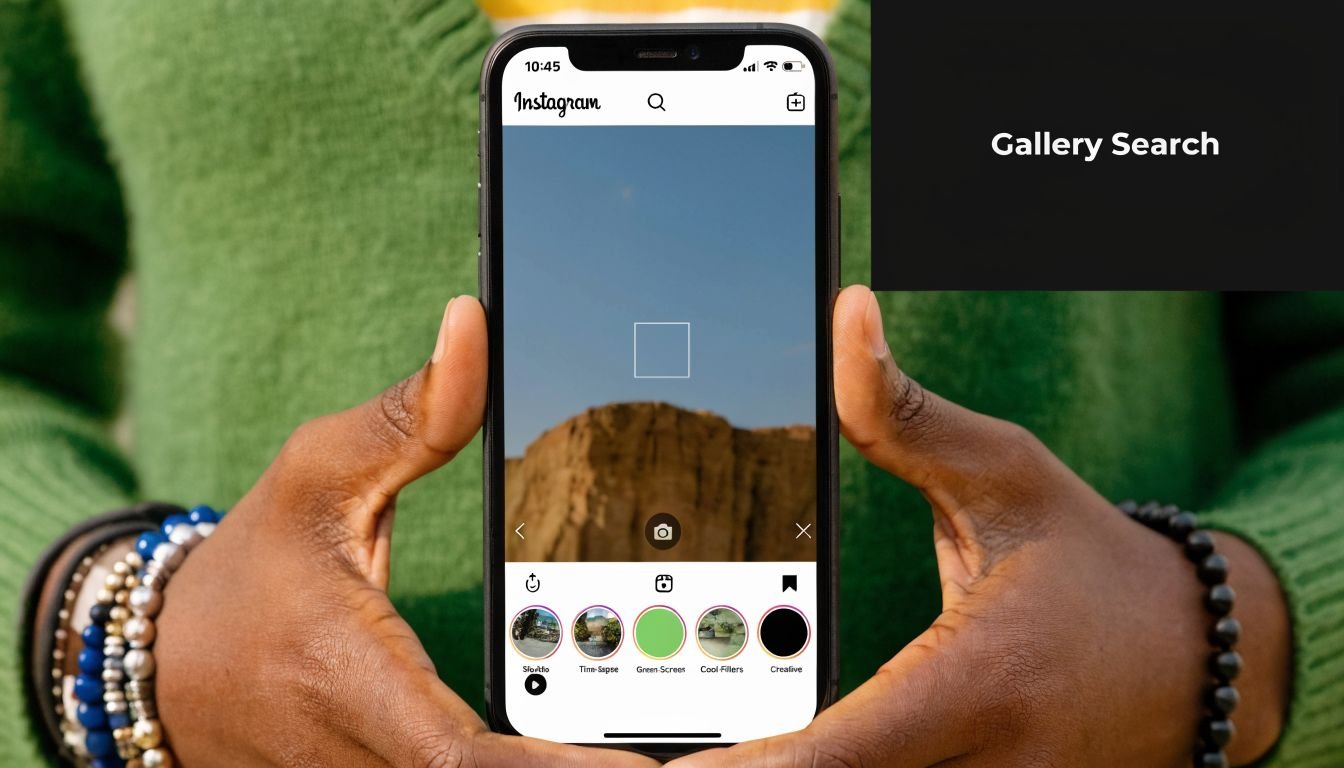
Open Instagram and go to the Story camera. You can usually do that by swiping into story creation or tapping your profile picture with the plus option. Once the camera opens, look at the row of effects along the bottom.
Now comes the part many users overlook. Keep swiping through that effects row until you reach the end. The search entry sits at the terminus of the bottom effects bar, and Business Insider’s walkthrough notes that about 60% of tutorials highlight this as the point where new users get stuck.
Where most people get stuck
People often stop too early because Instagram shows enough preloaded effects to make it seem like that’s the full menu. It isn’t.
Here’s the clean path:
- Open the Story camera and let the bottom carousel load.
- Swipe through the visible effects all the way to the end.
- Tap the magnifying glass or Browse Effects option when it appears.
- Enter the Effects Gallery to search by keyword or browse categories.
If you don’t hit the very end of the carousel, you may never see the search interface at all. That’s why so many “I can’t find filters anymore” complaints come down to navigation, not a bug.
Don’t judge Instagram’s effect library by the first few icons in the camera tray. That tray is only the front door.
How to search inside the gallery without wasting time
Once you’re in the gallery, use specific search terms. Broad words like “cute” or “vibe” usually bring back clutter. Functional keywords work better.
Try terms like these:
- For layout effects use phrases like “split screen,” “camcorder,” or “frame.”
- For beauty or appearance effects search by finish, not emotion. Think “soft glam,” “skin blur,” or “golden hour.”
- For thematic overlays search the object or mood directly, such as “sparkles,” “vintage,” “grain,” or “neon.”
- For niche creator effects search the exact effect name if you saw it on someone else’s post.
Inside the gallery, preview first. If the effect loads cleanly and fits your format, save it before you start recording. That small habit saves time. Searching while you’re already filming usually slows people down and leads to rushed choices.
A quick walkthrough can help if you want to see the interface in motion:
What works better than endless browsing
I usually recommend a short test filter set instead of open-ended exploration. Pick a few effects for each content type and compare them.
| Content type | Best search approach | What to avoid |
|---|---|---|
| Talking Stories | Search for subtle appearance or lighting effects | Heavy distortion or novelty masks |
| Product demos | Search for clean contrast, frame, or color polish | Effects that alter product color too much |
| Reels hooks | Search for split-screen, camcorder, or motion overlays | Effects that hide captions or crop faces |
| Lifestyle posts | Search by mood words like vintage or grain | Random trending effects with no brand fit |
That’s the practical version of how to search for effects on instagram. You’re not just finding an effect. You’re choosing one that supports the job of the content.
Discovering Effects Organically in Your Feed
Search is useful, but some of the best effects aren’t found by typing keywords. They’re found while scrolling.
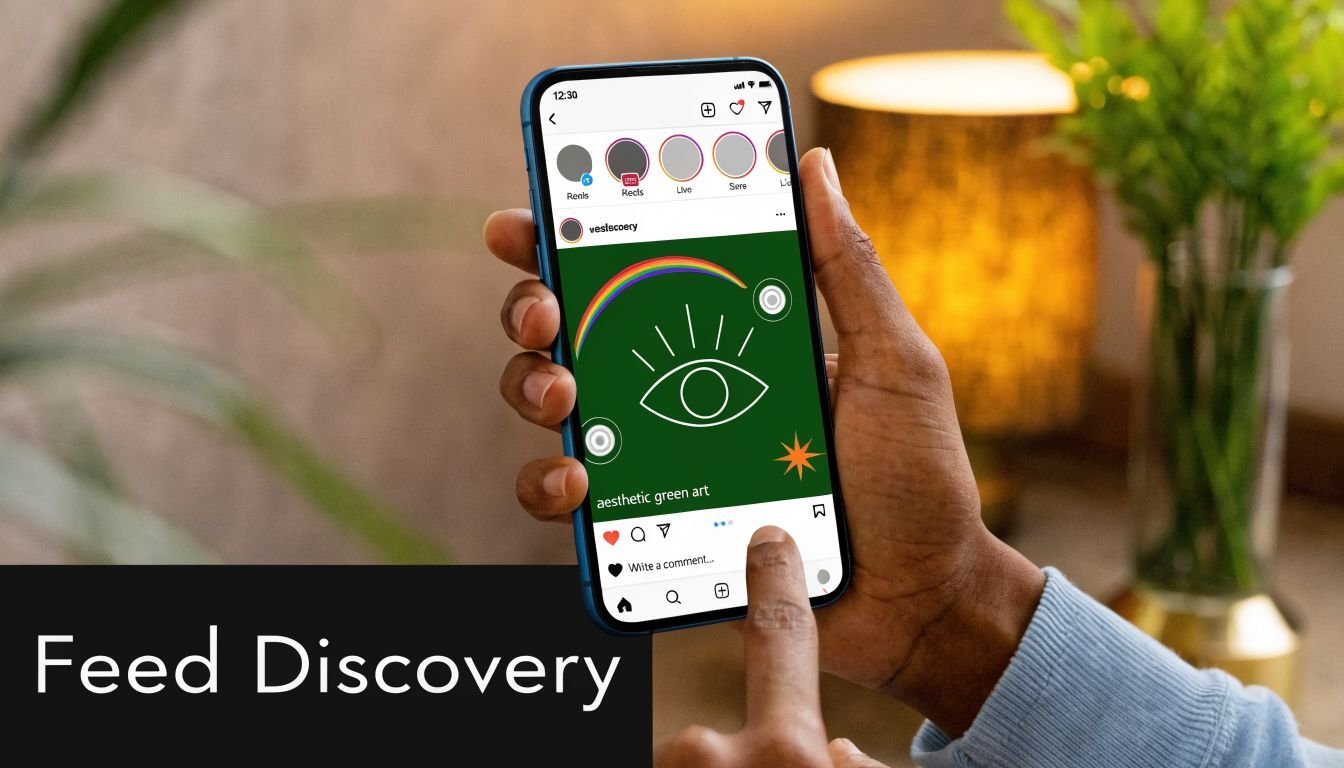
This is a common way users discover effects they end up using. A friend posts a Story with a camera treatment that looks sharper than normal. A Reel uses a frame effect that makes a simple clip feel edited. You notice the look first, then track the effect from the post itself.
Finding an effect from a Story or Reel
When you open a Story or Reel that uses an effect, look near the top area of the screen for the effect name. Instagram usually displays it under the account name or near the content header. Tap that name.
From there, Instagram often gives you options such as:
- Try It if you want to test it immediately.
- Save if you want it added to your personal tray for later.
- Send to a friend if you’re collecting references with a team or collaborator.
This method is better than keyword search when the effect is niche, branded, or named in a way you’d never guess. It’s also the fastest way to capture a look you already know you like.
If you can see the effect working on real content, you already know more than a search result can tell you.
Using creator profiles as effect libraries
Some creators publish multiple effects, and their profiles act like mini portfolios. If you land on a creator who consistently uses a visual style you like, check whether they have an effects tab on their profile. It’s often represented by a sparkle-style icon.
That tab is useful for two reasons. First, you can browse related effects from the same creator instead of starting from scratch. Second, creators often make variations on a theme. If one effect is too strong, there may be a lighter version sitting right beside it.
This works especially well for:
- beauty creators with subtle face and lighting effects
- video creators with retro camera overlays
- humor accounts using repeatable character or game effects
- branded creators who build a recognizable visual package
Why organic discovery often beats search
Keyword search is literal. Feed discovery is contextual.
When you find an effect in the wild, you can immediately answer better questions. Does it work on a face? Does it hide captions? Does it break under low light? Does it feel polished or gimmicky? That’s information you won’t get from the effect name alone.
If you manage a brand account, save examples in a shared notes doc or team chat when you spot them. That creates a working swipe file. Over time, you’ll notice patterns in what fits your niche, and you’ll spend less time trialing weak options.
How to Save Manage and Share Your Favorite Effects
Finding a strong effect once isn’t enough. The key time saver is building a repeatable library you can reach for without thinking.
Save versus Try It
Instagram gives you two actions that seem similar but serve different jobs.
Try It is for immediate testing. It’s fine when you’re experimenting or checking whether the effect behaves well on your camera. But if you know you’ll use it again, save it. That places it into your personal effect tray so it’s easier to access next time.
That matters because repeat use supports consistency, and consistency is easier to maintain when your tools are one tap away.
In content categories where effect-driven Stories perform strongly, saved behavior matters too. In e-commerce niches, top-performing Stories that use effects see save rates boosted by 35%, according to Influencity’s overview. For marketers, that’s a reminder that polished visual treatment can support the kind of content people want to come back to.
How to keep your effect tray usable
Many users make the same mistake. They save too many effects.
A bloated tray becomes hard to manage, and then you’re back to searching from scratch. Keep the library tight. I usually suggest organizing mentally by use case instead of by trend.
Try this simple structure:
- Daily utility effects for Stories, talking clips, or quick updates
- Brand style effects that match your usual tone and color
- Campaign-specific effects for launches, promos, or seasonal pushes
- Experimental saves that you review later and delete if they don’t hold up
If an effect no longer fits your content, remove it. Instagram’s interface changes over time, but the option is usually available from the saved effect menu.
Sharing effects with other people
Sharing is underrated. If you work with a creator, assistant, editor, or client, sending the exact effect prevents vague feedback like “use that soft one from last week.”
Use sharing when:
- a team needs the same Story look
- a creator and brand want visual consistency
- you’re collecting references before a shoot day
- you want approval on a visual style before publishing
The best setup is a small shared list of approved effects with plain-language notes like “good for natural light” or “avoid on product closeups.” That’s basic workflow management, but it saves a surprising amount of friction.
Troubleshooting Common Instagram Effect Issues
Most effect problems are not user error. They’re app behavior problems. That distinction matters, because bad advice usually starts with “just restart your phone” and ends there.
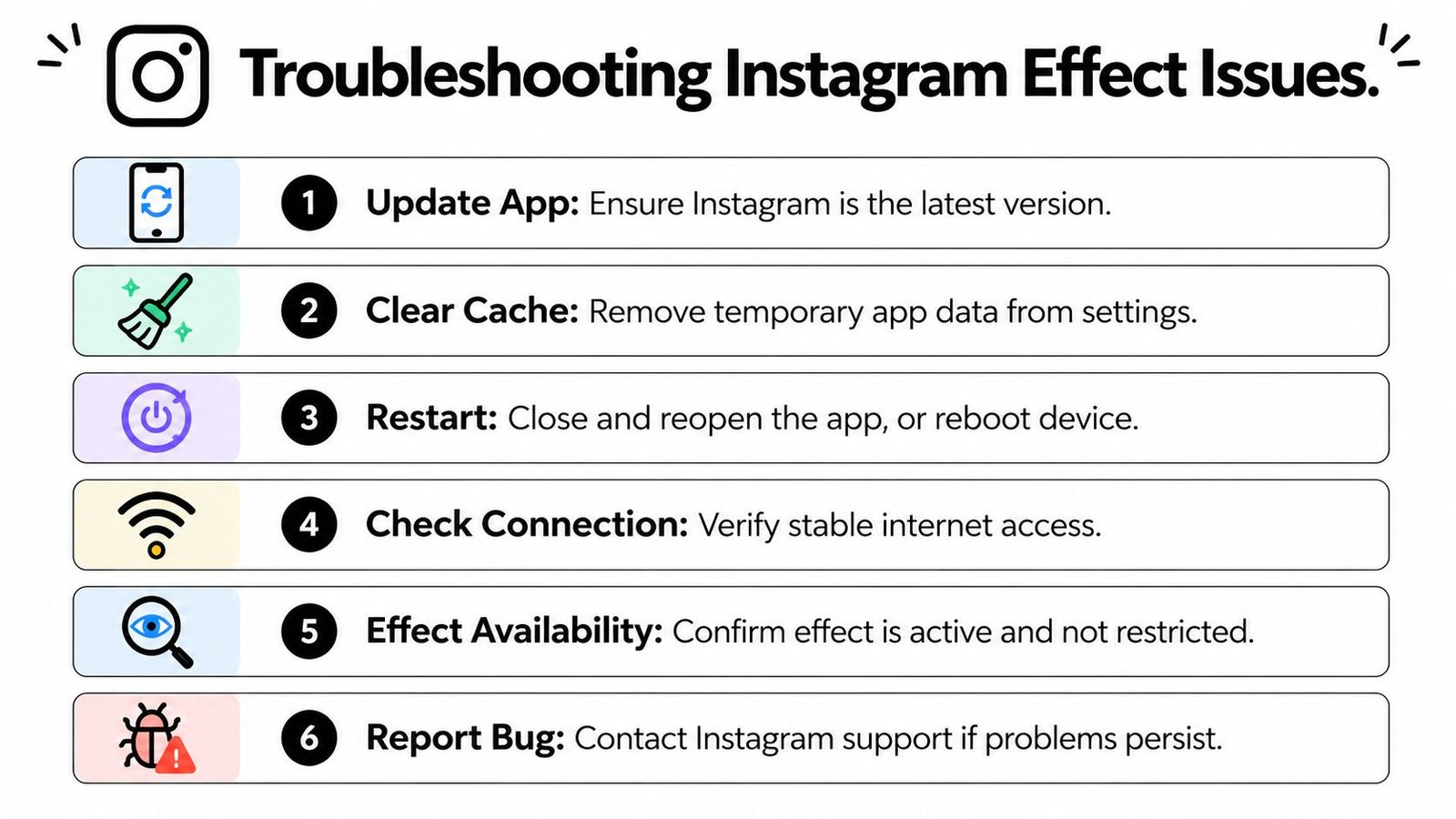
A common complaint is simple: you save an effect, open the camera later, and it isn’t there. According to user-report-based troubleshooting summarized in this YouTube resource, force-closing Instagram, clearing cache, or updating the app resolves many account-specific glitches, especially after major app updates in 2025 and 2026.
What to check first
Start with the boring checks because they eliminate the obvious causes fast.
- Update Instagram if you haven’t in a while. Old app versions often cause gallery and save-sync issues.
- Check your connection because effects sometimes fail to load fully on weak data or unstable Wi-Fi.
- Test another effect to see whether the problem is one effect or the whole gallery.
- Reopen the camera from scratch instead of leaving the app suspended in the background.
If one effect is broken but others work, the issue may be with that effect’s availability rather than your account.
What usually works when saved effects disappear
This is the sequence I’d use before reporting a bug:
| Problem | Most likely cause | Best next move |
|---|---|---|
| Saved effect missing from tray | Local app sync issue | Force-close and reopen Instagram |
| Effect preview won’t load | Cache or network problem | Clear cache if possible, then retry |
| Try It button does nothing | Temporary app glitch | Update app and relaunch |
| Gallery looks incomplete | Loading or region issue | Switch connection and reopen gallery |
On Android, clearing cache is usually straightforward in app settings. On iPhone, the path is less direct, so updating or reinstalling can be the cleaner option if the problem keeps repeating.
Old saved effects can clog the tray. Removing one or two outdated effects sometimes nudges Instagram to refresh the list properly.
A practical bug routine
Don’t troubleshoot randomly. Use a short order and stop once the issue clears.
- Close the app fully. Don’t just swipe away the screen. Force it closed.
- Reopen and test from the Story camera because that’s still the main effect entry point.
- Remove one old saved effect if your tray appears frozen or incomplete.
- Update Instagram before assuming your account is broken.
- Clear cache or reinstall if problems persist across multiple effects.
- Report the issue inside Instagram only after you’ve tested the basics.
What doesn’t work well is repeatedly tapping the same broken save, hoping it appears. If the tray hasn’t refreshed, Instagram usually needs a reset, not more taps.
A Creator's Guide to Leveraging Effects for Growth
Creators often treat effects as decoration. That leaves a lot of value on the table.
The better approach is to treat effects like packaging. They shape how your content is recognized, how reusable your formats become, and how easy it is for followers to connect one post to the next.
According to Metricool’s overview of Instagram filters, creators can connect effect discovery with centralized link pages, and reusable effects can generate 3 to 5 times higher engagement than single-format effects. That’s the important distinction. Reusable beats clever.
Choose reusable effects over novelty
If you’re building a brand, ask one question before saving any effect: can I use this repeatedly without tiring people out?
Good reusable effects usually have these traits:
- They fit multiple formats such as Stories, Reels, and quick updates.
- They support your niche instead of fighting it.
- They leave room for captions and products rather than covering the screen.
- They look intentional on repeat so followers start to associate the style with you.
A novelty effect can spike attention once. A reusable effect becomes part of your visual identity.
Turn effect usage into profile traffic
Strategy is essential. If followers ask what effect you used, that’s not just a compliment. It’s a signal that your content package is memorable.
Use that interest in practical ways:
- Reference your recurring effect style in content series so viewers recognize the format.
- Show examples of your visual style on your bio link landing page if you use one.
- Link out to featured Reels or tutorials that demonstrate your signature look.
- Keep your branding stable so the effect supports recognition instead of replacing it.
That’s especially useful for influencers, product-based businesses, and service providers. People often visit a profile because they like the presentation before they fully understand the offer. Effects help shape that first impression.
The key trade-off is simple. Trend-driven effects can help you feel current. Signature effects help you feel consistent. If you have to choose, consistency usually wins for long-term growth.
If you want one place to send Instagram followers after they discover your content style, Bio Links Page Builder makes that easy. You can build a mobile-first OneURL page for your links, videos, products, articles, and social profiles without needing code, which gives your Stories and Reels a cleaner path from attention to action.