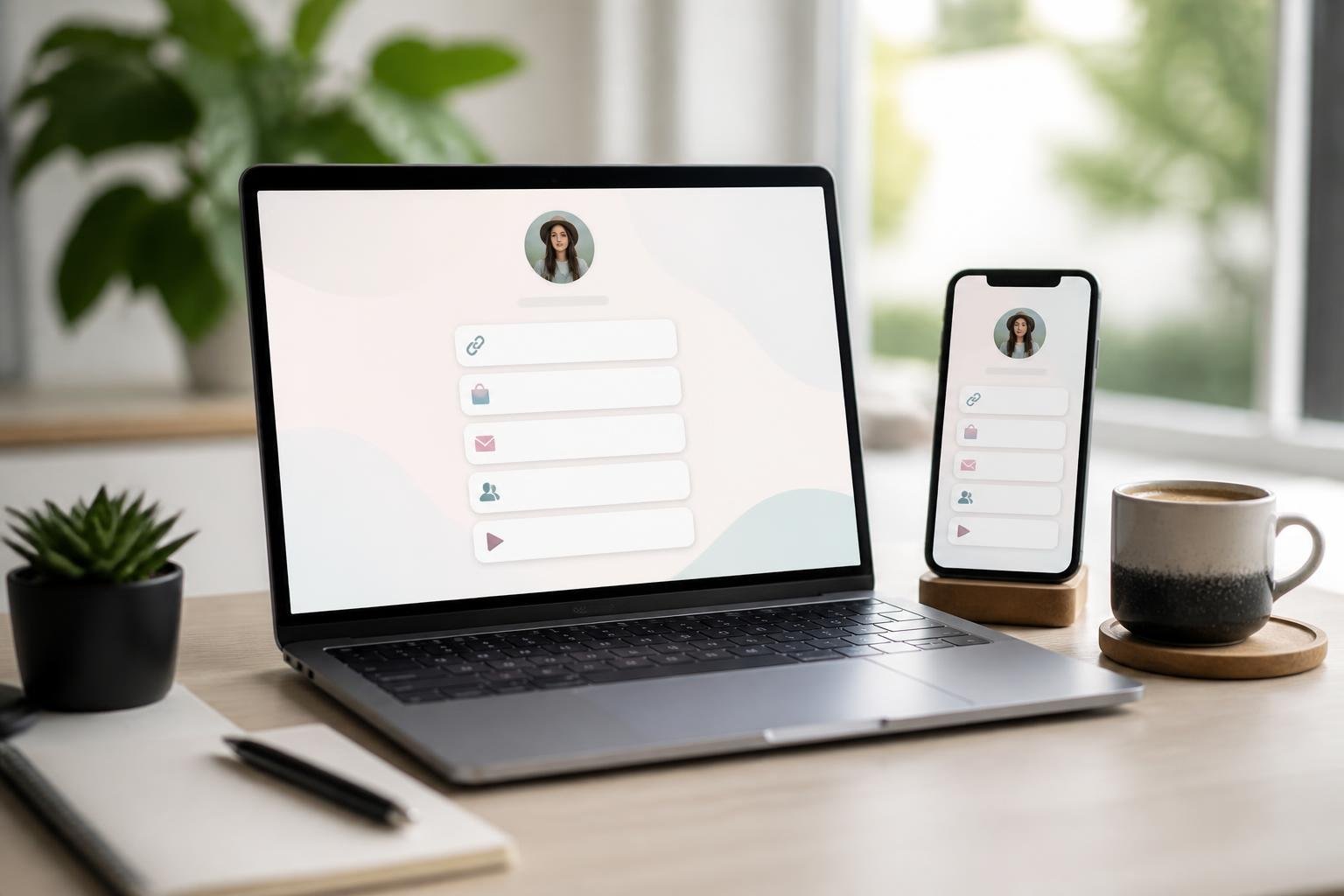
A bio link platform is a digital tool that consolidates multiple links, content, and contact information into a single customizable landing page, typically shared through social media profile links. These platforms solve the “one link” limitation on social media profiles by creating a centralized hub where you can direct your audience to all your important content, products, and services at once. Instead of constantly changing the single link in your Instagram or TikTok bio, you maintain one permanent URL that leads to a page containing all your active links.
Modern bio link platforms have evolved beyond simple link collections. You now have access to features like AI assistants that interact with visitors, email list building, blog post publishing, custom domain support, and detailed analytics that track visitor behavior. The technology has matured from basic link aggregation to comprehensive website alternatives designed specifically for mobile audiences.
Understanding what these platforms offer and how they differ from one another helps you choose the right solution for your specific needs. This guide covers the essential features, customization capabilities, performance tracking tools, and specialized functions that define today’s bio link platforms, along with practical considerations around security, pricing, and use cases across different industries.
Core Features of Modern Bio Link Platforms
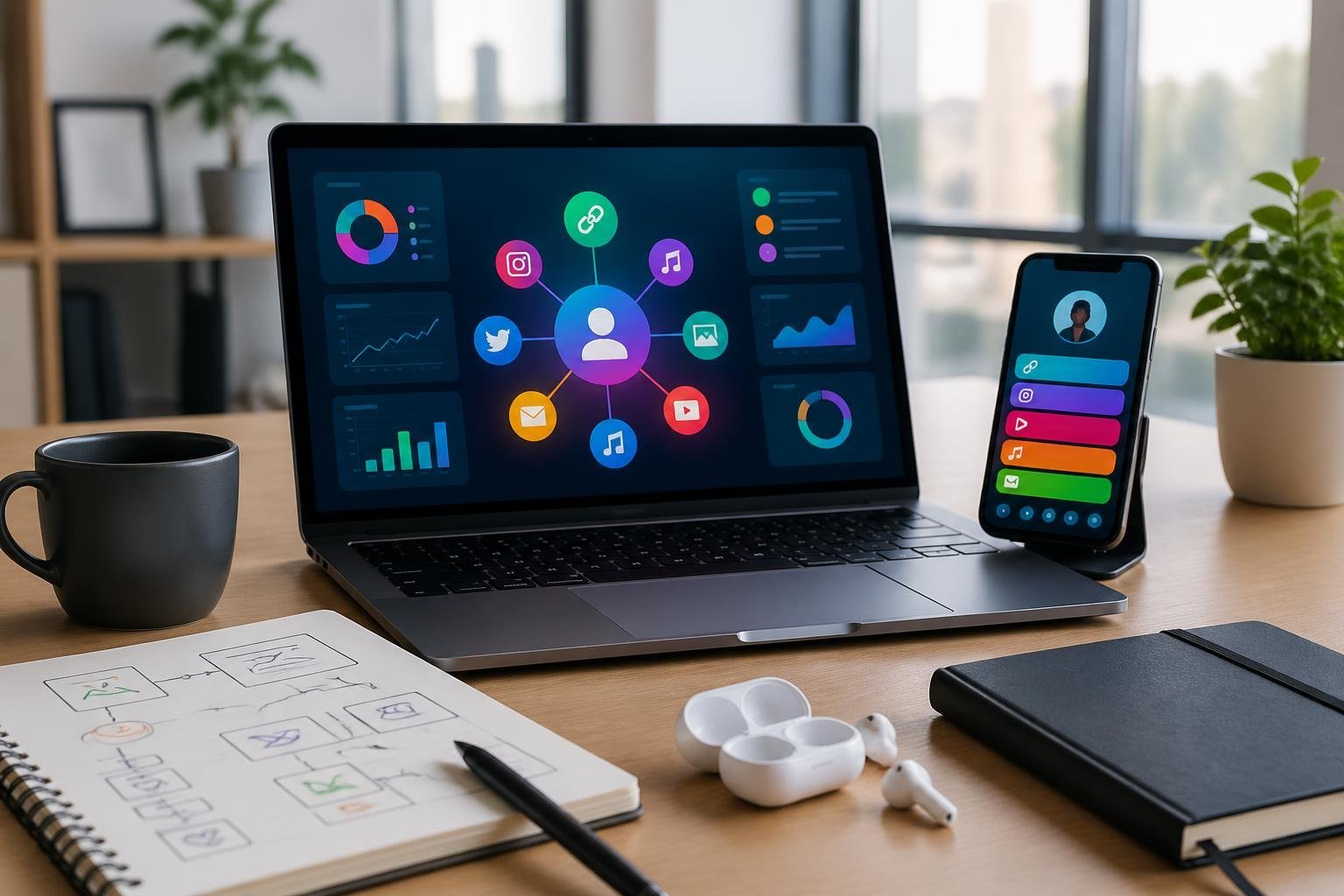
Modern bio link platforms have evolved beyond simple link lists into comprehensive digital hubs. These tools now offer landing page builders, advanced link management systems, and integrated QR code generation to help you consolidate your online presence.
All-in-One Landing Pages
Your bio link page functions as a customizable landing page that houses all your important links in one location. These pages support various content blocks including social media links, video embeds, contact forms, and product showcases.
Most platforms let you customize your biolink pages with brand colors, fonts, and layouts without requiring coding skills. You can arrange link blocks in different formats—from simple button lists to visual grids with images and descriptions.
Advanced bio pages now include features like email capture forms, appointment scheduling, and embedded content from platforms like YouTube or Spotify. Some tools offer shoppable video integrations and direct checkout functionality, turning your bio link into a conversion-focused storefront rather than just a link directory.
Short Links and Deep Linking
Short links make your bio page URL clean and memorable for sharing across social media profiles. You can typically create custom slugs that reflect your brand name or campaign instead of using random character strings.
Deep linking capabilities let you direct visitors to specific sections within apps or particular product pages. This is useful when you want to send traffic from your link in bio directly to a specific Instagram post, TikTok video, or product listing rather than a generic homepage.
Link management features include the ability to organize links into projects, track click performance, and schedule links to appear or disappear at specific times. You can create event links that automatically expire after a date or file links that direct to downloadable resources.
Integrated QR Code Tools
Built-in QR code generators create scannable codes linked directly to your bio page or individual links within it. These QR codes can be customized with your brand colors and logo to maintain visual consistency across marketing materials.
You can generate different QR codes for various purposes—one for your main bio link, others for specific campaigns, products, or events. This lets you bridge offline and online marketing by placing codes on business cards, flyers, packaging, or event signage.
Most platforms provide analytics for QR code scans, showing you how many people accessed your links through physical materials versus digital channels. Some tools also offer dynamic QR codes that you can update to point to different destinations without reprinting the physical code.
Customization Options and Branding Tools

Bio link platforms offer varying degrees of control over how your page looks and functions, from pre-built templates to advanced code customization. The right combination of branding tools and styling options helps you create a cohesive digital presence that aligns with your visual identity.
Themes, Templates, and Ready-to-Use Components
Most bio link platforms provide biolink themes and biolink templates designed for quick setup. These templates serve as starting points, allowing you to launch a professional-looking page without design experience.
Ready-to-use components include buttons, video embeds, contact forms, social media feeds, and product showcases. You can add these elements through drag-and-drop interfaces or simple menu selections. Many platforms organize components by category, such as social links, media blocks, or call-to-action buttons.
Templates typically come with preset color schemes and layouts. You can select a template that matches your aesthetic, then customize individual elements. Some platforms refresh their template libraries regularly, offering seasonal designs or industry-specific layouts for creators, businesses, or agencies.
Custom Domains and Branding
Custom domains replace generic platform URLs with your own branded web address. Instead of using a subdomain like platform.com/yourname, you can connect yourbrand.com or bio.yourbrand.com.
White-label or removable branding options eliminate platform logos and watermarks from your bio link page. This creates a cleaner appearance and reinforces your brand rather than the tool provider. Some platforms include white labeling in premium plans, while others charge separately for this feature.
You can typically upload a custom logo that appears in your page header or favicon. Custom colors extend beyond templates, letting you define specific hex codes or RGB values for backgrounds, buttons, text, and accent elements. Additional fonts allow you to match your existing brand typography by selecting from extended font libraries or uploading your own typefaces.
Advanced Styling: CSS, JS, and Color Choices
Custom CSS gives you granular control over page styling, including spacing, animations, hover effects, and responsive behavior. You can override default template styles or build entirely custom layouts. This option works best if you have web development knowledge or access to a designer.
Custom JS enables interactive features like pop-ups, dynamic content loading, or third-party integrations beyond standard options. Some platforms restrict JavaScript for security reasons, while others allow full code injection in premium tiers.
Custom back-half functionality lets you create memorable short URLs using your preferred slug instead of random characters. Combined with custom domains, this produces fully branded links like yourdomain.com/shop or yourdomain.com/contact. Color choices extend to individual elements, giving you precise control over gradients, transparency levels, and dark mode variations.
Analytics, Performance, and Audience Insights
Modern bio link platforms provide detailed tracking capabilities that reveal how visitors interact with your content, where they come from, and which links drive the most conversions. These built-in analytics tools help you make data-driven decisions about your content strategy and audience targeting.
Real-Time Link and QR Code Analytics
Your bio link platform should display live data on link clicks, page views, and visitor behavior as they happen. Most platforms track essential metrics including total views, click-through rates, and individual link performance with stats retention periods ranging from 30 days to unlimited historical data.
Built-in analytics dashboards typically show you referrers and UTMs, revealing which social platforms, websites, or campaigns drive traffic to your page. You can monitor devices and operating systems to understand whether your audience primarily uses mobile or desktop, iOS or Android.
Advanced platforms also track QR code scans separately from standard link clicks. This data includes scan locations, time patterns, and the devices used to scan your codes.
Tracking Pixels and UTM Support
Tracking pixels let you monitor conversions and retarget visitors across advertising platforms like Facebook, Google, and TikTok. You add pixel codes to your bio link page, and they fire when visitors perform specific actions.
UTM parameters allow you to tag individual links with campaign identifiers, source information, and content labels. When visitors click these tagged links, your analytics platform records the specific UTM data. This creates detailed attribution reports showing which posts, campaigns, or platforms generate the most valuable traffic.
Most platforms support multiple pixels simultaneously and preserve UTM data as visitors move from your bio link to destination pages.
A/B Testing and Advanced Link Targeting
A/B rotation functionality displays different links or content variations to split your audience into test groups. You can compare performance metrics between versions to identify which headlines, images, or call-to-action buttons generate higher click-through rates.
Advanced targeting rules let you show specific links based on visitor characteristics. You can create rules for geographic location, device type, language preference, or referral source. A visitor from Instagram might see different featured links than someone arriving from TikTok.
Link analytics with indepth statistics reveal patterns in visitor behavior over time. You track peak activity hours, recurring visitors, and engagement trends that inform your posting schedule and content priorities.
Link Control, Security, and Scheduling
Bio link platforms now offer tools to control who sees your content, when links are available, and how users interact with them. These features help you protect sensitive material, manage traffic flow, and create specialized user experiences.
Password Protection and Sensitive Content Warnings
You can add password protection to individual links or entire bio pages to restrict access to authorized users only. This feature works well for exclusive content, client deliverables, or private resources that shouldn’t be publicly accessible.
Sensitive content warnings let you display an age gate or advisory screen before users proceed to mature or potentially triggering material. The warning gives visitors the choice to continue or exit, which helps you maintain compliance with platform policies and legal requirements. Some platforms call this NSFW protection.
You control the warning message text and can customize it based on your specific content type. This approach is more professional than unmarked sensitive links and reduces the risk of surprising or offending your audience.
Link Scheduling and Limiters
Links scheduling allows you to set specific dates and times when individual links become active or expire. You might schedule a product launch link to go live at midnight or set a limited-time offer to automatically disappear after 48 hours.
Link limiters restrict the total number of clicks a URL can receive before it deactivates. This feature is useful for controlling access to downloadable links, limiting event registrations, or creating scarcity for special promotions. Once the click threshold is reached, the link automatically stops working.
You can combine scheduling with limiters to create time-bound, quantity-restricted campaigns that don’t require manual intervention.
Cloaking, Splash Pages, and Auto-Open Features
Cloaking short URLs masks the destination address, showing your branded domain instead of the actual target URL. This creates a cleaner appearance and prevents users from seeing lengthy or complex links that might reduce trust.
Forced splash pages display a full-screen interstitial before redirecting to the final destination. You can use splash pages for advertising, announcements, or collecting email addresses before granting access to your content.
Auto open app on mobile detects when users click links on smartphones and automatically launches the native app instead of opening a mobile browser. If someone taps your Instagram link, it opens directly in the Instagram app rather than a web view, creating a smoother experience and typically improving conversion rates.
Collaboration and Team Management
Bio link platforms designed for agencies and brands need robust collaboration features to support multiple team members working across client accounts. Role-based permissions, organized workspaces, and integration capabilities determine how efficiently teams can manage their bio link campaigns at scale.
Multiple Users and Role Assignments
Team collaboration in bio link platforms centers on user roles and permission controls. Most platforms allow you to add team members with specific access levels—administrators can manage billing and users, editors can create and modify links, while viewers only access analytics. These role assignments prevent unauthorized changes and protect sensitive client data.
Some platforms include notification handlers that alert specific team members when links are updated, analytics thresholds are met, or approval is needed. You can typically assign different users to different clients or projects, ensuring team members only see relevant workspaces. Advanced platforms offer granular permissions where you can restrict access to specific features like custom domains, analytics exports, or integration settings.
Project and Workspace Organization
Workspace organization becomes essential when managing multiple bio link pages for different clients or campaigns. Many platforms let you create separate workspaces or folders to segment projects, keeping each client’s links, assets, and analytics isolated. You can switch between workspaces without logging in and out of different accounts.
Teams often need to generate bulk QR codes for multiple bio links simultaneously, particularly useful for agencies managing numerous client campaigns. Project organization features may include tagging systems, search functions, and filtering options that help locate specific links quickly. Some platforms allow workspace templates, letting you duplicate successful bio link structures across new clients.
Exporting, APIs, and Integrations
Export features enable you to extract analytics data for client reporting or deeper analysis in external tools. Most platforms offer CSV or Excel exports of click data, geographic information, and referral sources. Advanced platforms provide scheduled exports that automatically deliver reports to your team.
API access opens possibilities for custom integrations and automation. You can programmatically create bio links, update content, or pull analytics into your existing dashboards. Standard integrations connect bio link platforms with email marketing tools, CRM systems, and social media management platforms. These integrations allow data flow between tools without manual transfers, reducing errors and saving time on routine tasks.
SEO, Compliance, and Monetization
Bio link platforms now offer technical features that impact search visibility, protect user data, and enable revenue generation. Understanding these capabilities helps you choose a platform that supports both compliance requirements and income goals.
SEO Features and Dofollow Links
Most bio link platforms offer basic SEO settings including custom meta titles, descriptions, and Open Graph tags for social sharing. You can typically add your own page title and description to improve how your link appears in search results.
The distinction between dofollow and nofollow links matters for SEO value. Dofollow links pass authority to the destinations you link to, while nofollow links do not. Some platforms like Leap Link and similar tools allow you to control link attributes, though many bio link pages use nofollow by default to prevent spam.
Advanced platforms include schema markup, custom URLs, and indexing controls. You should verify whether your chosen platform allows search engines to crawl and index your bio page, as some block indexing entirely.
Data Security and Compliance Standards
Payment processors on bio link platforms must comply with PCI DSS standards when handling credit card information. Platforms that offer native checkout typically manage this compliance on your behalf.
PECR compliant email capture tools ensure you collect subscriber consent properly, particularly important if you have EU visitors. You need clear opt-in mechanisms and proper data handling procedures built into your forms.
Look for platforms that offer SSL encryption, two-factor authentication, and regular security audits. Your customer data and transaction information require protection through industry-standard security measures.
Monetization Tools and Affiliate Options
Digital product sales, course hosting, and appointment booking represent primary monetization features. Native payment processing lets you receive funds directly without external cart systems, with some platforms offering same-day or next-day payouts.
Affiliate percentage structures vary by platform and program. You can add affiliate links to products you promote, earning commissions when visitors purchase through your recommendations. Some platforms provide built-in affiliate marketplaces where you discover and add products directly.
Key monetization features include:
- Digital product storefronts with file delivery
- Subscription and membership options
- Coaching and consultation scheduling
- Commission tracking for affiliate links
- Multiple payment processor integrations
Transaction fees range from 0% to 10% depending on your plan tier and platform choice.
User Experience, Onboarding, and Pricing Plans
Bio link platforms prioritize accessibility through intuitive interfaces that require no technical skills, while offering trial periods and transparent pricing to help you make informed decisions. Most platforms provide straightforward onboarding processes and clear cost structures without hidden fees.
Easy to Use and No Coding Required
Bio link platforms are designed with simplicity at their core, allowing you to create and customize your page without any technical expertise. You can drag and drop elements, add links, and modify layouts through visual editors that eliminate the need for coding knowledge.
The user-friendly interfaces typically feature pre-designed templates that you can customize with your brand colors, fonts, and images. Most platforms offer real-time previews so you can see exactly how your bio link page will appear to visitors before publishing.
You can add various content types including social media links, videos, contact forms, and product showcases through simple point-and-click actions. The editing process is streamlined to save time, with changes taking effect immediately once you save them.
Onboarding, Support, and Trial Periods
When you sign up for a bio link platform, you’ll typically encounter a guided onboarding process that walks you through the initial setup steps. Many platforms offer free plans that let you explore basic features indefinitely, while premium plans often include trial periods to test advanced functionality.
You can usually access help centers with documentation, video tutorials, and frequently asked questions to resolve common issues independently. Some platforms provide customer support through email or chat to assist with technical questions or account management.
The ability to start with a free package and upgrade anytime gives you flexibility to grow at your own pace. Trial periods allow you to evaluate premium features before committing to a paid subscription.
Transparent Pricing Structures
Bio link platforms generally offer tiered pricing models with clear distinctions between free and premium features. Free plans typically support basic link consolidation, while paid plans unlock additional capabilities like custom domains, analytics, email list building, and verified badges.
Premium plans usually operate on subscription models where you’re charged automatically at the beginning of each billing period until you cancel. Pricing structures are designed to be transparent without hidden fees, so you know exactly what you’ll pay.
You can expect refund policies that honor requests for upcoming charges, though specific terms vary by platform. Account deletion typically results in immediate subscription cancellation and complete data removal from the platform’s servers.
Specialized Use Cases and Unique Features
Bio link platforms have evolved beyond simple link aggregation to serve specific needs of different user types. Modern tools offer specialized functionality for distinct audiences, from content creators monetizing their following to businesses managing multi-location contact information and international campaigns.
Bio Link Solutions for Creators and Brands
Creators benefit from platforms that prioritize monetization and audience engagement features. You can integrate affiliate links, showcase products through e-commerce connections, and track which content drives the most clicks. Many platforms designed for creators include subscriber management tools, allowing you to build email lists directly from your bio link page.
Brands require different functionality centered on professional presentation and team collaboration. Custom domain support removes third-party branding, making your bio link appear as a native extension of your website. White-label capabilities ensure your brand identity remains consistent across all touchpoints.
Advanced platforms offer role-based access for team members, letting marketing teams update links without requiring developer assistance. Integration with CRM systems and marketing automation tools allows you to capture leads and track them through your sales funnel.
vCard, File, and Event Links
Digital contact cards transform how you share professional information. A vCard link lets people save your complete contact details—phone number, email, address, social profiles—directly to their device with one tap. This eliminates manual entry errors and ensures your information stays current when you update the vCard.
File links enable you to share downloadable resources like PDFs, media kits, or product catalogs. You can track download counts and update files without changing the link, maintaining consistency across your marketing materials.
Event links streamline registration and attendance tracking. You can promote upcoming events, integrate with calendar applications, and manage RSVPs from a single page. This functionality works particularly well for recurring events or businesses hosting multiple concurrent activities.
Language, Device, and Location Targeting
Smart targeting features deliver personalized experiences based on visitor characteristics. Language targeting automatically displays content in a user’s preferred language, expanding your reach to international audiences without maintaining multiple bio link pages.
Device targeting shows different content to mobile versus desktop users. You might promote your mobile app to smartphone visitors while directing desktop users to your full website. This optimization improves conversion rates by matching user intent with appropriate resources.
Location targeting displays region-specific links, products, or promotions. A retail brand can showcase store locations nearest to each visitor, while service businesses can route inquiries to local teams. Geographic data also helps you understand where your audience concentrates, informing expansion decisions and regional marketing strategies.
QR Code Innovations and Design Flexibility
Modern bio link platforms have evolved QR code generation beyond basic black-and-white squares, offering extensive customization options and batch processing capabilities that let you maintain brand consistency across multiple campaigns.
Custom Styles, Shapes, and Logos
You can personalize QR codes with various visual elements to match your brand identity. Most platforms allow you to modify colors, choosing custom palettes for both the foreground and background elements of your codes. You can select from multiple QR shapes and patterns, including rounded corners, dots, or geometric designs that make your codes more visually appealing.
The ability to embed your custom logo directly into the center of QR codes sets professional implementations apart. Your logo remains prominently displayed while the code maintains its scannability. You can adjust the size and positioning of embedded logos to balance branding with technical functionality.
Style options extend to the individual data modules within the code itself. You can apply different shapes to these modules, creating distinctive patterns that align with your visual guidelines while ensuring scan reliability across devices.
Bulk Generation and Download Formats
You can generate multiple QR codes simultaneously for large-scale campaigns or client projects. This bulk generation feature saves significant time when you need to create codes for different products, locations, or marketing materials.
Export options include multiple file formats to suit various use cases. You can download codes as SVG files for print materials requiring scalability, PNG or JPG formats for digital applications, or vector formats for professional design software. Each format maintains the visual customizations you applied during creation.
The ability to manage and update the destination URLs for your QR codes through your dashboard means you can change where codes point without reprinting physical materials. This flexibility protects your investment in printed collateral.
Pingback: TikTok Video Generation How To: A Complete Guide for AI-Powered Content – Bio Link Builder Platforms