
You’ve probably hit the point where your current Instagram handle no longer fits. Maybe it’s tied to an old niche, an old business name, or a version of your brand you’ve already outgrown. Changing it sounds simple, but many users hesitate for the same reasons: what happens to the old username, will followers get confused, and what breaks outside Instagram once the new handle goes live?
That hesitation is healthy. The button click is easy. The messy part is everything connected to your handle after the change, especially your links, tagged mentions, profile discovery, and brand consistency across other platforms. If you handle the change like a small rebrand instead of a quick edit, it usually goes much more smoothly.
Table of Contents
- Ready for a Rebrand? What to Know Before You Change
- Username vs Display Name Clarifying What You're Changing
- How to Change Your Instagram Username on Mobile and Desktop
- The 14-Day Rule and Other Critical Username Policies
- Your Post-Change Checklist Update Your Links and Notify Followers
- Fixing Common Problems Username Taken or Change Blocked
- Frequently Asked Questions About Changing Your Instagram Name
Ready for a Rebrand? What to Know Before You Change
A handle change usually starts with a real business or creative reason. You’ve niched down, expanded what you sell, merged personal and professional branding, or realized your old username is harder to remember than it should be. Those are all solid reasons to make a move.
What doesn’t work is changing your username on impulse because a new idea sounds better at midnight. Usernames touch more than your Instagram profile. They show up in tags, your profile URL, your bio links, your creator media kit, email signatures, pinned posts, and often your other social accounts too.
Before you change anything, check whether the new handle does these jobs well:
- Matches your current brand: It should fit what you publish now, not what you posted two years ago.
- Stays easy to say out loud: If someone hears it in a Reel or podcast mention, they should be able to type it correctly.
- Translates across platforms: Consistency matters more than cleverness if you’re active on TikTok, YouTube, X, LinkedIn, or Pinterest.
- Won’t age badly: Trendy spellings can feel dated fast.
Practical rule: If you have to explain where the extra punctuation goes every time you share your handle, it’s probably not the right one.
The safest approach is to prepare the change before you make it live. Draft the announcement post, update your saved brand assets, and make a short list of every place your Instagram link appears. That prep removes most of the stress people associate with how to change instagram username, and it keeps the move from turning into a cleanup project afterward.
Username vs Display Name Clarifying What You're Changing
A lot of creators open Instagram, tap Edit Profile, and change the wrong field.
That mistake matters because username and display name do different jobs. If you only update the display name, your old @handle stays the same. People will still tag the old handle, your profile URL will still use it, and any plan to standardize your branding across platforms won’t happen.
Your username is your unique @handle. It appears in your profile URL, mentions, tags, and search. It has to be unique, and Instagram applies formatting rules to it. Your display name is the name shown on your profile under your photo. It does not need to be unique, and it gives you more room to describe who you are or what you do.
That difference affects more than appearance.
If you are rebranding and need a new profile link, a cleaner tag, or better consistency with your TikTok, YouTube, or website name, change the username. If your handle is fine but you want clearer positioning in search, change the display name. I usually treat the username as the fixed asset and the display name as the field you can adjust more often for clarity, category terms, or a current offer.
Username vs. Display Name at a Glance
| Attribute | Username (@handle) | Display Name |
|---|---|---|
| What it is | Your unique Instagram identifier | The name shown on your profile |
| Must be unique | Yes | No |
| Used in profile URL | Yes | No |
| Used for tags and mentions | Yes | No |
| Character style | Letters, numbers, periods, underscores | More flexible |
| Best for | Brand consistency, links, and discoverability | Readability and positioning |
A quick example helps. If your handle is @studio.maya and your display name is Maya Chen | Brand Photographer, people can tag @studio.maya, while Instagram users searching for “brand photographer” may still recognize what you do from the display name. That setup is often stronger than forcing every keyword into the username and ending up with something awkward or hard to remember.
When to change one vs the other
Change the display name if your niche, title, or offer changed but your handle still has recognition. This is the lower-risk edit because it won’t affect your URL, your bio link setup, or any outside links pointing to your profile.
Change the username if the handle is off-brand, inconsistent with your other channels, hard to spell, or tied to an old business name. This is the bigger decision because it affects discoverability outside Instagram too. After a username change, you may need to update your Bio Links Page, media kit, social buttons, and any indexed profile links that appear in search results.
The short version is simple. The username changes your address. The display name changes your label. If your goal is a real rebrand, make sure you edit the field that changes the address.
How to Change Your Instagram Username on Mobile and Desktop
The actual edit is fast. What matters is entering the right field and confirming the new handle is available.
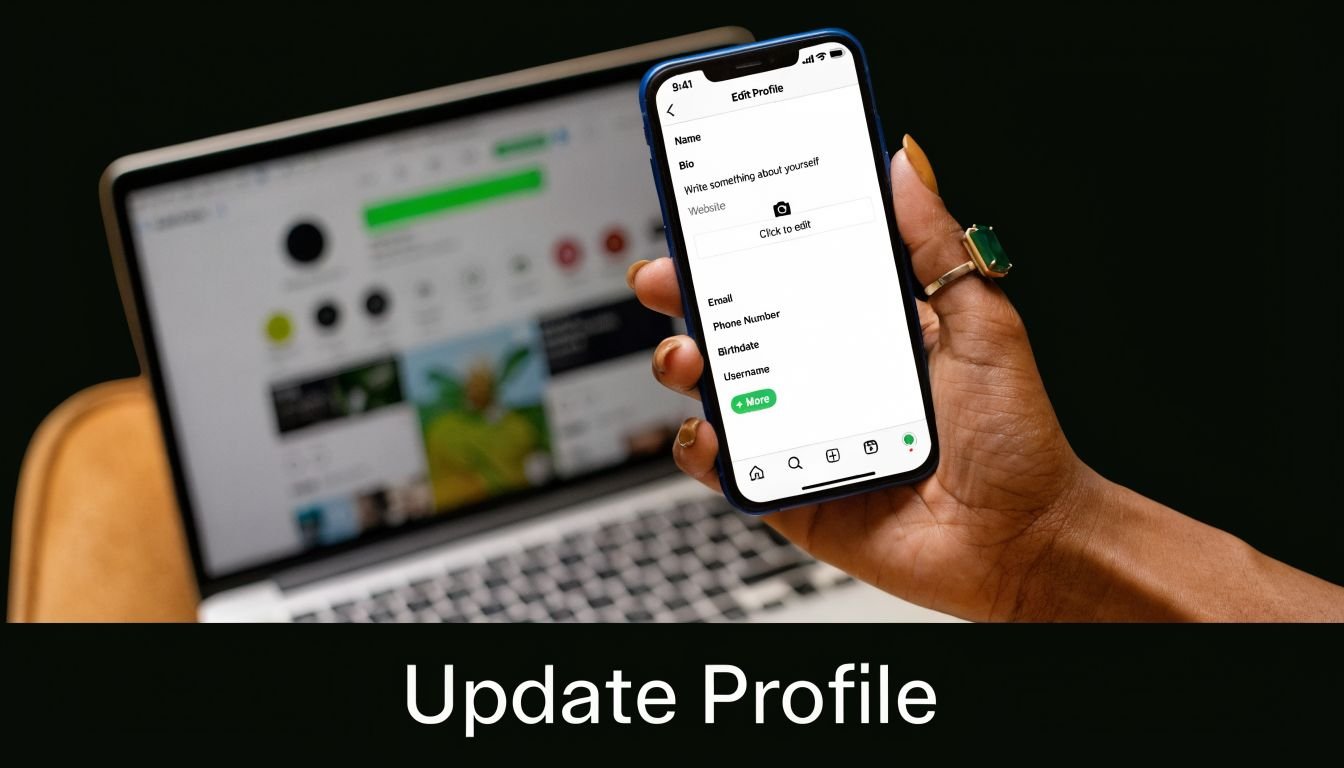
On the Instagram app
Open Instagram and go to your profile. Tap Edit Profile, then tap the Username field. Delete your current handle and type the new one you want.
If the username meets Instagram’s format rules and isn’t already taken, Instagram validates it in real time. The platform’s validation process typically checks availability within 1 to 2 seconds, with a green checkmark confirming eligibility, as described in Evergreen Feed’s breakdown of Instagram username validation.
Then save the change using Done or the checkmark, depending on your device.
A few details matter here:
- Use only allowed characters: Letters, numbers, underscores, and periods.
- Skip spaces and extra symbols: Those won’t pass validation.
- Watch for accidental duplicates: Even a perfectly formatted handle won’t work if someone else already has it.
On a web browser
If you prefer desktop, log in at Instagram in your browser and open your profile. Click Edit Profile, replace the current value in the Username field, then save.
The browser version is useful when you’re handling a larger rebrand and already have your new naming, links, and profile copy open in other tabs. It’s also easier to compare your old and new branding side by side before you commit.
One reason desktop works well is pacing. You’re less likely to rush the change when you can review everything calmly, especially if you’re also updating your bio, category, and contact details at the same time.
This walkthrough shows the flow visually:
A quick pre-save check
Before you hit save, read the new handle in three contexts:
- As a spoken mention
- As a URL
- As a tag inside a caption or Story
If it looks clean in all three places, you’re usually in good shape.
The 14-Day Rule and Other Critical Username Policies
A username change feels reversible right up until someone else grabs the old handle or your branded links start drifting out of sync. That is why policy matters here. It affects not just the edit inside Instagram, but the cleanup work that follows across search results, tagged posts, and link hubs.
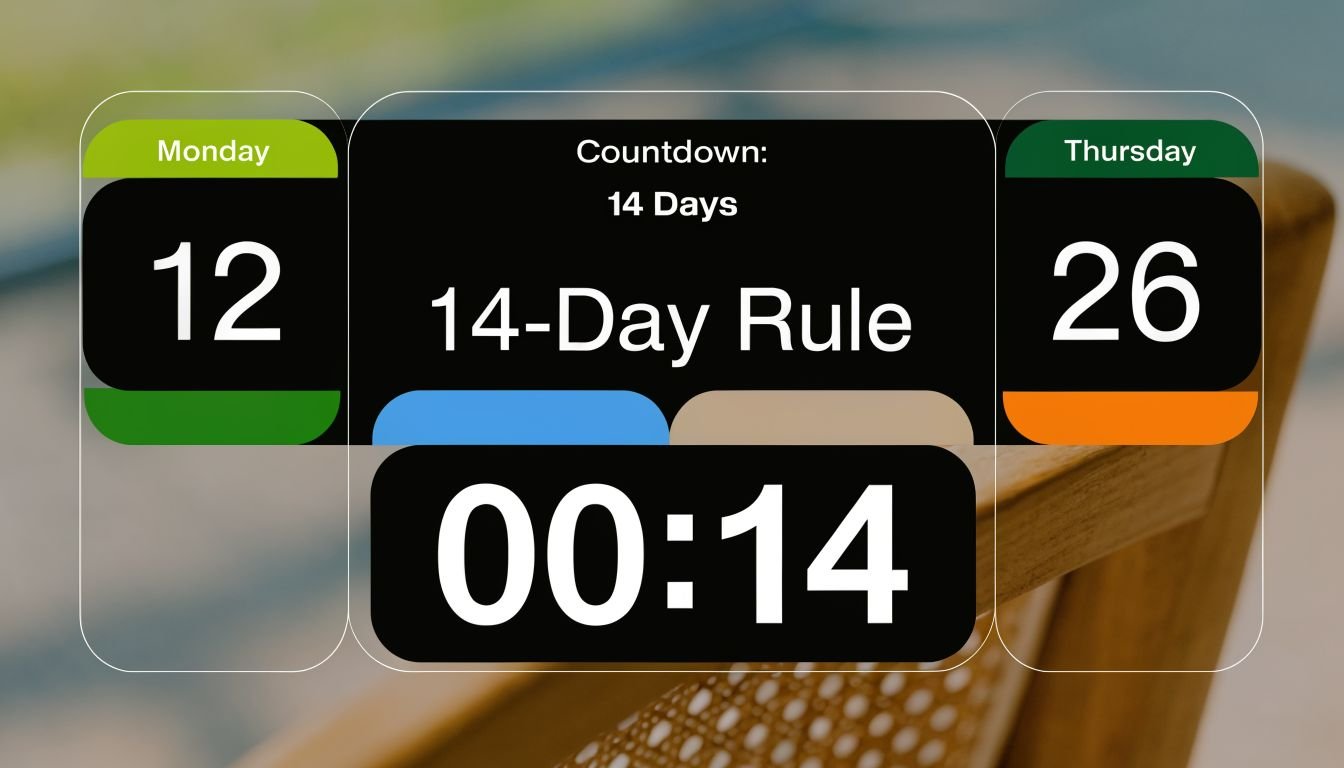
What the 14-day window actually does
Instagram gives many users a short reversal window after a username change. In practice, that means your old handle may stay reserved for a limited time so you can switch back if the new name creates problems. The Knowledge Academy’s guide to changing Instagram usernames describes this as a 14-day period and notes that some users reverse course shortly after changing.
Treat that window as backup, not as a test plan.
I usually advise clients to act as if the new handle is final the moment they save it. That mindset leads to better decisions before the change, and it avoids a common mess. A rushed rename can leave your old username exposed later, while your website, bio link page, and directory listings still show the wrong identity.
If you do need to revert, do it quickly. Once that hold expires, the old username may become available to others.
Other rules that cause failed changes
Instagram applies a few basic checks right away, and they catch a lot of avoidable mistakes.
- Only certain characters work: letters, numbers, underscores, and periods
- Each username must be unique: if another account has it, Instagram will reject it
- Validation happens immediately: formatting and availability issues usually show up before you save
- Repeated attempts can trigger a temporary block: rapid edits and constant retries can slow you down
The last point matters more than people expect. During rebrands, teams often bounce between three or four versions while checking what looks best on profile graphics, social headers, and URLs. Instagram may read that behavior as spammy or suspicious. Make your shortlist first, check it carefully, then submit one clean choice.
The policy mindset that avoids cleanup problems
A username is a brand asset with technical side effects. It changes your profile URL, affects how people search for you, and can create stale references across the web if you move too fast.
That is why the main risk is not only losing the old handle. It is losing consistency. If your new username goes live before your bio links page, creator media kit, pinned content, and partner mentions are updated, people can still find the wrong name in Google, click outdated profile links, or tag the wrong account.
Plan the change as a coordinated update. The smoother your rollout, the less discoverability you lose.
Your Post-Change Checklist Update Your Links and Notify Followers
This is the part most guides skip, and it’s where account owners create avoidable problems. Changing the handle inside Instagram is only the first action. The second action is cleaning up every place that still points people to the old identity.
Most guides on changing Instagram usernames don’t address external links. For creators using bio link tools, that creates a real gap where the new username can break referral paths and reduce engagement if the bio link page and related profiles aren’t updated at the same time, as noted in this video on post-change link issues.
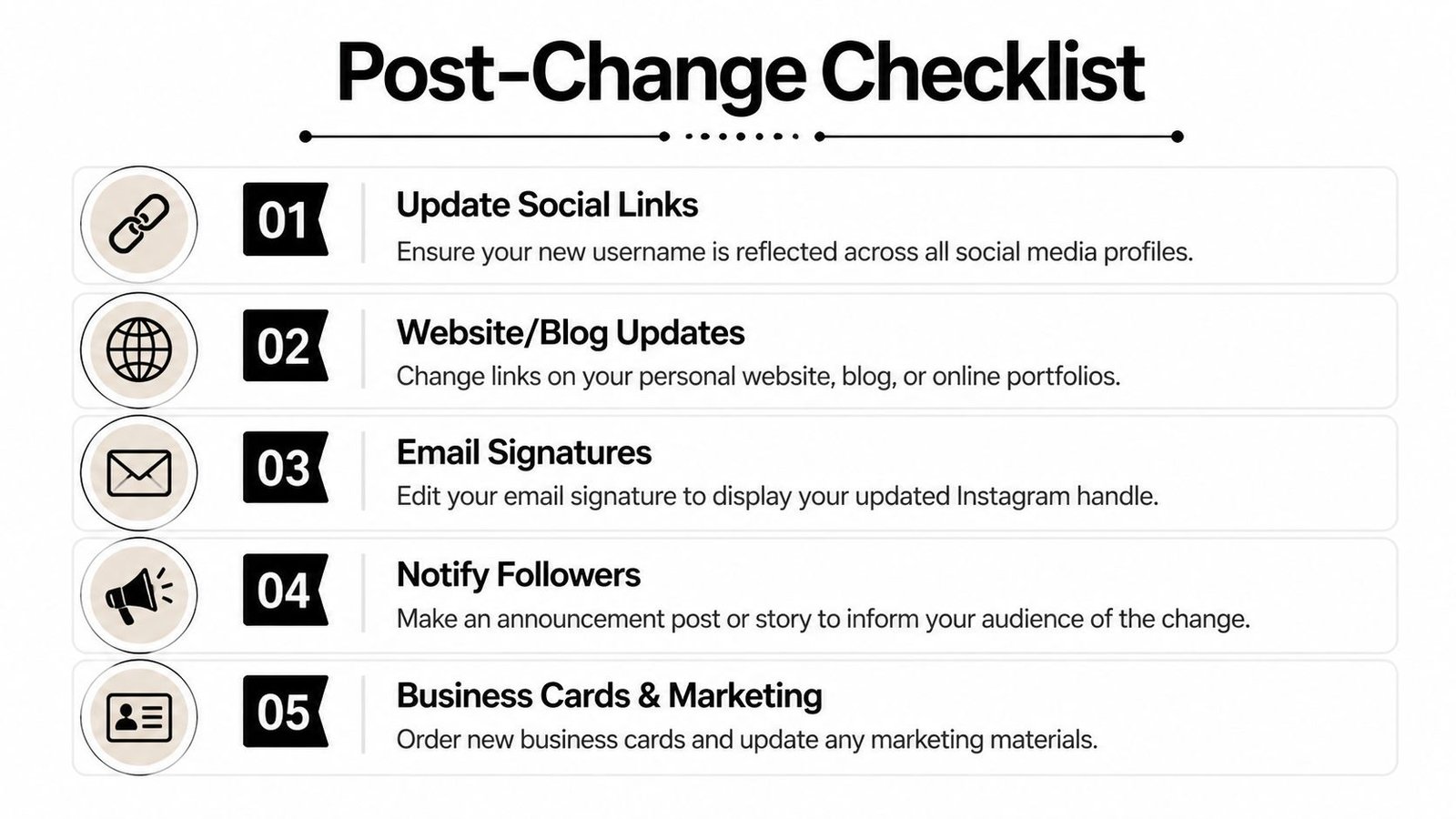
What to update first
Start with the places people click.
- Your bio link page: If your link hub mentions your Instagram handle by name, update the label and any icons or profile references attached to it.
- Your website or blog: Check author bios, contact pages, footers, and embedded social icons.
- Other social profiles: Change the handle reference in TikTok, YouTube, Pinterest, LinkedIn, X, and anywhere else you list your Instagram.
- Email signatures: This one gets missed constantly, especially by freelancers and agencies.
- Lead magnets and PDFs: If you’ve got downloadable resources, old handles often stay there for months unless you replace them.
I’ve seen small rebrands go sideways for one simple reason: the Instagram handle changed, but the website header, Link in Bio page, and story highlight cover still showed the old one. Followers don’t always stop to decode that. They assume they found the wrong account.
If you want the rebrand to feel seamless, update the click paths before you update the graphics.
How to tell followers without making it awkward
You don’t need a dramatic announcement. You do need clarity.
A simple Story and one feed post are usually enough for most creators and businesses. Say the handle changed, say why if it helps, and reassure people that the account is still you. If you run a business, pin that announcement for a while.
A clean post-change communication stack looks like this:
- Story first: “We’ve moved from @oldhandle to @newhandle.”
- Feed post next: Explain the reason in one paragraph.
- Pinned post if needed: Useful for brands, educators, and shops.
- Update highlights: Especially FAQ, Contact, Shop, or About.
Why this matters for discovery
A username change can temporarily affect how easily people find you, especially if your old handle was already circulating in mentions, search results, and third-party directories. That’s why link consistency matters so much in the first few days after the switch.
If someone clicks from an outdated profile, old media kit, or old directory listing and gets confused, you’re adding friction at exactly the wrong time. The best rebrands reduce friction. They don’t create scavenger hunts.
Fixing Common Problems Username Taken or Change Blocked
Most issues fall into a few predictable buckets. The fix depends on which one you’re dealing with.
If the username you want is taken
If the handle is unavailable, don’t bolt random numbers onto the end and call it done. Try a cleaner variation first.
Good fallback options include:
- Adding a location if you serve a local market
- Using a niche keyword tied to your offer
- Trying a period or underscore if it still reads clearly
- Adding a short brand descriptor such as studio, shop, media, or co
What usually doesn’t work is overcomplicating it. If the alternative handle needs constant explanation, keep brainstorming.
If Instagram won't let you change it
This usually comes down to one of three things: invalid characters, a taken handle, or a temporary restriction after repeated edits. Review the format rules carefully and try again with a simpler version.
If you’ve been testing multiple handles back to back, stop editing and wait. Repeated retries tend to make the situation worse, not better.
If your reach feels off after the switch
Changing a username can temporarily suppress reach and engagement while Instagram and third-party discovery tools re-index the new handle, according to this discussion of username changes and re-indexing effects. That matters most for creators, shops, and service businesses that built visibility around the old name.
The practical response is straightforward:
- Keep posting normally: Don’t disappear right after the change.
- Repeat the new handle in Stories and captions: Help followers learn it faster.
- Update branded visuals: Your audience should see the same name everywhere.
- Be patient: Discovery often lags behind profile edits.
A handle change is easiest when the name changes once, but the content rhythm stays steady.
Frequently Asked Questions About Changing Your Instagram Name
Here are the quick answers people usually want at the end.
Quick Answers to Common Questions
| Question | Answer |
|---|---|
| Will I lose my followers if I change my username? | Your account stays the same. The main risk is confusion if you don’t update links and profile references elsewhere. |
| Can I get my old username back? | Usually, yes within the 14-day reversal window covered earlier. After that, you shouldn’t assume it will still be reserved. |
| Is changing my username the same as changing my display name? | No. The username is your unique @handle. The display name is the profile label people see under your photo. |
| Do old tags and mentions automatically become perfect referrals to the new handle everywhere? | Don’t assume they will. Review important posts, bios, and business assets that reference the old handle. |
| Should I change my username during a launch? | Usually no. It’s better to avoid stacking a rebrand on top of a campaign, product drop, or seasonal promotion. |
| What’s the safest way to do it? | Prepare the new handle, update your external links, then announce the change clearly and keep posting consistently. |
If your account supports a business, store, newsletter, or creator funnel, think beyond the app. The best username change is the one your audience barely notices because every touchpoint was updated at the same time.
If you want one place to update your social links after a handle change, Bio Links Page Builder makes that cleanup much easier. You can create a single OneURL page for your Instagram, products, articles, videos, and contact links, then update that page as your brand evolves instead of chasing old links across multiple platforms.
Pingback: Instagram: How to Get Visitors and Boost Profile Traffic – Bio Link Builder Platforms