
You’ve probably seen this pattern already. The feed looks good, the products photograph well, a few posts get saved, friends say the brand “looks professional,” and yet sales from Instagram feel inconsistent or disappointing.
That usually means the account is being run like a content gallery instead of a sales system.
If you want to understand how to sell products on instagram, you need to stop thinking only about posts and start thinking about paths. A person discovers you in a Reel, checks your profile, taps a product tag or your bio, compares options, leaves, comes back later, then buys. If any part of that path is unclear, Instagram turns into a nice-looking distraction instead of a revenue channel.
Table of Contents
- From Passive Scrolling to Active Shopping
- Laying the Foundation for Instagram Commerce
- Crafting Shoppable Content That Actually Sells
- The Bio Link Hub Your Central Sales Engine
- Scaling Your Sales with Advanced Tactics
- Measuring What Matters and Optimizing for Growth
From Passive Scrolling to Active Shopping
A lot of brands still treat Instagram like a top-of-funnel awareness channel. That’s outdated. Instagram has already become a real commerce platform.
According to Capital One Shopping’s Instagram shopping statistics, Instagram is projected to generate $42.8 billion in social commerce sales in 2025, up from $37.2 billion in 2024. The same source says 54% of users purchase a product after seeing it on Instagram, and 81% use the platform to discover new products or brands. Those numbers matter because they change the job of your account. You’re not just trying to “stay active.” You’re building a storefront inside an attention platform.
That shift explains why some brands with modest followings still sell well, while larger accounts struggle. Reach helps, but buyer intent matters more. If people come to Instagram to discover products and a large share of them buy after discovery, then your execution has to reduce friction at every step.
Practical rule: A post that looks premium but doesn’t make the next click obvious won’t sell as well as a simpler post with a clear buying path.
There’s also a mindset problem that holds sellers back. They assume the feed is the strategy. It isn’t. The feed is only the surface. The actual work is merchandising, tagging, routing traffic, and making sure each piece of content has one clear next action.
Here’s what usually works better than “posting more”:
- Treat discovery and conversion separately: Use content to earn attention, then use tags, profile structure, and your bio link to close the gap to purchase.
- Merchandise visually: Instagram rewards products that look understandable in seconds. If the benefit takes too long to decode, people scroll.
- Build for repeat visits: Most buyers won’t purchase on the first touch. Your profile, highlights, and link path need to help them come back and continue where they left off.
Brands that sell well on Instagram usually aren’t more creative in some abstract way. They’re more deliberate. They know what each post is supposed to do, and they don’t leave the customer journey to chance.
Laying the Foundation for Instagram Commerce
If the setup is sloppy, every later tactic gets weaker. Before you worry about content calendars or creator seeding, make sure the store infrastructure is sound.
Set up the account for transactions, not vanity
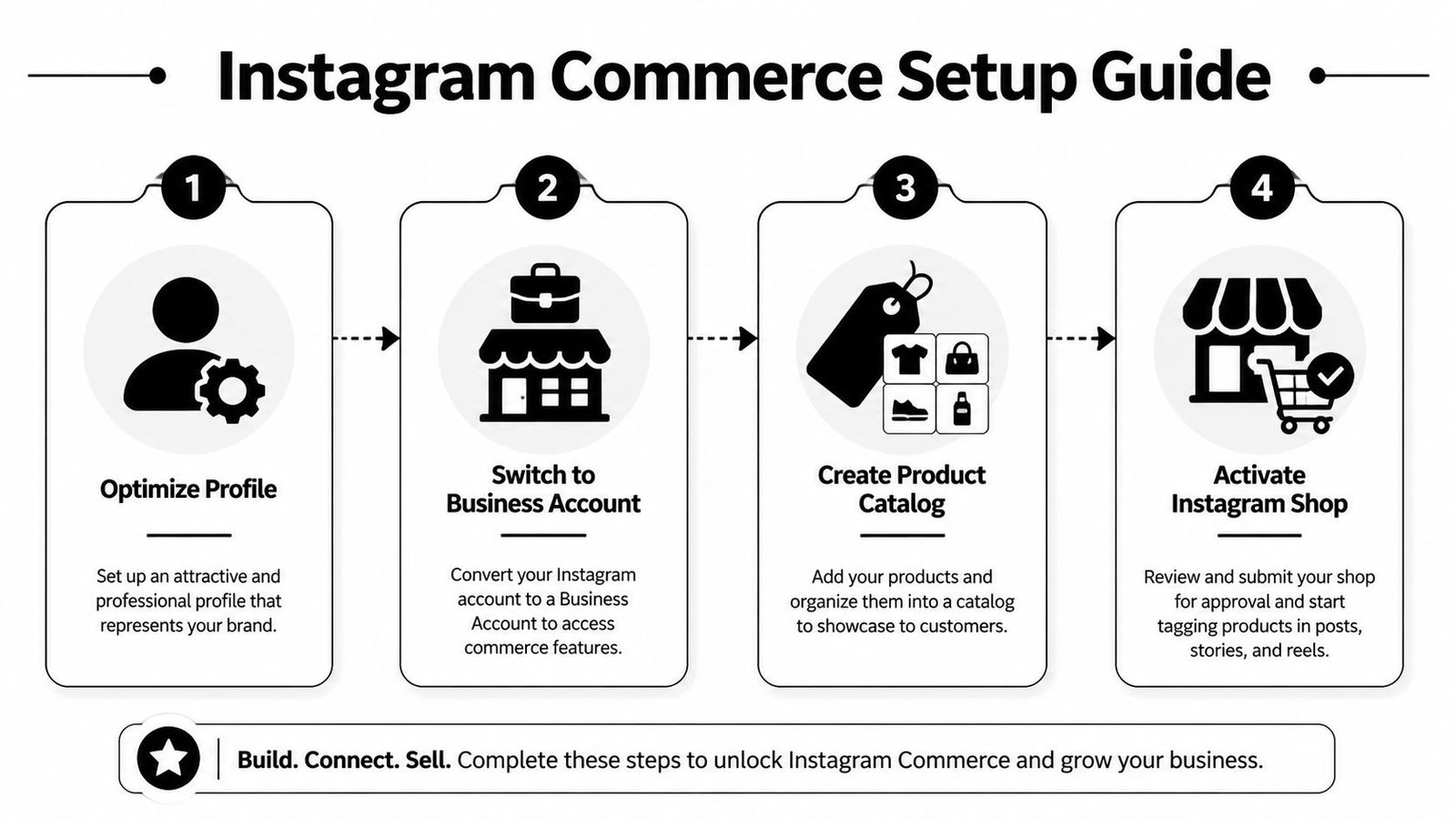
The core setup is straightforward. As explained in Hootsuite’s guide to selling on Instagram, you need to convert to a business or creator account, connect a Facebook Page, create a product catalog, and submit for review. The mechanics are simple. The reason behind them is what matters.
Instagram needs to understand that your account belongs to a legitimate seller with a structured catalog. That’s why this setup lives inside the broader Meta commerce system rather than as a lightweight profile toggle. If you skip pieces or rush them, you create downstream problems that are harder to fix later.
Use this checklist before you submit:
Professional account selected
This provides commerce features, business tools, and insights you’ll need once traffic starts moving.Facebook Page connected
It’s part of how the commerce infrastructure ties together. Many sellers try to avoid this step, but that only creates confusion later.Catalog created and organized
Product names, images, variants, pricing, and availability need to be clean before review.Merchant eligibility checked
If the business or product category doesn’t comply, approval gets delayed or denied.
Build the catalog correctly the first time
The catalog is where many sellers get careless. They think of it as backend admin work. Customers experience it as trust.
If a tagged product leads to the wrong variant, outdated pricing, or an unavailable item, people lose confidence fast. Hootsuite notes that catalog sync errors are a common pitfall because they erode customer trust. That’s exactly right. A broken catalog doesn’t just reduce conversion on one post. It makes the whole account feel unreliable.
A solid catalog usually has these traits:
- Clear product naming: Avoid internal SKU language. Use names customers can recognize instantly.
- Consistent imagery: The catalog image should match what people saw in the post or Reel.
- Accurate availability: If stock changes often, make sync discipline part of operations, not an occasional cleanup task.
- Useful product grouping: Collections should reflect how customers shop, not how your warehouse thinks.
Approval is not the finish line. It’s the point where your operational mistakes start showing up in public.
Tag with intent
Once the shop is active, tagging becomes part of merchandising. Don’t think of tags as stickers you add at the end. Think of them as buying cues.
The same Hootsuite guide notes that brands that strategically tag products can see a sales increase of up to 37%. The phrase that matters there is “strategically.” Random tagging can make content feel pushy. Strategic tagging makes the content easier to act on.
A few rules keep tags useful instead of noisy:
| Situation | Better move | Poor move |
|---|---|---|
| Hero product post | Tag the featured product clearly | Tag every item in the frame |
| Lifestyle photo | Tag the item the viewer is most likely asking about | Hide the product in a cluttered scene |
| New launch | Tag the priority SKU first | Split attention across too many options |
| Story or Reel | Tag when the product is visible and understandable | Place the tag where it interrupts the viewing experience |
Sellers often overcomplicate the setup side because it feels technical. In practice, the standard is simple. Build a credible storefront, keep the catalog clean, and make it easy for shoppers to understand what they can buy. That’s the base layer every stronger Instagram sales strategy sits on.
Crafting Shoppable Content That Actually Sells
Good Instagram content doesn’t just attract attention. It answers the silent questions that stop a purchase. What is it? What does it do? What does it look like in real life? Why should I care now?
That’s why product content that sells usually looks less like an ad campaign and more like sharp visual merchandising.
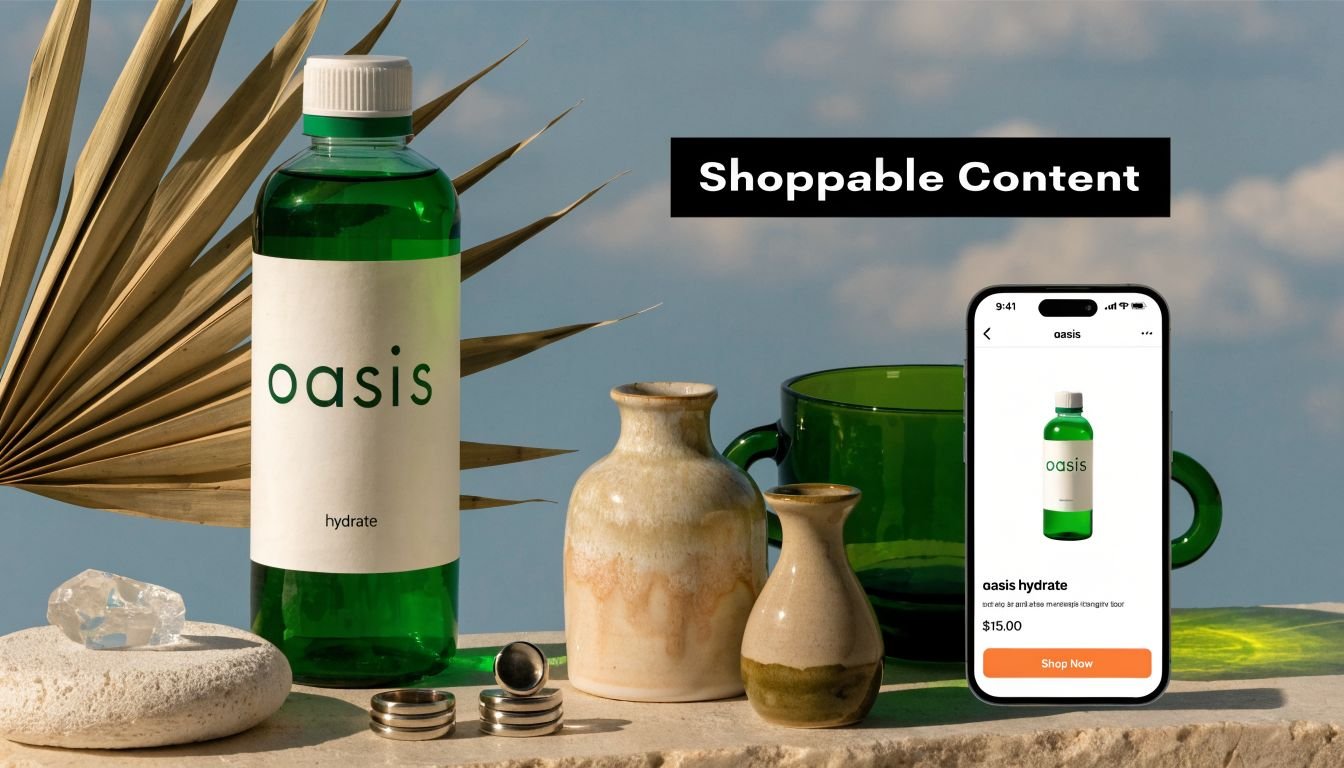
Use content formats for different jobs
Not every format should carry the same responsibility. Some posts are better for reach, some for credibility, some for conversion.
According to Dataopedia’s Instagram shopping statistics, brands tagging products in feed posts see an average sales increase of 37%. The same source says Instagram Reels reach an average of 11,000 users, while standard image posts reach 5,200. That doesn’t mean images are obsolete. It means Reels are usually the better discovery format, while static posts often do a better job of slowing people down so they can inspect the product.
A balanced content mix usually looks like this:
- Reels for reach: Product demos, transformations, routines, unboxings, and use-case clips.
- Carousels for consideration: Feature breakdowns, before-and-after comparisons, styling options, ingredient or material stories.
- Single images for clarity: Clean hero shots, campaign visuals, and simple launch announcements.
- Stories for urgency: Restocks, replies to objections, quick proof, and reminders.
Make the product easy to buy without making the post feel like an ad
The biggest creative mistake on Instagram is forcing the sales message too early. People don’t object to buying. They object to being interrupted.
A better approach is to build the post around context first, then layer commerce into it. Show the candle on the bedside table, the serum in the morning routine, the tote on the commute, the mug in the kitchen. When the viewer sees the product in use, the tag feels helpful instead of aggressive.
The best shoppable post often doesn’t look like a shoppable post at first glance. It looks like a moment people want to step into.
A few practical trade-offs matter here:
- A beautiful shot can underperform if it hides the product’s purpose.
- A direct product demo can outperform a polished brand film if it removes confusion.
- A caption that explains one useful thing usually beats a caption trying to sound clever.
If you sell something tactile, show texture. If you sell something functional, show outcome. If you sell something aesthetic, show how it changes a space, outfit, or routine.
What strong shoppable Reels usually do
Reels work best when the product appears quickly and the use case is obvious within seconds. Don’t spend the opening on logo animation or mood shots that delay the reveal.
Hence, short-form video earns its place in a sales system:
The strongest product Reels tend to include some mix of the following:
- Immediate context: The product appears early, not halfway through.
- Visible use: The viewer sees how it fits into real behavior.
- Single-message focus: One Reel, one idea. Too many claims dilute the hook.
- Clean tagging: The product tag supports the moment rather than cluttering it.
If you’re learning how to sell products on instagram, this is the creative standard to aim for. Don’t chase novelty for its own sake. Make content that helps a stranger understand, trust, and want the product faster.
The Bio Link Hub Your Central Sales Engine
Instagram gives you discovery. It does not give you much room to control the buying journey. That’s the gap most guides gloss over.
A lot of sellers rely too heavily on native shopping surfaces and treat the bio link as an afterthought. That’s backwards. Your bio link is the one place where you control layout, priority, flow, and destination without depending on how Instagram chooses to distribute a post.
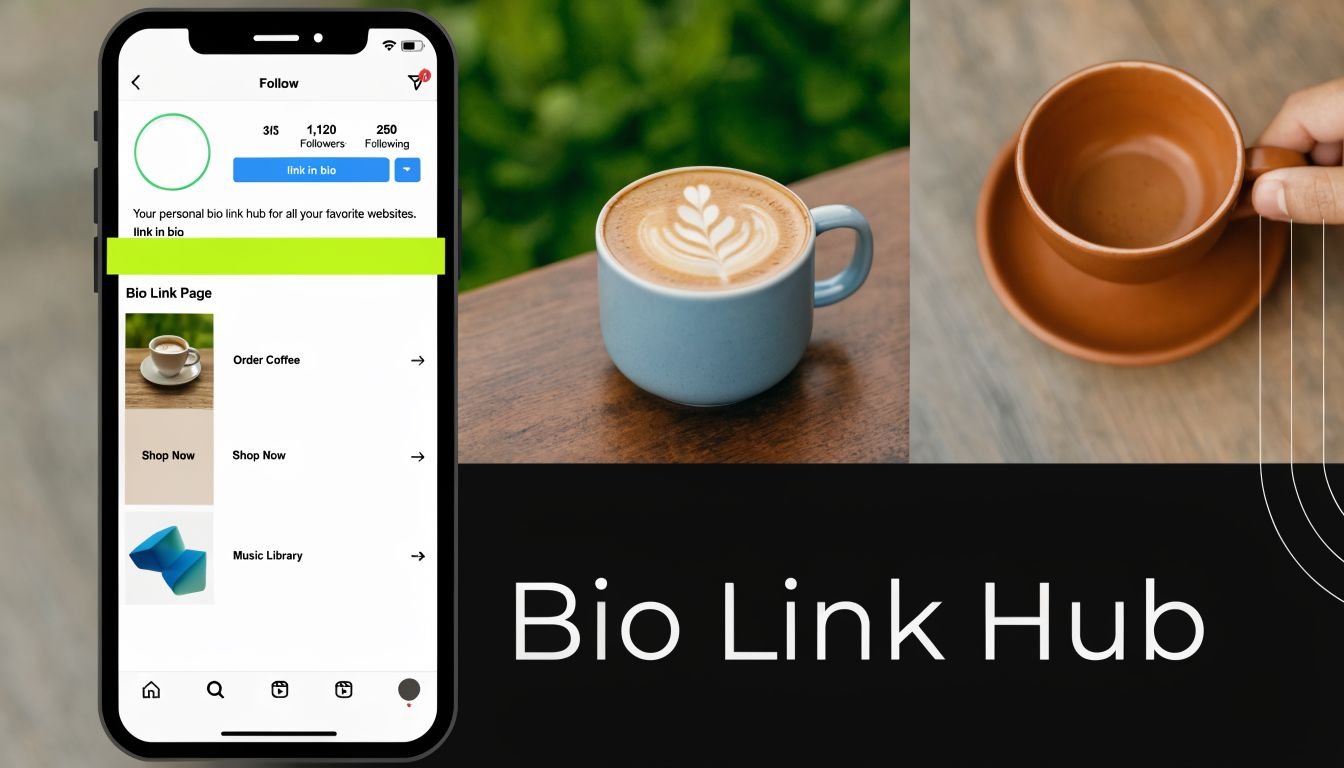
Why the bio link matters more than most brands admit
A useful insight from this discussion of multi-channel traffic funnels is that many Instagram selling guides ignore a core operational issue. Sellers struggle to consolidate product visibility and track conversions from different platforms, and a centralized bio link page solves this by aggregating product showcases and providing unified analytics.
That’s the strategic case in one sentence.
Native Instagram shopping is good at reducing friction inside a post. It’s less effective when the customer needs options, context, categories, proof, or a second route to purchase. A bio link hub solves that by becoming a controlled conversion layer between discovery and checkout.
Here’s the trade-off:
| Approach | Strength | Weakness |
|---|---|---|
| Native product tags only | Fast, low-friction taps | Limited control over journey and merchandising |
| Website homepage in bio | Full ownership | Often too broad for social traffic |
| Centralized bio link hub | Flexible routing, featured products, cleaner campaign paths | Requires active curation |
The best Instagram stores use both. They let impulse shoppers tap tags in content, but they also give profile visitors a smarter place to land.
What to put on the page
A weak bio link page is just a stack of random buttons. A strong one behaves like a compact storefront.
Include only the destinations that match real buying intent:
- Featured collection or bestseller block: Good for first-time visitors who don’t want to browse your entire catalog.
- New arrivals or current promotion: This keeps the page aligned with your latest content.
- Product categories tied to shopper language: “Best gifts,” “Travel essentials,” or “Daily routine” often work better than internal category names.
- Proof assets: UGC galleries, reviews, press mentions, or tutorial content can lower hesitation.
- Support paths: Shipping info, FAQs, store locator, or booking page if those matter to the sale.
If the customer came from a Reel about one product, don’t make them hunt through a general homepage. Route them to the closest next step.
That last point is where many brands lose sales. They create good content, then dump all visitors onto a generic site experience built for every traffic source at once. Social traffic usually needs a narrower path.
When to send people to tags and when to send them to the hub
Not every post should push the same destination. Choosing the right route is part of selling well on Instagram.
Use product tags when:
- the post features one main SKU
- the buying decision is simple
- the product is already familiar to your audience
- the intent is immediate and direct
Use the bio link hub when:
- the post mentions multiple products
- the audience may need comparison or more education
- the campaign includes bundles, seasonal edits, or themed collections
- you want to capture interest from Instagram, TikTok, Facebook, or creator traffic in one place
This matters beyond Instagram too. Once you build a hub that can handle multiple traffic sources, your system becomes more durable. You’re no longer reinventing your landing path every time you publish on another platform or launch with a creator.
For sellers who want consistency, this represents a significant advantage. The feed drives attention. The profile builds trust. The bio link hub organizes demand into something you can manage and learn from.
Scaling Your Sales with Advanced Tactics
Once the account converts reliably, scaling isn’t about posting twice as much. It’s about borrowing trust, expanding proof, and putting budget behind what already works.
The fastest-growing Instagram stores usually reach that stage when they stop trying to do everything with brand-owned content alone.

How a small brand should approach creators
A common mistake is chasing the biggest creator you can afford. That often buys visibility without alignment.
According to Yotpo’s guide to selling on Instagram, influencer partnerships can yield 5-11x higher ROI than traditional paid ads, and micro-influencers with 10k-50k followers often convert 60% better than macro-influencers because trust and audience alignment are stronger. The same source notes that using Instagram’s affiliate tools to enable creator product tagging is a key technical step.
That matches what practitioners see in the field. Smaller creators often know how to talk about products in a way that feels native to their audience. They answer objections casually, show usage authentically, and don’t make the placement feel bolted on.
A practical rollout looks like this:
Start with audience fit
If the creator’s followers don’t resemble your likely buyer, the content won’t carry sales weight.Give one clear angle
Don’t brief a creator with five product claims. Give them one believable use case.Use affiliate structure where possible
That keeps incentives aligned and makes performance easier to read.
Turn customer content into selling assets
A skincare brand might send product to a handful of creators, then notice one simple bathroom-shelf Reel keeps getting shared. Instead of treating that as a one-off win, smart teams turn it into a reusable asset. They repost it with permission, cut it into Stories, feature it in highlights, and place it on the bio link page beside the product.
That’s the right way to think about UGC. Not as “community content,” but as conversion material.
A few unwritten rules help:
- Messy but believable often beats polished but scripted.
- Demonstration beats praise. Seeing the product in use usually sells harder than hearing that it’s “amazing.”
- Specificity wins. A creator explaining how a tote fits a laptop and gym clothes is more useful than generic enthusiasm.
Borrow credibility first. Scale reach second.
Use paid amplification after proof, not before
Paid support works best when it amplifies proven content instead of rescuing weak creative. If a product-tagged Reel already gets strong saves, profile visits, replies, or link clicks, that’s a better candidate for spend than a polished asset nobody cared about organically.
Think of paid as force multiplication, not problem solving.
A sensible sequence is:
- publish organically
- watch which post earns the strongest buyer signals
- move that post into paid distribution
- keep the destination tight, either to a product path or your bio link hub
- compare what kind of creative holds attention and sends qualified traffic
The brands that scale well on Instagram usually build a loop. Creator content feeds UGC. UGC feeds paid. Paid sends more people into the same conversion paths that already proved they can close.
Measuring What Matters and Optimizing for Growth
You don’t need a bloated reporting stack to improve Instagram sales. You need a small set of signals and the discipline to act on them.
Too many sellers watch likes because they’re easy to see. Likes tell you almost nothing about revenue quality. Better signals show where intent increases, where friction appears, and which products deserve more visibility.
Read Instagram signals for intent
Inside Instagram, focus on actions that suggest movement toward a purchase rather than surface approval.
Useful signals include:
- Product tag taps: These show which creative made people curious enough to inspect the item.
- Profile visits: Helpful for spotting content that drives consideration, even when the sale doesn’t happen in the same session.
- Saves and shares: Often stronger than likes because they suggest the content had future value or social proof value.
- Story exits and replies: Exits can show weak framing. Replies can reveal objections or buying questions.
A simple way to read these numbers is to ask one question per post: what job did this piece perform? A Reel might be valuable because it introduced the product to new people. A carousel might matter because it helped warm traffic compare options. A Story might work because it pushed hesitant visitors back to the store.
Use your bio link data to make merchandising decisions
Your bio link analytics often reveal buying behavior more clearly than Instagram alone because they show what people chose when given options.
Look for patterns such as:
| Signal | What it usually means | What to change |
|---|---|---|
| One product gets most clicks | The offer or presentation is resonating | Feature it more often in content and on-page placement |
| Category clicks beat single-product clicks | Shoppers want to browse before deciding | Build stronger category paths and themed edits |
| High clicks, weak conversions downstream | Interest exists, but the landing experience is off | Tighten page-message match and reduce decision friction |
| Support links get unusual attention | Buyers still have unresolved concerns | Surface shipping, returns, or FAQs earlier |
A simple operating rhythm
Don’t optimize every day. That leads to random changes and bad conclusions. Review on a steady cadence instead.
A practical routine looks like this:
- Weekly: Identify which posts drove the strongest intent signals.
- Biweekly: Refresh the bio link hub based on current products, campaigns, and customer interest.
- Monthly: Cut what nobody uses, double down on top-performing formats, and rebuild weak paths.
If you want long-term results from Instagram, this is the discipline that separates active accounts from profitable ones. Measure behavior, not vanity. Improve the route, not just the creative. Then let the system get smarter over time.
If you want one place to organize product links, campaign paths, videos, social profiles, and category pages without sending Instagram traffic to a cluttered homepage, try Bio Links Page Builder. It gives you a clean OneURL you can use as your central conversion hub, so followers from Instagram and other channels land on a page built to help them take the next step.
Pingback: TikTok Video Generation How To: A Complete Guide for AI-Powered Content – Bio Link Builder Platforms